
Today, we are excited to announce that BricksFly is officially live.
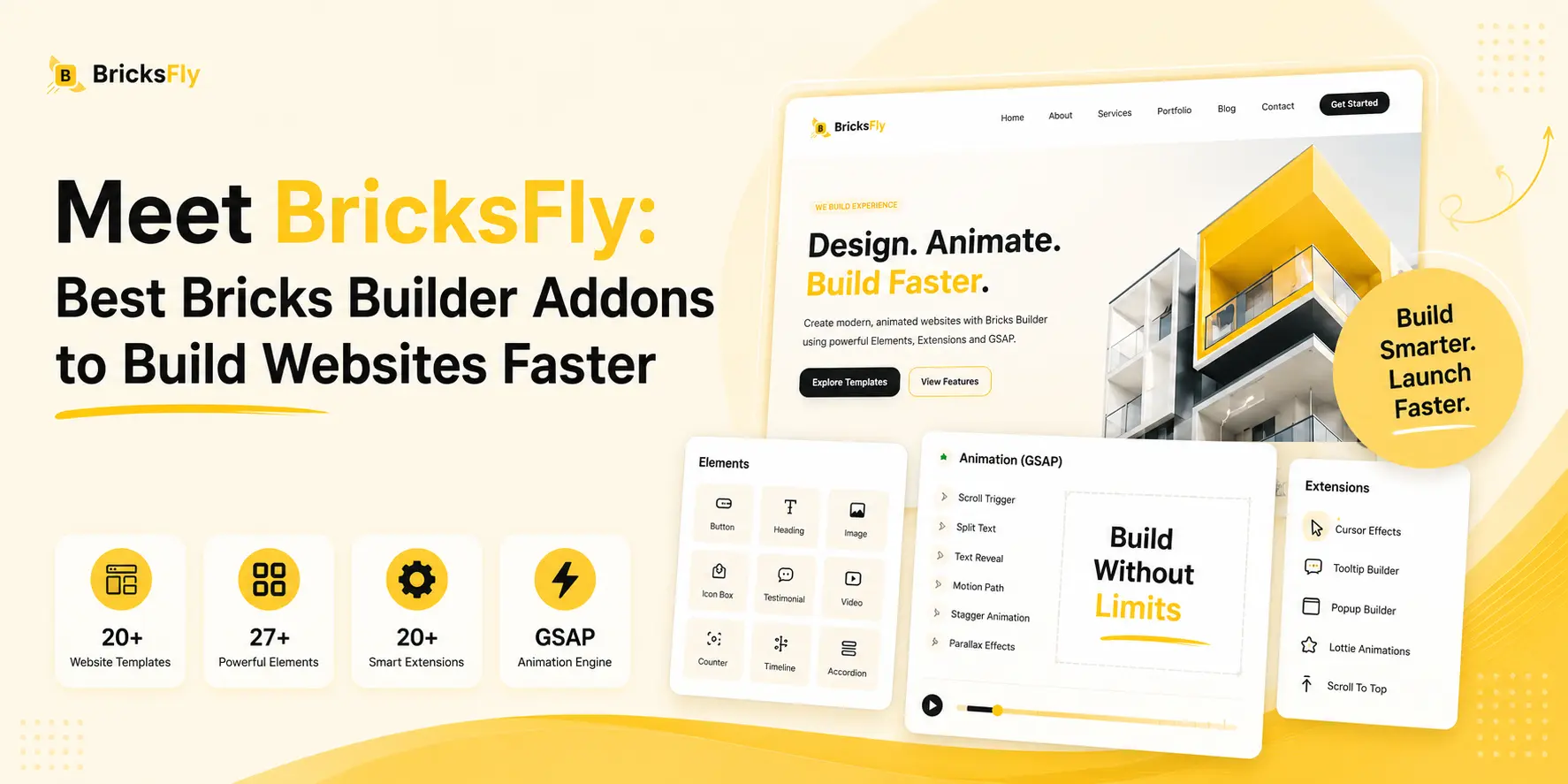
Built for Bricks Builder, BricksFly combines complete website templates, 500+ ready-made sections, powerful Elements, smart Extensions, and no-code GSAP animations in one toolkit.
It helps agencies, freelancers, designers, and developers build complete animated Bricks websites faster. You can start projects quickly without building from scratch or writing complex animation code.
Quick Overview
BricksFly extends Bricks Builder with a growing collection of resources and visual tools. It helps you build complete animated WordPress websites more easily.
With BricksFly, you can:
- Import complete Bricks website templates.
- Build custom pages using 500+ premium sections.
- Copy and paste sections into your Bricks projects.
- Create GSAP-powered animations without custom JavaScript.
- Use practical Elements for content, marketing, video, and dynamic layouts.
- Enable smart Extensions only when your project needs them.
- Preview animation changes directly inside the Bricks editor.
- Control designs and animations across desktop, tablet, and mobile.
- Reduce repetitive design and development work.
- Build modern animated websites with a more connected workflow.
Note
BricksFly currently brings together full website templates, 30+ Elements, 20+ Extensions, and visual GSAP animation features built specifically for Bricks Build.
What are the Most Common Challenges that Modern Bricks Websites Face
Bricks Builder gives designers and developers considerable freedom. However, freedom does not always mean speed.
Building a professional website still involves several time-consuming tasks.
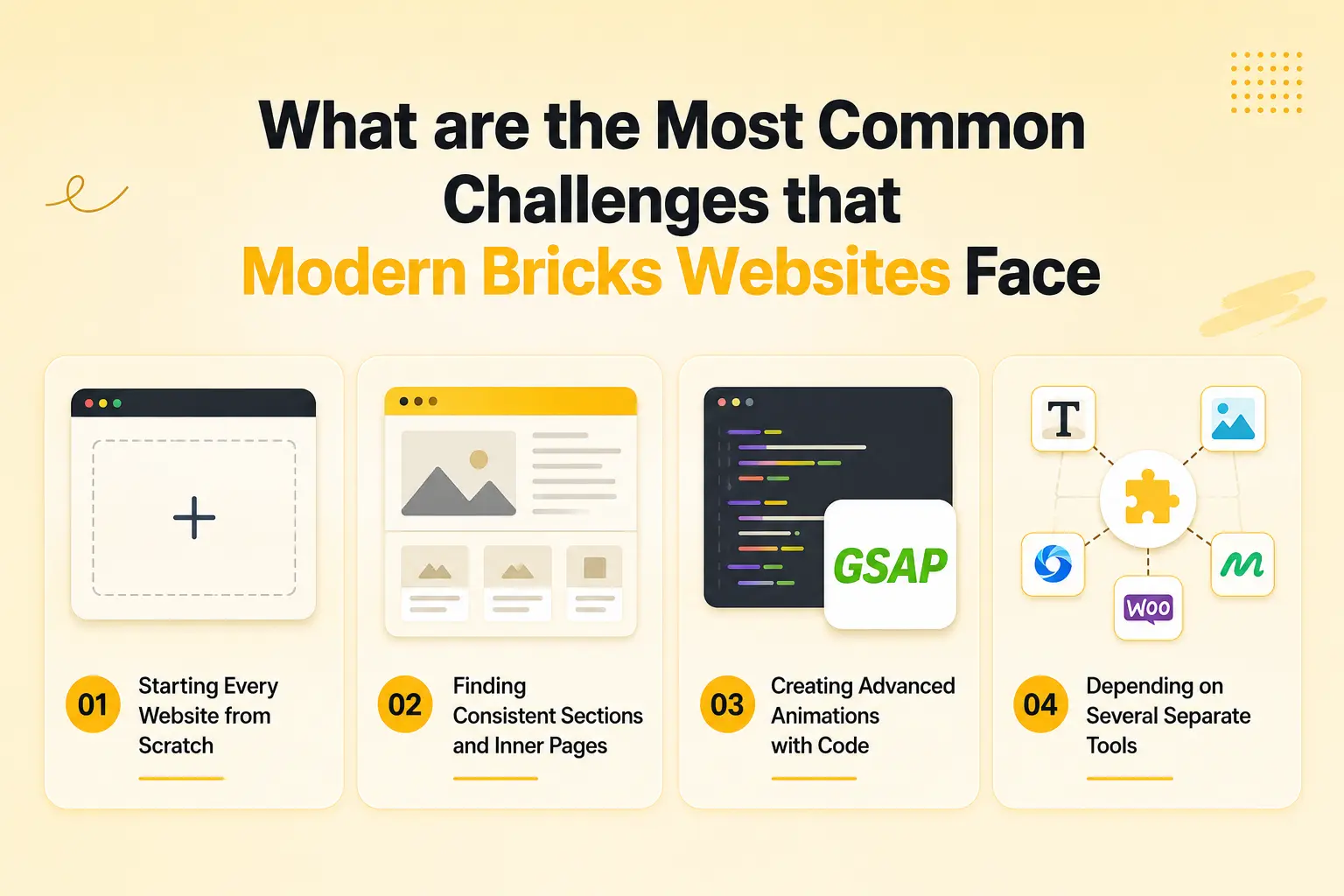
Starting Every Website from Scratch
A blank canvas gives you complete control, but it also means creating every page, section, responsive layout, and design system manually.
For agencies and freelancers managing multiple projects, repeating this process can slow down delivery and reduce the number of projects the team can handle.
Finding Consistent Sections and Inner Pages
A homepage alone is not a complete website.
You may also need matching service, about, portfolio, pricing, blog, and contact pages. Creating these pages separately makes it harder to maintain the same visual direction across the website.
Creating Advanced Animations with Code
Modern websites often use text reveals, smooth scrolling, parallax effects, horizontal scrolling, sticky sections, and scroll-based storytelling.
These effects can make a website feel more polished, but creating them usually requires knowledge of JavaScript, GSAP, ScrollTrigger, timing, triggers, and responsive behaviour.
Depending on Several Separate Tools
One plugin may provide extra Elements. Another may provide sections. A third may handle animation.
Using multiple tools can increase setup time, create an inconsistent workflow, and make it more difficult to manage updates and performance.
BricksFly was created to bring these connected requirements into one practical toolkit.
Why We Built BricksFly?
We did not want to build another add-on that only added more Elements to Bricks Builder. We also did not want BricksFly to be only an animation plugin or only a template library.
Most website projects require several things at the same time:
- A professional starting design.
- Complete pages and reusable sections.
- Practical Elements for different content types.
- Workflow Extensions that reduce manual work.
- Modern animations and interactions.
- Responsive controls.
- A workflow that remains manageable as the website grows.
That is why we built BricksFly as a complete website-building toolkit for Bricks Builder.
It connects templates, sections, Elements, Extensions, and GSAP animations so you can move from a blank WordPress installation to a polished animated website through a more organized process.
In short, BricksFly is built to help Bricks users save time on common layouts and repetitive animation work. Instead of starting from scratch, they can focus more on refining the final website experience.
Benefits of Using BricksFly
BricksFly is designed to improve the complete website-building process for Bricks Builder users, not only add isolated features.
Build Complete Websites Faster: Start with a full website template, customize its content, and adjust the design instead of creating every page manually.
Reduce Repetitive Work: Reuse professionally designed sections, animation presets, Elements, and Extensions across multiple pages and projects.
Create More Advanced Visual Experiences: Use GSAP-powered effects to build engaging text, image, cursor, hover, and scroll interactions without writing the complete animation logic yourself.
Improve Project Consistency: Matching templates, inner pages, and reusable sections make it easier to maintain consistent spacing, typography, and visual direction throughout a website.
Reduce Dependence on Custom Code: BricksFly does not remove the flexibility of custom development. It reduces the amount of code required for common layouts, effects, and interactions.
Create a More Efficient Agency Workflow: A repeatable combination of templates, sections, Elements, and animations can help agencies maintain quality while handling more client projects.
Who BricksFly Is For
BricksFly is built for different types of WordPress creators who want to complete better websites with less repetitive work.

Agencies
Agencies can use complete templates and reusable sections to create consistent client websites faster. Team members can follow a repeatable process instead of rebuilding every layout and animation from the beginning.
Freelancers
Freelancers can deliver professional websites without spending a large part of the project budget on custom GSAP development or repetitive layout creation.
Developers
Developers can use BricksFly to reduce repetitive frontend setup while retaining the ability to customize the final structure and behaviour when necessary.
Business Owners and Creators
Business owners can begin with professionally designed templates and customize them for their brand without creating every page from a blank canvas.
How Does BricksFly Work?
BricksFly fits directly into your existing Bricks Builder workflow.
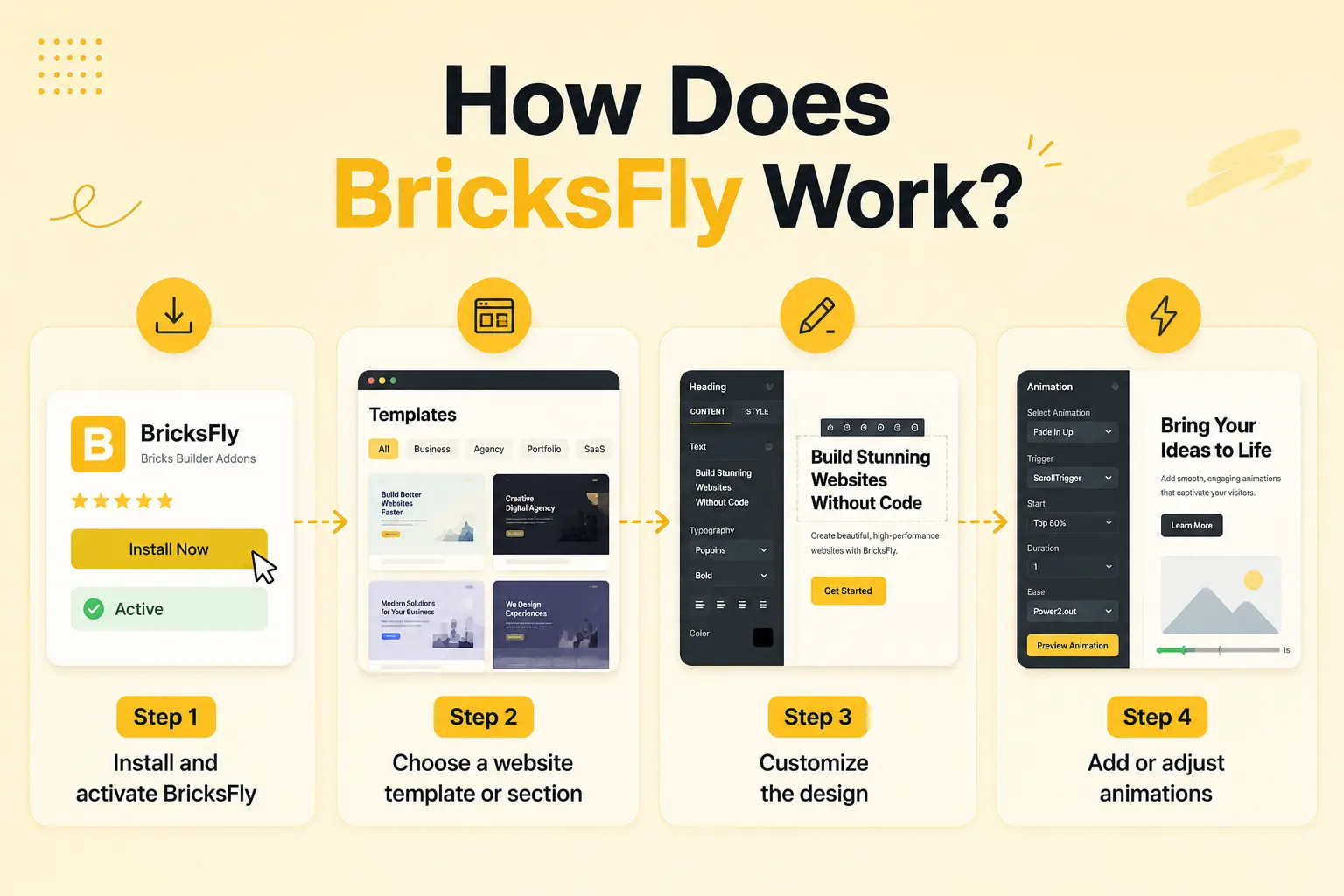
Step 1: Install and activate BricksFly
Install BricksFly on a WordPress website where the Bricks theme is already installed and active.
You can then access the BricksFly dashboard and manage the available features from your WordPress admin area.
Step 2: Choose a website template or section
Start with a complete website template when you need an entire website structure.
For a custom page, browse the section library and choose from hero sections, services, testimonials, pricing tables, portfolios, calls to action, headers, footers, and other common layouts.
Step 3: Customize the design
Open the imported content inside Bricks Builder and replace the text, images, colours, typography, and branding.
Because the layouts are built for Bricks Builder, you can continue editing them using the familiar Bricks controls.
Step 4: Add or adjust animations
Select an element or section, open the BricksFly settings, and apply the animation you need.
Choose a preset for a faster setup or configure the animation controls manually for a more customized result. You can adjust triggers, timing, direction, easing, distance, and other available settings without writing custom JavaScript.
To get the step-by-step installation guide, read our full guide on: How to Install BricksFly
Key features of BricksFly
Here are the main capabilities included in the BricksFly website-building workflow:
- Complete Bricks website templates.
- 500+ premium reusable sections.
- No-code GSAP animation controls.
- Animation presets and real-time preview.
- ScrollTrigger and horizontal scrolling.
- SplitText and advanced text animations.
- Smooth scrolling, parallax, and sticky effects.
- 28+ practical Bricks Elements.
- 20+ smart workflow Extensions.
- Responsive controls and optimized asset loading.
The combination of these features is what makes BricksFly more than a traditional Element add-on, template library, or standalone animation tool.
1. Import Complete Bricks Website Templates
BricksFly includes professionally designed full website templates created for different business and creative categories.
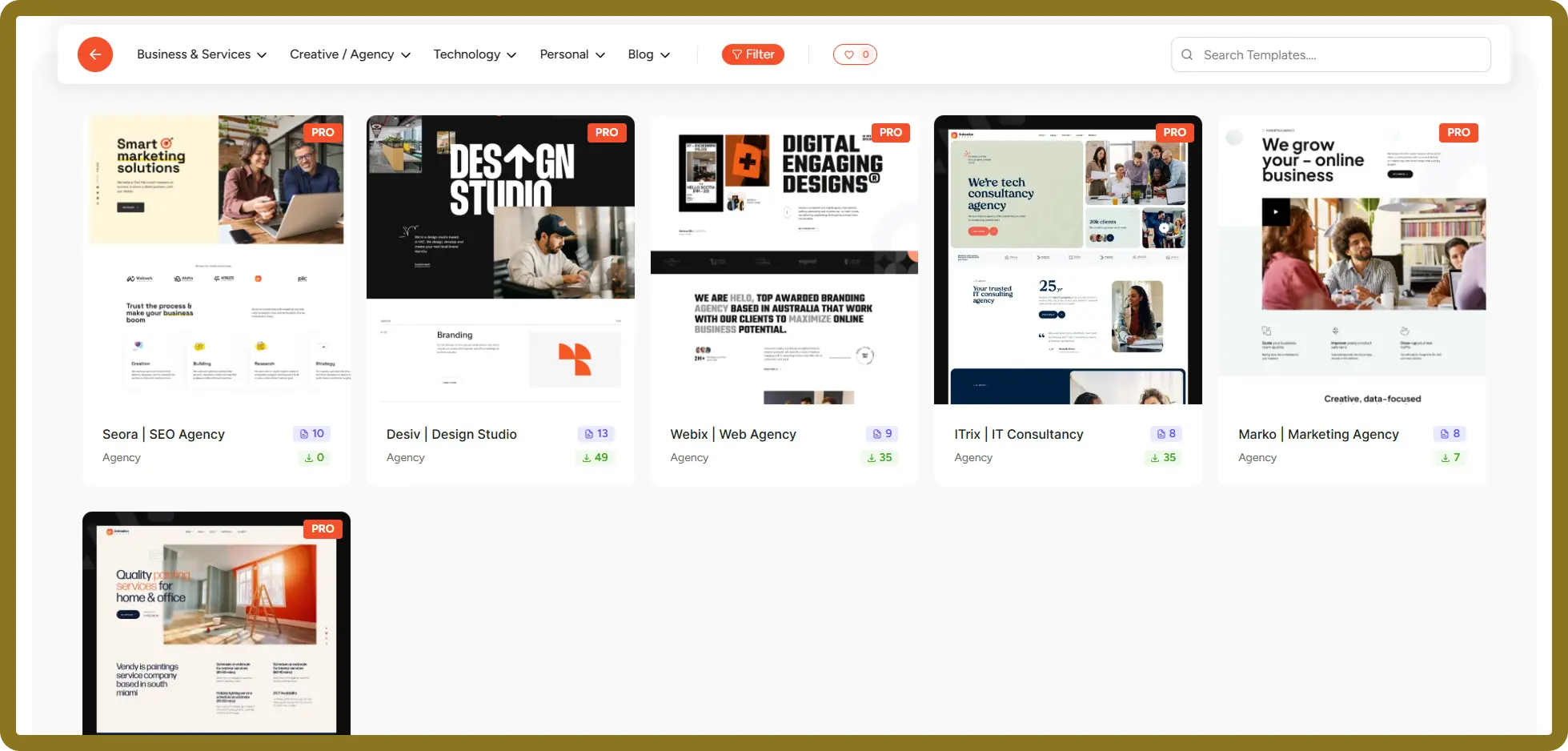
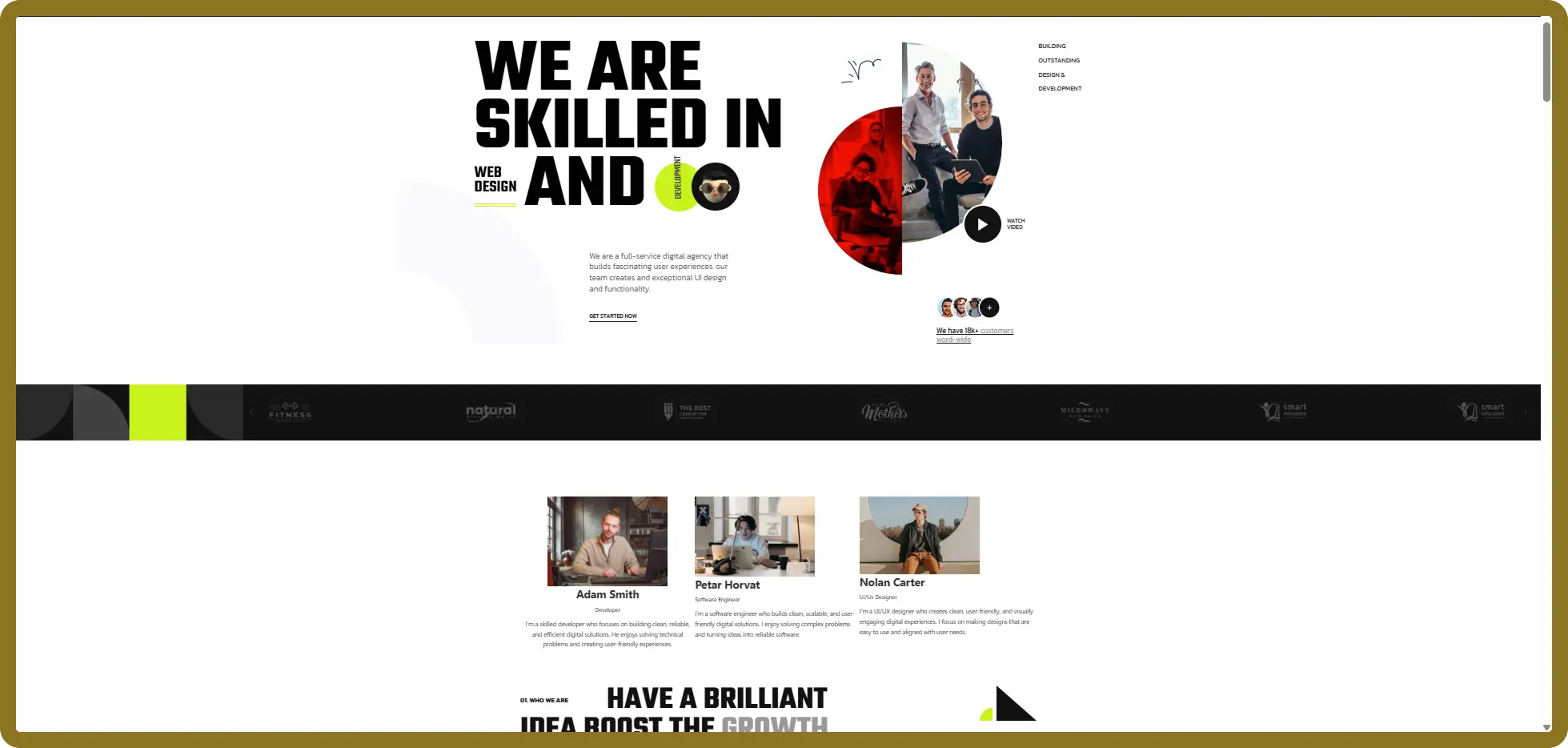
Instead of importing only a homepage, you can begin with a more complete website structure that includes the essential inner pages required for the selected website type.
What problem does it solve?
Creating a complete website page by page can take days before you even begin adding real client content. Full website templates give you an established structure that you can rebrand and customize.
Highlighted benefits
- Choose from 30+ full website templates.
- Import matching inner pages.
- Start with modern, animation-ready designs.
- Customize everything inside Bricks Builder.
- Replace demo content with your own branding.
- Use templates for agencies, SaaS, portfolios, businesses, startups, and creative websites.
- Maintain a consistent design across the entire website.
2. Build Pages with 500+ Premium Sections
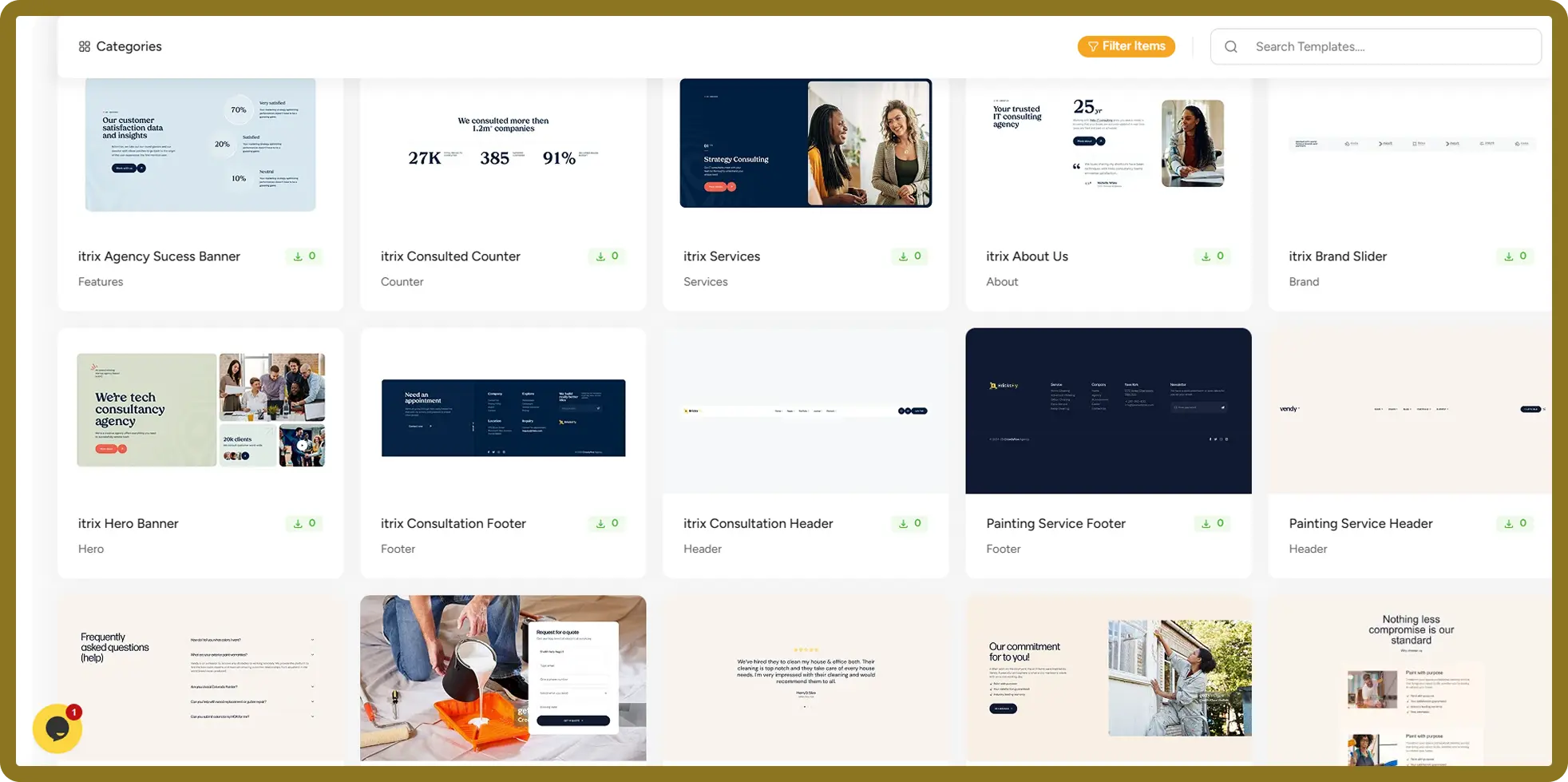
Not every project needs a complete imported website. Sometimes you only need a better hero section, pricing table, portfolio layout, testimonial block, or call-to-action section.
BricksFly provides 500+ premium sections that you can combine to create custom pages more quickly.
What problem does it solve?
Designing common website sections repeatedly consumes time and can lead to inconsistent results across projects.
The section library gives you professionally designed starting points while preserving your ability to customize the final layout.
Highlighted benefits
- Browse 500+ reusable sections.
- Find sections by category.
- Use hero, feature, service, pricing, portfolio, team, testimonial, FAQ, contact, header, and footer layouts.
- Copy and paste sections into your Bricks website.
- Download and import section JSON files when required.
- Customize the structure, styling, and content.
- Combine sections from different collections.
- Build original pages without starting from an empty container.
3. Create GSAP Animations Without Writing Code
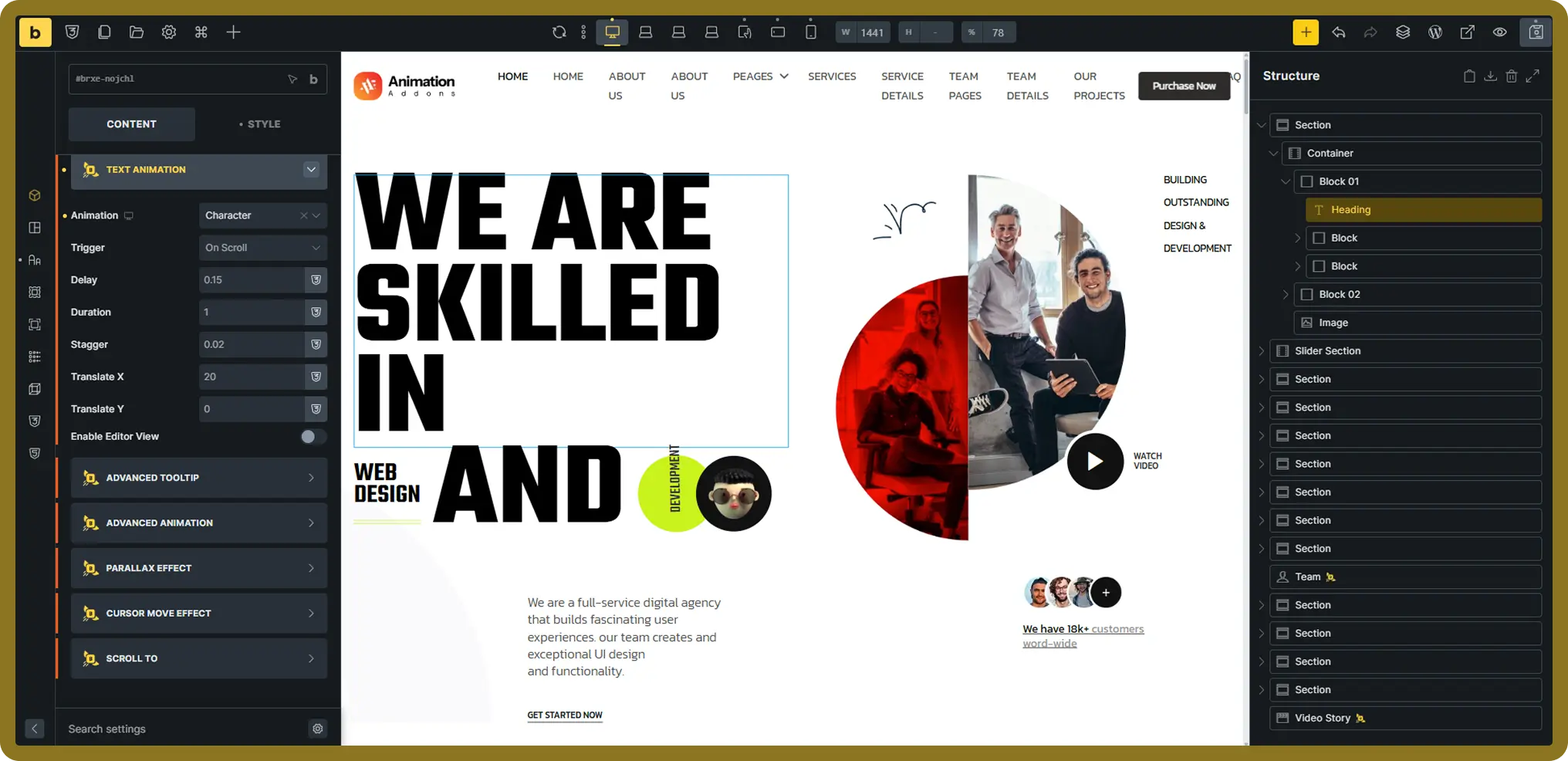
GSAP is widely used for building smooth and advanced web animations. However, creating GSAP effects manually requires JavaScript knowledge and an understanding of timelines, triggers, easing, and animation states.
BricksFly brings visual GSAP animation controls directly into the Bricks Builder workflow.
What problem does it solve?
Designers and WordPress users often have animation ideas but cannot implement them without a developer. Developers may also spend hours recreating similar animation configurations across projects.
BricksFly turns many of these configurations into visual settings.
Highlighted benefits
- Configure GSAP animations visually.
- Apply animations to existing Bricks elements.
- Control animation duration and delay.
- Adjust movement, rotation, scale, opacity, and easing.
- Select when and how an animation starts.
- Create entrance, hover, page-load, and scroll-based effects.
- Build custom animation combinations.
- Reduce the need for custom JavaScript.
4. Use Animation Presets and Real-Time Preview
Not every animation needs to be built from the beginning.
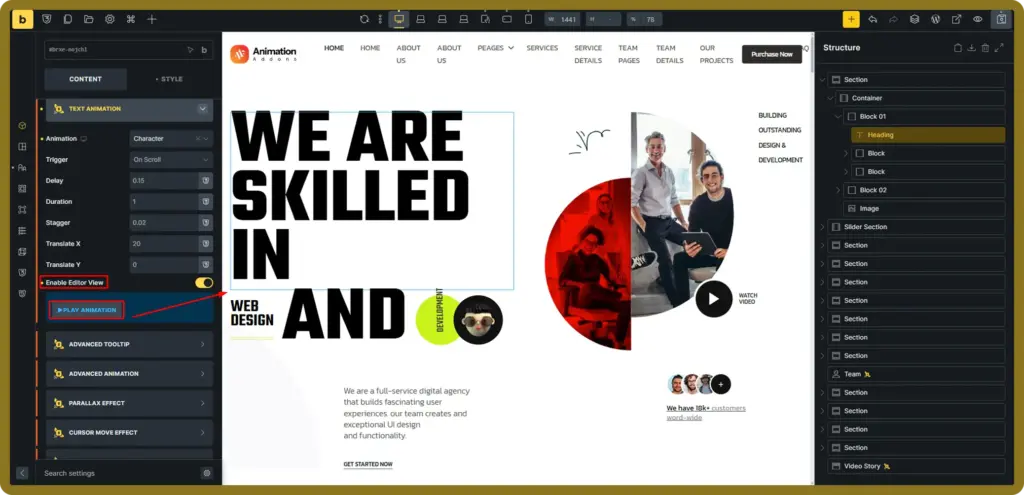
BricksFly includes ready-made animation presets that help you apply common effects quickly. After selecting a preset, you can adjust its settings to match the design.
Real-time preview helps you see the result directly inside the editor while configuring the effect.
What problem does it solve?
Manually configuring every animation value can slow down the creative process. Constantly saving and opening the frontend to check small changes also interrupts the workflow.
Highlighted benefits
- Apply ready-made animations quickly.
- Preview animation changes in the editor.
- Use presets as starting points for custom effects.
- Adjust timing, direction, easing, and distance.
- Test different effects before publishing.
- Apply consistent animation styles across a website.
- Reduce repeated previewing and page refreshing.
5. Build ScrollTrigger and Horizontal Scroll Experiences
ScrollTrigger connects an animation to the visitor’s scroll position.
You can use it to reveal content, animate sections as they enter the viewport, control timelines, or create storytelling experiences that progress while the visitor moves through the page.
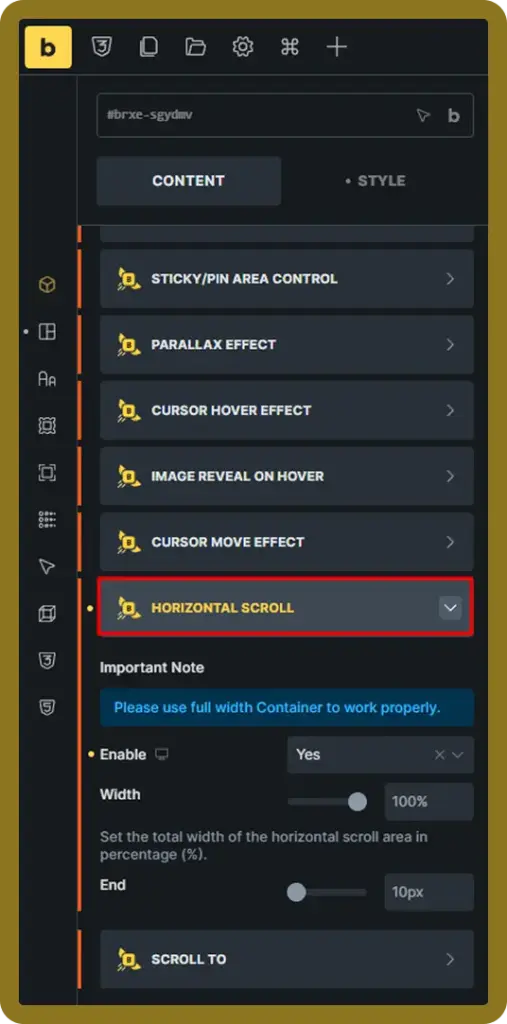

BricksFly also supports horizontal scrolling for portfolios, project showcases, product stories, and other visually driven layouts.
What problem does it solve?
Advanced scroll interactions usually require carefully written JavaScript and testing across different screen sizes.
BricksFly provides visual controls that make these effects more accessible inside Bricks Builder.
Highlighted benefits
- Trigger animations when content enters the viewport.
- Control animation start and end positions.
- Create scroll-linked animation sequences.
- Build horizontal portfolio sections.
- Display projects or images in an interactive sequence.
- Create immersive product and brand stories.
- Apply effects without manually initializing ScrollTrigger.
- Adjust behaviour for different devices.
6. Create SplitText and Advanced Text Animations
Typography can become an active part of the website experience.
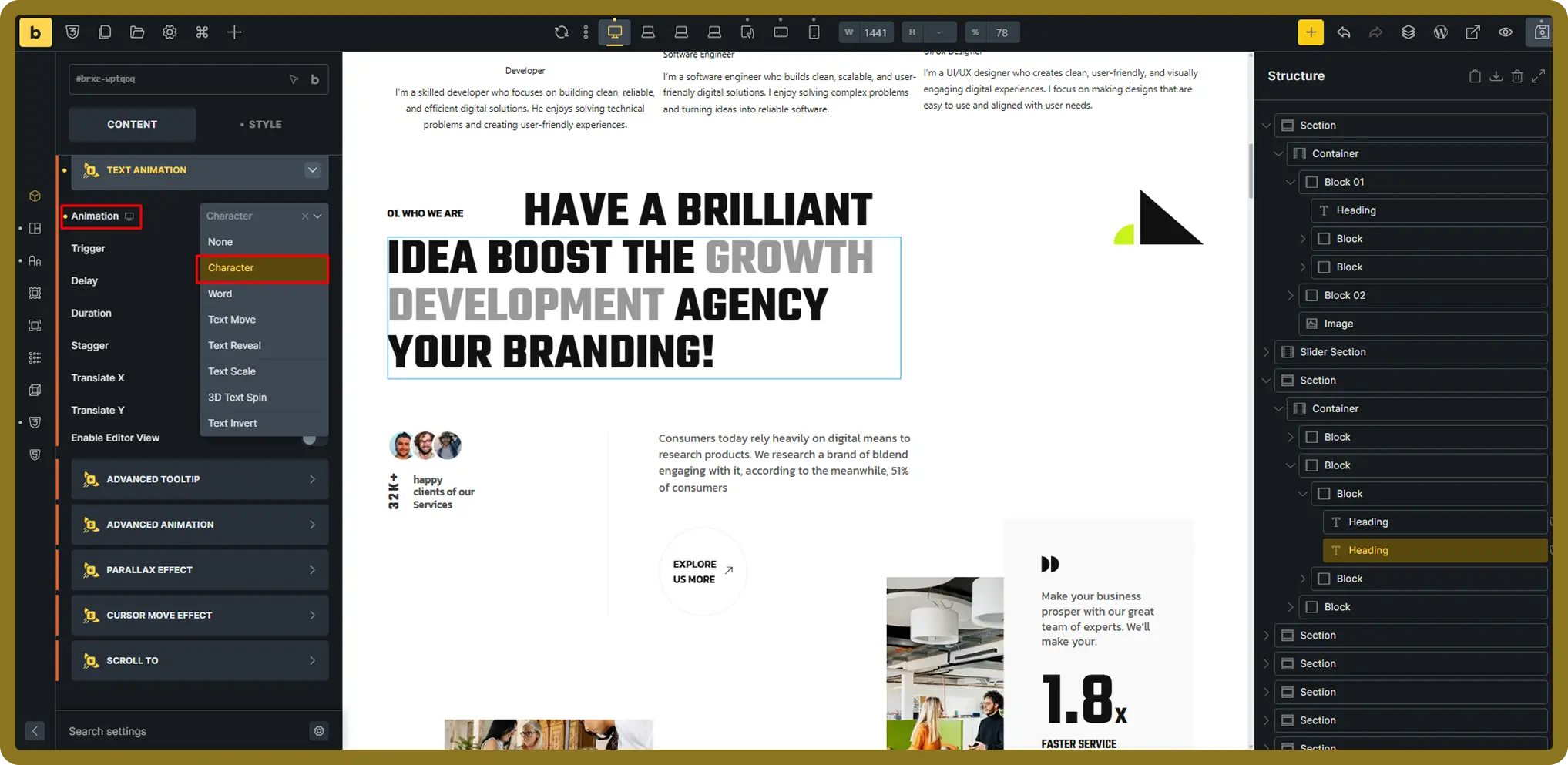
With BricksFly’s text animation tools, you can animate headings and text by character, word, or line. These effects work well for hero headings, campaign messages, section introductions, and creative portfolios.
What problem does it solve?
Creating detailed text animations manually requires splitting text into separate elements and writing animation logic for each group.
BricksFly simplifies the process by handling the text animation workflow visually.
Highlighted benefits
- Animate text by character, word, or line.
- Create text reveal effects.
- Apply staggered animations.
- Build 3D text movement.
- Use fade, slide, rotate, and scramble-style effects.
- Animate hero headings and section titles.
- Control animation speed and timing.
- Create more expressive typography without manually splitting the text.
7. Add Parallax and Sticky Effects
BricksFly includes several Extensions for creating smoother and more interactive scrolling experiences.
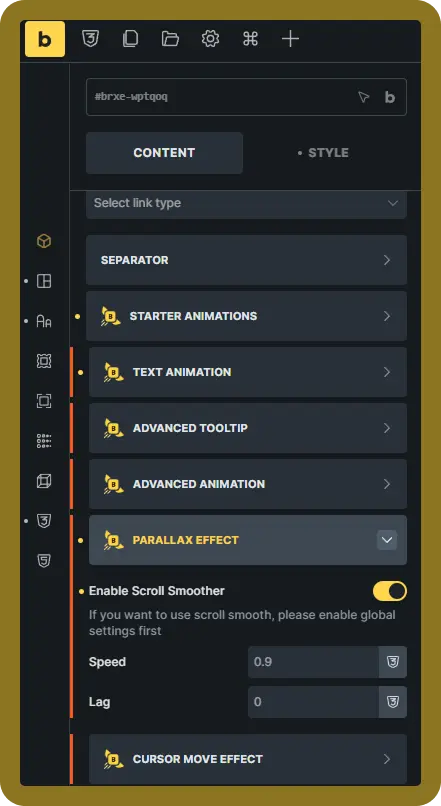
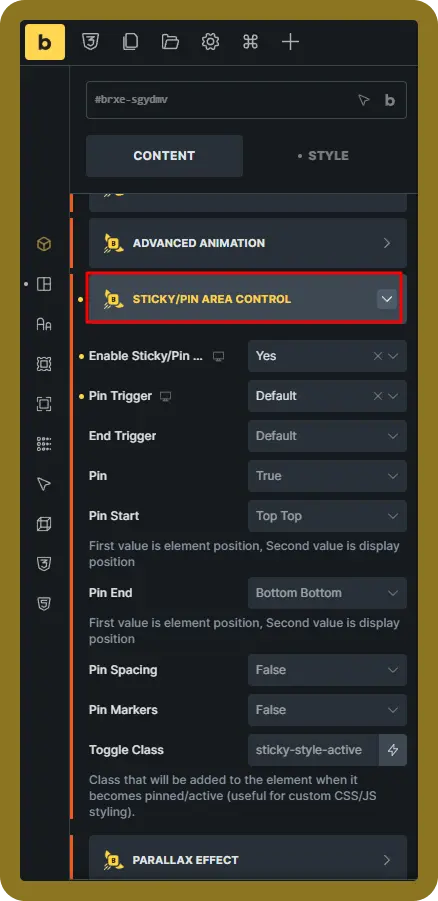
You can add smooth scrolling, move images at different speeds with parallax. Also, you can keep an element pinned while surrounding content continues to move.
What problem does it solve?
Creating these interactions manually requires coordinating layout structure, scroll behaviour, animation triggers, and responsive settings.
The Extensions provide a more organized way to configure them.
Highlighted benefits
- Add smooth scrolling to modern websites.
- Create image and background parallax effects.
- Pin sections during scroll.
- Keep important content visible while another area changes.
- Build sticky product presentations.
- Create scroll-based service or process sections.
- Use effects for portfolios and storytelling pages.
- Enable only the Extension required for the current project.
8. Extend Bricks with 28+ Practical Elements
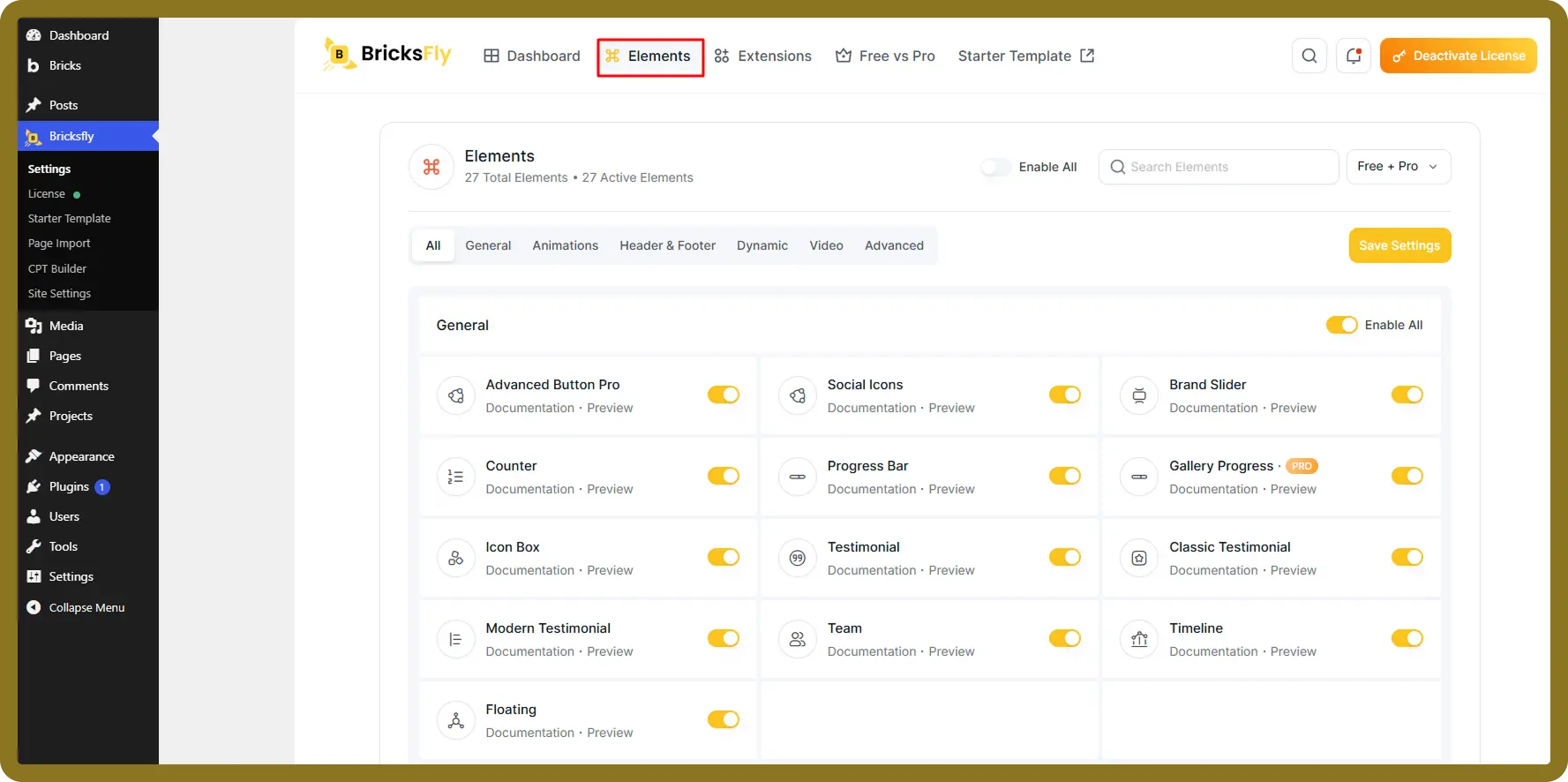
BricksFly includes a growing collection of Elements for building content, marketing, video, dynamic, and interactive sections.
These Elements are not meant to replace the core Bricks Builder experience. They extend it with practical capabilities that are commonly needed on modern websites.
What problem does it solve?
Building specialized content blocks from basic elements can require additional styling, scripting, and nested structures.
BricksFly Elements provide configurable starting points for these use cases.
Highlighted benefits
- Create advanced animated buttons.
- Display brand logos in a slider.
- Add counters and progress indicators.
- Build modern testimonial layouts.
- Present team members and timelines.
- Create animated headings.
- Display videos in boxes, sliders, masks, or popups.
- Add image accordions and toggle switches.
- Present dynamic post information.
- Customize every Element using Bricks controls.
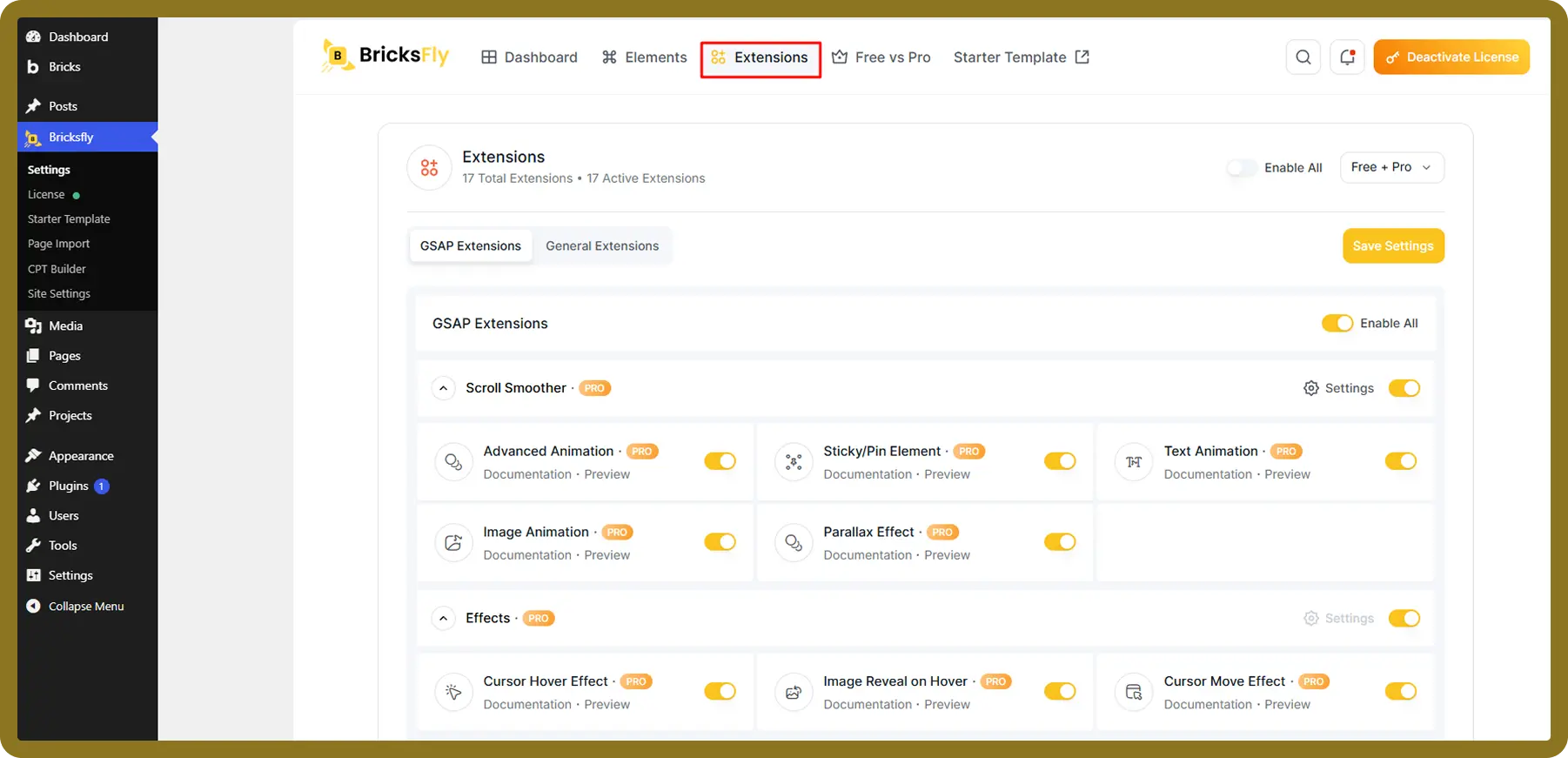
9. Improve Your Workflow with 20+ Smart Extensions
Extensions add functionality to existing Bricks elements and website behaviour without requiring a separate visible Element in every case.
BricksFly lets you enable the Extensions you need while keeping unused features disabled.
What problem does it solve?
Small interaction and workflow requirements often lead to installing several separate plugins or writing one-off code snippets.
BricksFly brings many of these capabilities into a centralized Extension dashboard.
Highlighted benefits
- Add custom cursor styles.
- Create cursor movement and hover effects.
- Display advanced tooltips.
- Make complete containers clickable with Wrapper Link.
- Add customizable preloaders.
- Show scroll progress indicators.
- Add a scroll-to-top button.
- Apply tilt effects.
- Reveal images on hover.
- Enable ScrollTo navigation for one-page websites.
- Manage Extensions from one dashboard.
- Activate only the functionality required by the project.
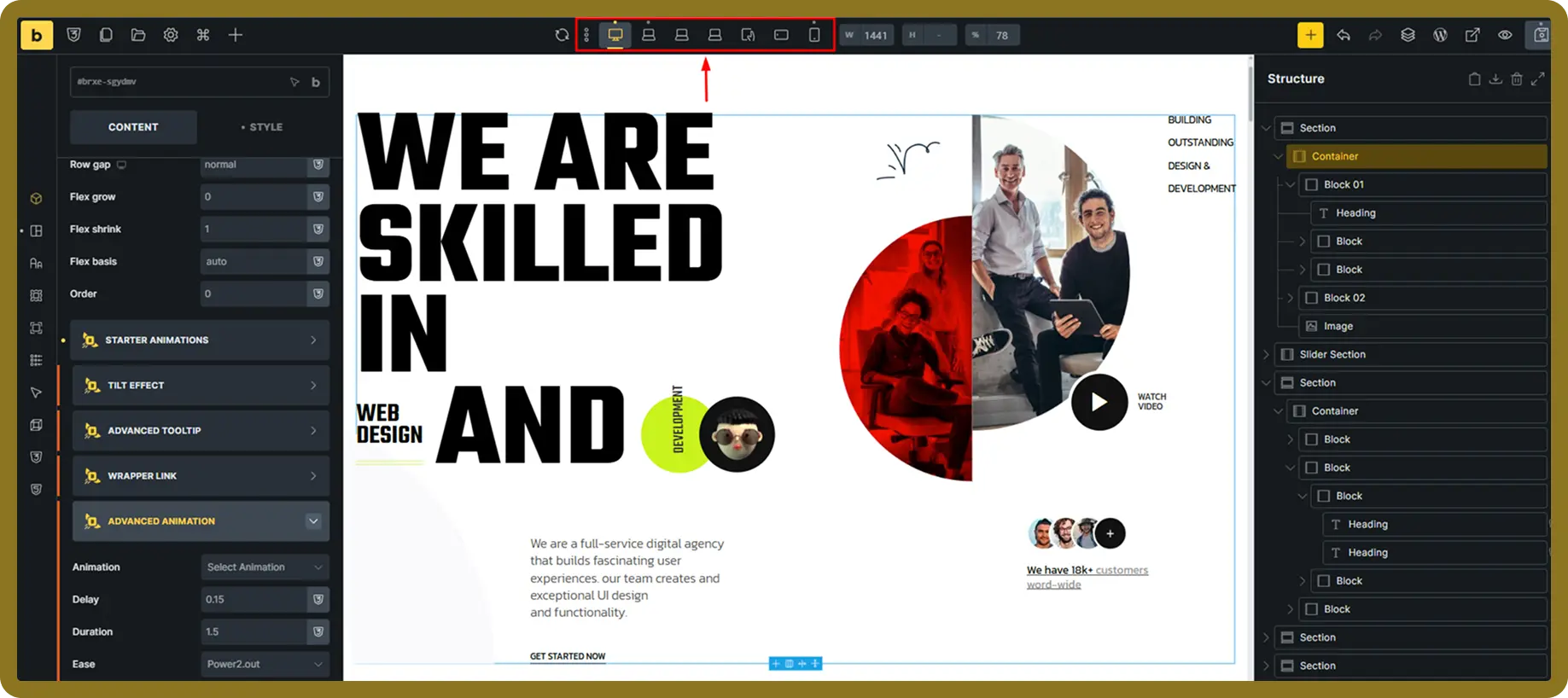
10. Maintain Responsive Design and Performance
Animations and additional features should not make a website difficult to manage.
BricksFly includes responsive controls and a modular feature system so users can decide how designs and animations behave across different devices.
Its asset-loading approach is designed to load the scripts associated with the features used on the page rather than forcing every available feature to load everywhere.
What problem does it solve?
Animations that look good on a desktop may feel excessive or behave differently on smaller devices. Loading unnecessary scripts can also create avoidable performance overhead.
Highlighted benefits
- Customize designs for desktop, tablet, and mobile.
- Adjust animation values by breakpoint.
- Disable or simplify effects on smaller devices.
- Enable only the Elements and Extensions you need.
- Avoid loading every available feature on every page.
- Preview changes while building.
- Maintain a cleaner, more modular workflow.
- Create motion experiences that remain usable across devices.
Final Words
BricksFly started with a simple question.
How can we help Bricks users build complete, modern, animated websites without making the workflow more complicated?
Our answer was not another isolated template pack, Element collection, or animation feature. It was a complete toolkit that connected all of them.
BricksFly is now live, but this is only the beginning.
We will continue expanding the template library, adding new sections, developing more Elements and Extensions, improving the animation workflow, and publishing practical documentation and demos.
Whether you are an agency delivering client projects, a freelancer building premium websites, or a business owner launching a new website, BricksFly is built for you.
It gives you a faster way to turn your ideas into complete animated Bricks websites.
Build more freely. Add advanced motion without code. Launch your next Bricks website faster with BricksFly.
Explore BricksFly and start building today.
Common Questions that you may ask
BricksFly is a complete toolkit for Bricks Builder that combines full website templates, premium sections, practical Elements, smart Extensions, and visual GSAP animation features. It is designed to help users build complete modern animated WordPress websites faster.
Yes. BricksFly is built specifically for Bricks Builder. The Bricks theme must be installed and activated on your WordPress website before you can use BricksFly.
You do not need to write code for the main BricksFly workflow. Templates, sections, Elements, Extensions, and supported GSAP animations can be configured visually. Developers can still add custom code when a project requires more specialized behaviour.
Yes. BricksFly includes full website templates with matching inner pages. You can import a website, replace its content, update the branding, and continue customizing it inside Bricks Builder.
Yes. BricksFly is designed for freelancers, agencies, and professionals who build websites for clients. You can use its templates, Elements, Extensions, and animation features to speed up development while still fully customizing each website to match your client’s branding and requirements.
No. BricksFly is built with performance in mind. It works alongside Bricks Builder’s lightweight architecture and only loads the features you use. This helps you create visually engaging websites without unnecessarily increasing page weight or affecting loading speed.
Absolutely. Every website template and section is fully editable inside Bricks Builder. You can change layouts, colors, typography, images, spacing, animations, and content to match your brand or project without starting from scratch.
BricksFly combines multiple website-building tools into a single plugin. Instead of installing separate plugins for templates, design Elements, workflow Extensions, and GSAP animations, you get everything in one place. This simplifies your workflow, reduces plugin dependency, and helps you build websites faster.
Yes. BricksFly is actively being expanded. New website templates, sections, Elements, Extensions, and animation capabilities are planned for future updates, allowing you to access an ever-growing toolkit without switching to another solution.
BricksFly is ideal for freelancers, agencies, startup founders, designers, and businesses that use Bricks Builder. Whether you’re creating landing pages, business websites, portfolios, SaaS websites, or eCommerce projects, BricksFly helps reduce development time while making it easier to build professional, animated websites.