
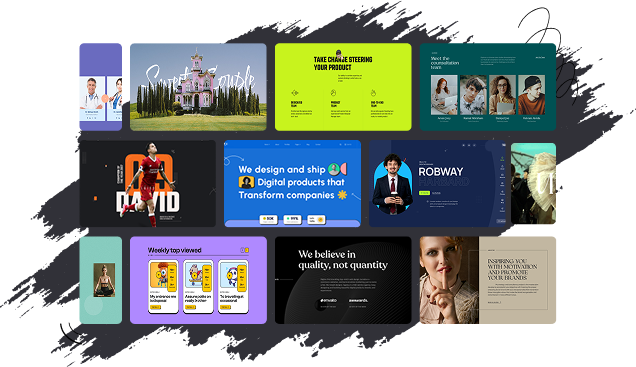
500+ Premium Bricks Builder Section Templates
Copy, paste, and customize ready-made Bricks sections to build professional websites faster, with responsive layouts and GSAP animation support.
How to Import Section Template

Live Copy-Paste — Add Any Section in One Click
Why Use BricksFly Sections
Build Any Page in Minutes
With 500+ ready-made sections across every common category, you assemble landing, service, pricing, and portfolio pages in minutes instead of hours. Faster work, every project
Copy, Paste, Done
Click Live Copy and paste any section straight onto your Bricks canvas layout, styling, and animation come with it. No downloads, no rebuilding.
Animation-Ready by Default
Every section ships with no-code GSAP animations built in scroll reveals, text effects, and more. Adjust them visually inside Bricks, without writing custom JavaScript.
Reuse Across Client Projects
Use proven sections across websites instead of rebuilding the same layouts. Update the branding, content, and styling to fit each client while keeping your workflow fast and repeatable.
Keep Every Page Consistent
Build with structured sections that help maintain consistent spacing, typography, layouts, and responsive behavior across the entire website, even when multiple team members are involved.
Reduce Your Plugin Stack
Create layouts, add Elements, and apply GSAP animations within the BricksFly ecosystem. Fewer tools mean easier setup, smoother maintenance, and faster project delivery.
How to Import a BricksFly Section
Step – 1
Find
Browse the library, filter by category, and preview any section live.
Step – 2
Add
Copy-paste it live, or import via JSON, the full section drops in.
Step – 3
Customize
Edit content, branding, and GSAP animations visually, no custom JavaScript.
Frequently Asked Question
How many sections does BricksFly include?
BricksFly includes 500+ premium sections across categories like hero, pricing, testimonials, services, portfolio, and more, with new sections added over time.
How do I add a BricksFly section to my site?
Three ways: click Live Copy and paste it straight onto your Bricks canvas, download it as JSON and import it, or import it directly. Every section works with all three methods.
Are the sections animation-ready?
Yes. Every section ships with no-code GSAP animations built in, and you can adjust or extend them visually inside Bricks without writing custom JavaScript.
Do I need Bricks Builder to use the sections?
Yes. BricksFly is a toolkit built specifically for Bricks Builder, so you need Bricks installed to use the sections.
Can I customize the sections?
Yes. Content, images, colors, fonts, layout, and animations are all fully editable inside Bricks. Sections are a starting point, not a locked design.
What's the difference between a section and a template?
A section is a single reusable block — like a hero, pricing table, or footer — that you drop into any page. A template is a complete website with inner pages. BricksFly includes 500+ sections and 30+ full website templates, so you can build page by page or import a whole site.
Will adding sections slow down my site?
Sections are built on clean Bricks structure, and BricksFly loads animation only where it’s used, so you get modern motion without unnecessary weight.
