
If you’re weighing BricksFly vs Bricksmotion for GSAP animation in Bricks Builder, you’re really comparing two different scopes: a focused animation tool versus a complete website toolkit that includes animation. Both can help you add motion to Bricks sites, but they answer different questions.
Bricksmotion asks “how do I add animation to Bricks?” BricksFly asks “how do I build complete animated websites faster?”, and for most users, that second question is the one that actually matters.
This guide compares BricksFly and Bricksmotion fairly, then makes the case for why BricksFly is the stronger fit for most people building Bricks websites. You’ll see what each tool does, how they compare on animation and overall value, and who each is best for.
Quick Answer
Bricksmotion is an animation tool for adding GSAP effects to Bricks, while
BricksFly is a complete toolkit that combines 30+ full website templates,
500+ sections, extra Elements, and no-code GSAP animation.
For animation alone, both work, but BricksFly is the better choice for most users because it covers the entire website-building workflow, not just the animation, in one tool.
Overview: Two Different Scopes
The clearest way to understand this comparison is to recognize that BricksFly and Bricksmotion aren’t really the same kind of product, and that difference drives everything else.
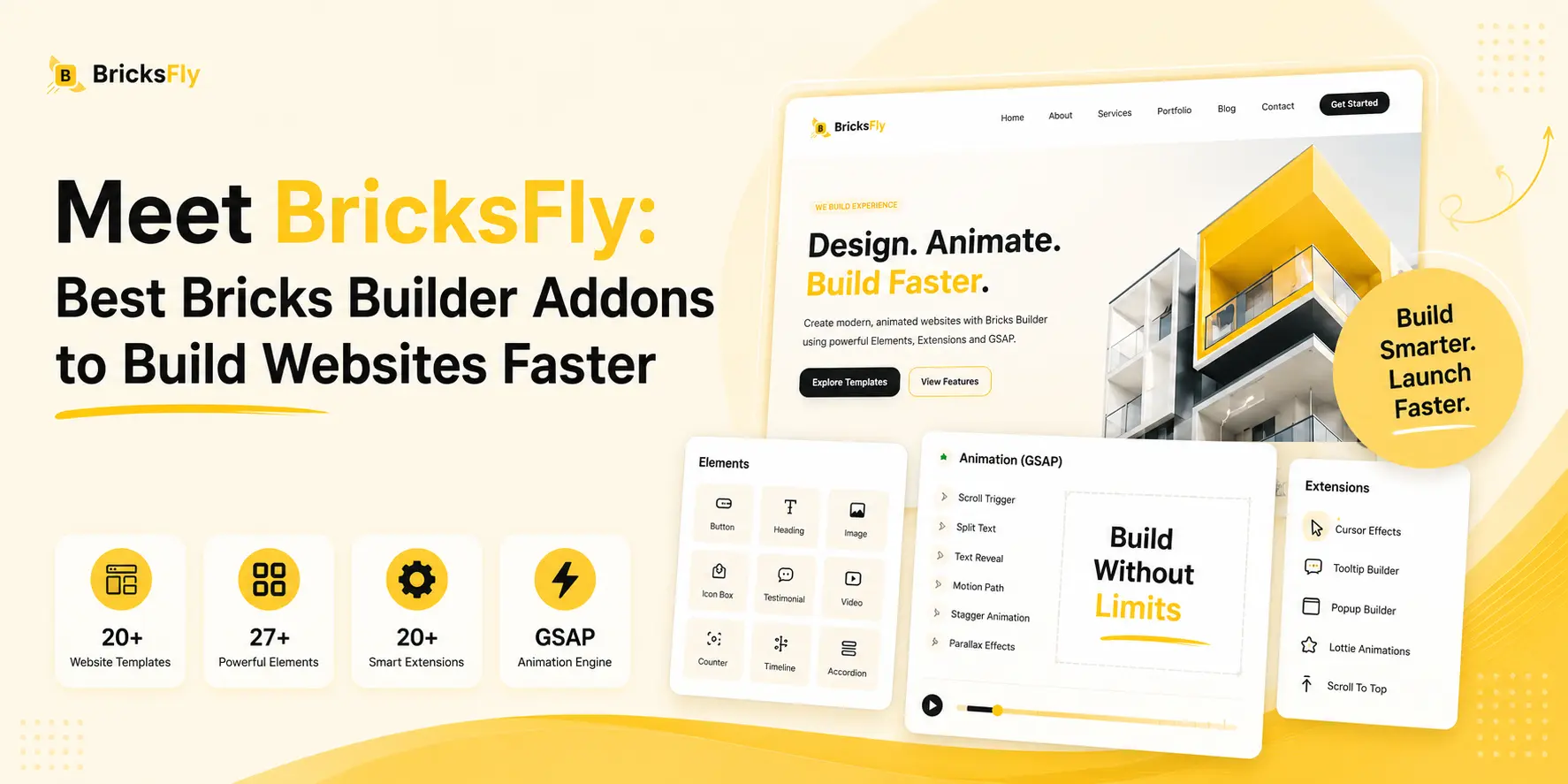
BricksFly is a complete Bricks Builder toolkit. Animation is one of its four pillars, alongside 30+ full website templates for building ready made websites, 500+ sections, and extra Elements and Extensions. Its purpose is broader: to help users build complete, modern, animated websites faster, from importing a full site to adding the finishing motion. Animation isn’t a separate add-on here; it’s integrated with the tools you use to build the whole site.
Bricksmotion is an animation tool for Bricks Builder. Its purpose is to help users add GSAP-powered animation and motion components to their Bricks sites. As an animation specialist, its scope is motion, it’s designed to do that one job. For someone whose only gap is animation, and who already has their templates, sections, and structure sorted elsewhere, that focus can be appealing.
So the core question isn’t “which has better animation?”, it’s “do you want just animation, or the complete website-building workflow?” This framing matters because most people building Bricks sites need more than animation, they need the structure and design too. That’s the foundation of why BricksFly fits most users better, and the rest of this comparison builds on it.
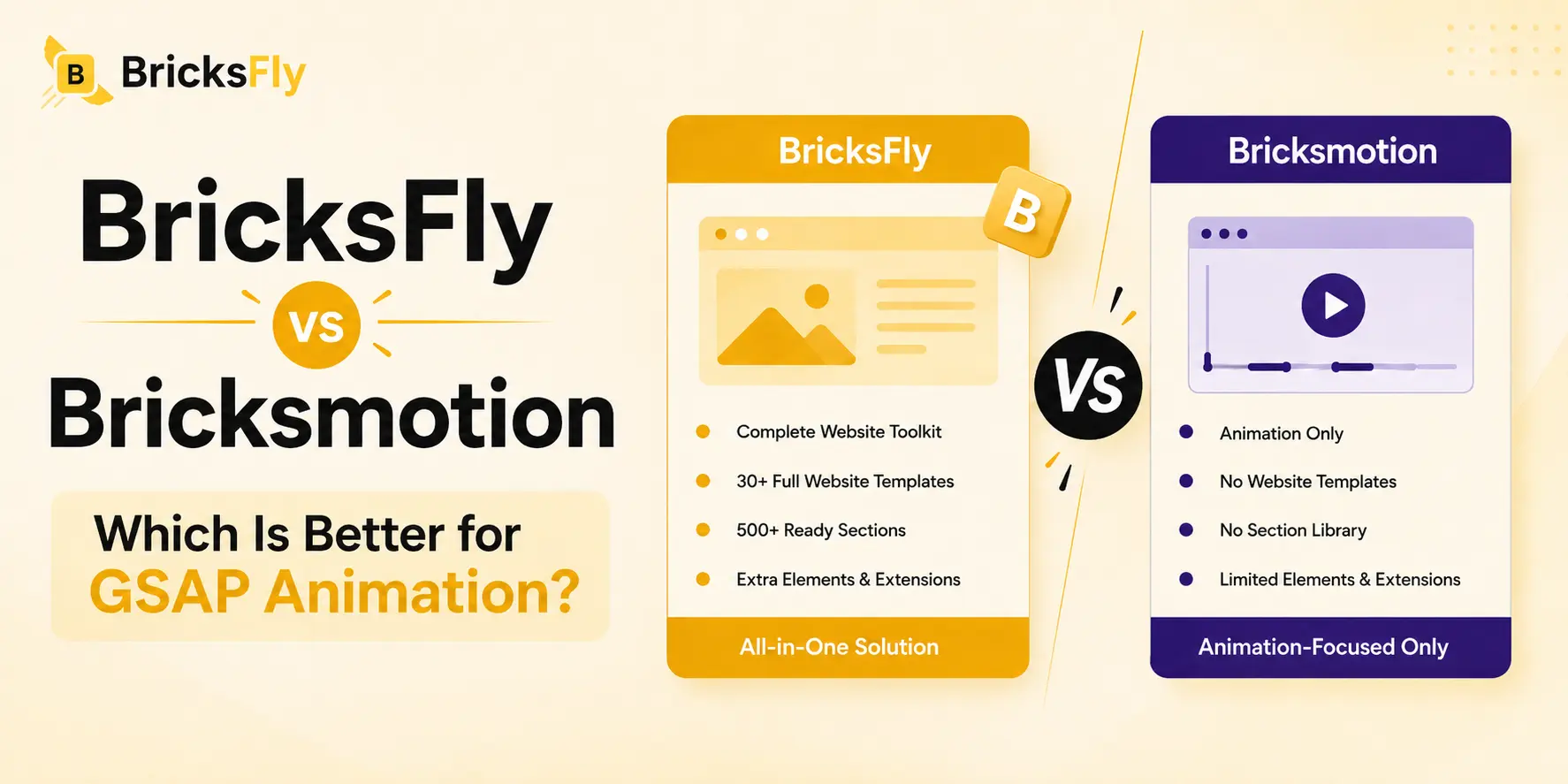
BricksFly vs Bricksmotion: Feature Comparison
Here’s how the two compare across what matters for building animated Bricks websites.
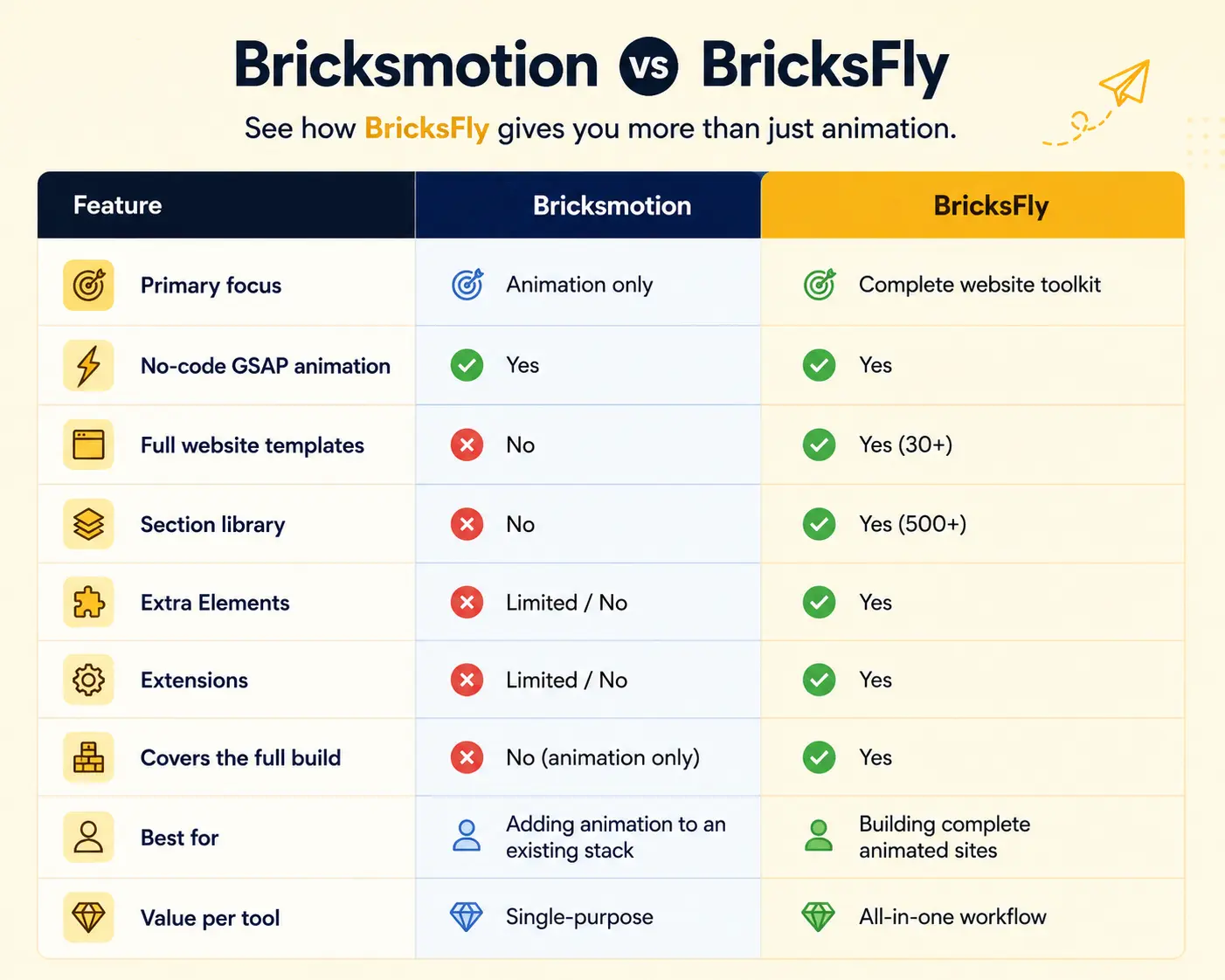
The pattern is clear: on animation itself, both tools deliver no-code GSAP effects. But BricksFly extends well beyond animation into templates, sections, and Elements, the rest of what building a website requires. Where Bricksmotion covers one part of the job, BricksFly covers the whole thing. For a buyer, that difference in scope is the heart of the decision.
Animation: How They Compare
Since animation is the specific focus of this comparison, it deserves a direct look, and here, both tools are genuinely capable.
BricksFly provides a no-code GSAP animation engine covering the full range of premium effects: scroll reveals (ScrollTrigger), split text, horizontal scroll, sticky/pin sections, parallax, image animation, text animation, advanced button animation, and smooth scrolling, all through visual controls. It matches the animation capability you’d expect from a focused tool, while integrating it directly with the templates and sections you build with.
Bricksmotion provides no-code GSAP animation for Bricks, letting users add motion without writing code. As a dedicated animation tool, this is its core strength, and it does the job it’s built for. If your evaluation is purely “can it add animation to Bricks?”, Bricksmotion is your answer.
Note
Here is the key point for the animation question: because BricksFly’s animation tools are built into the same toolkit as its templates and sections, applying animations feels seamless. You can import a section and animate it using the built-in animation engine without coordinating between separate plugins or worrying about compatibility with other addons.
Why BricksFly Is the Better Choice for Most Users
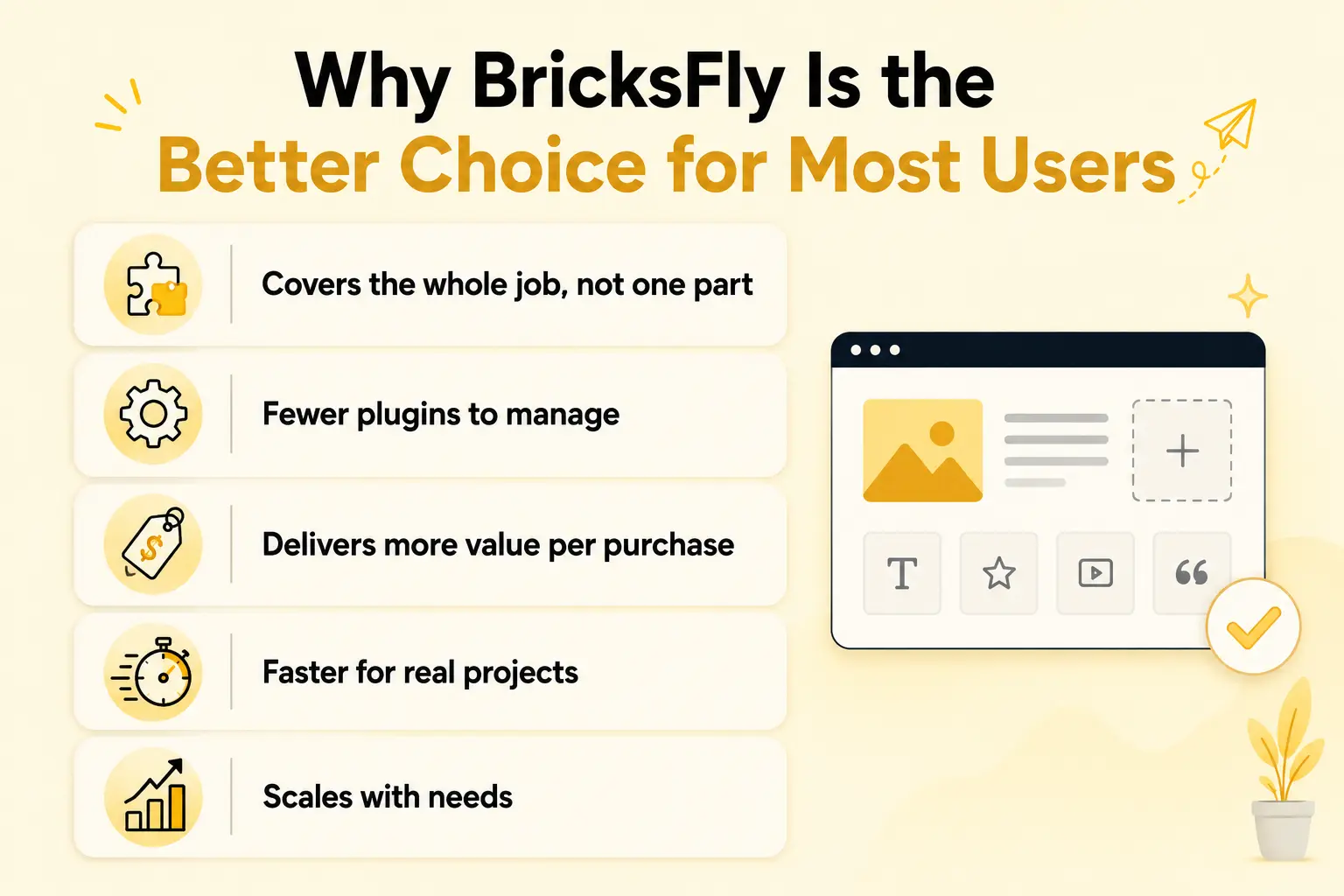
For the majority of people building Bricks websites, BricksFly is the stronger option, and the reasons are concrete, not just “it does more.”
Covers the whole job, not one part
Building a website needs structure, pages, design, and motion. Bricksmotion handles the motion; BricksFly handles all of it. With BricksFly you import a full website template, build custom pages from 500+ sections, add extra Elements, and animate, without needing separate tools for each. For anyone building actual sites (not just adding effects to existing ones), that completeness is decisive.
Fewer plugins to manage
Choosing an animation-only tool means you still need a template library, a section library, and possibly Element addons from other vendors, several plugins to install, update, and keep from conflicting. BricksFly consolidates these into one, reducing overhead, conflicts, and cost. One tool, one workflow, one update cadence.
Delivers more value per purchase
With an animation-only tool, you’re paying for one capability. With BricksFly, a single toolkit gives you templates, sections, Elements, and animation together. For most buyers, that’s substantially more value from one product, especially agencies and freelancers weighing total stack cost.
Faster for real projects
Because everything is integrated, the workflow is quicker: import a site, customize it, animate it, all in one place. An animation-only tool speeds up just the animation step, while you handle the rest elsewhere. BricksFly speeds up the entire build.
Scales with your needs
As your projects grow, needing more page types, more advanced sections, more design capability, BricksFly already covers them. An animation-only tool doesn’t, so you’d add more plugins over time. Starting with a complete toolkit avoids that.
Note
This comparison does not diminish Bricksmotion, which is a capable animation tool. However, for users who want to build complete animated websites efficiently, BricksFly’s all-in-one approach is a better fit. It solves the broader website-building challenge rather than focusing only on animation.
Examples and Use Cases
Here’s how the choice plays out in practice.
A freelancer building complete client sites – They need templates, premium sections, and animation for every project. BricksFly gives them all three in one tool, so they import a site, build pages, and animate, no separate animation plugin. An animation-only tool would cover just one step, leaving them to source the rest.
A designer who wants premium animation and modern layouts – They want both standout motion and quality design to build from. BricksFly’s templates and sections plus no-code animation cover both needs together, where an animation-only tool would address only the motion.
An agency standardizing its stack – Managing fewer plugins across many client sites matters. BricksFly consolidates templates, sections, Elements, and animation into one toolkit, simplifying the agency’s workflow far more than adding a standalone animation plugin would.
A user who already has a full template/section setup – In this narrower case, someone happy with their existing structure tools and only wanting to add motion might reasonably consider a focused animation tool. Even so, many find that consolidating into BricksFly later simplifies their stack.
BricksFly Provides All-in-one Solution
For most people building Bricks websites, BricksFly is the more complete answer, because it covers the entire job in one tool. BricksFly is a complete Bricks Builder toolkit that combines 30+ full website templates, 500+ sections, extra Elements, Extensions, and no-code GSAP animation, so you’re not just adding motion, you’re building whole animated sites faster.
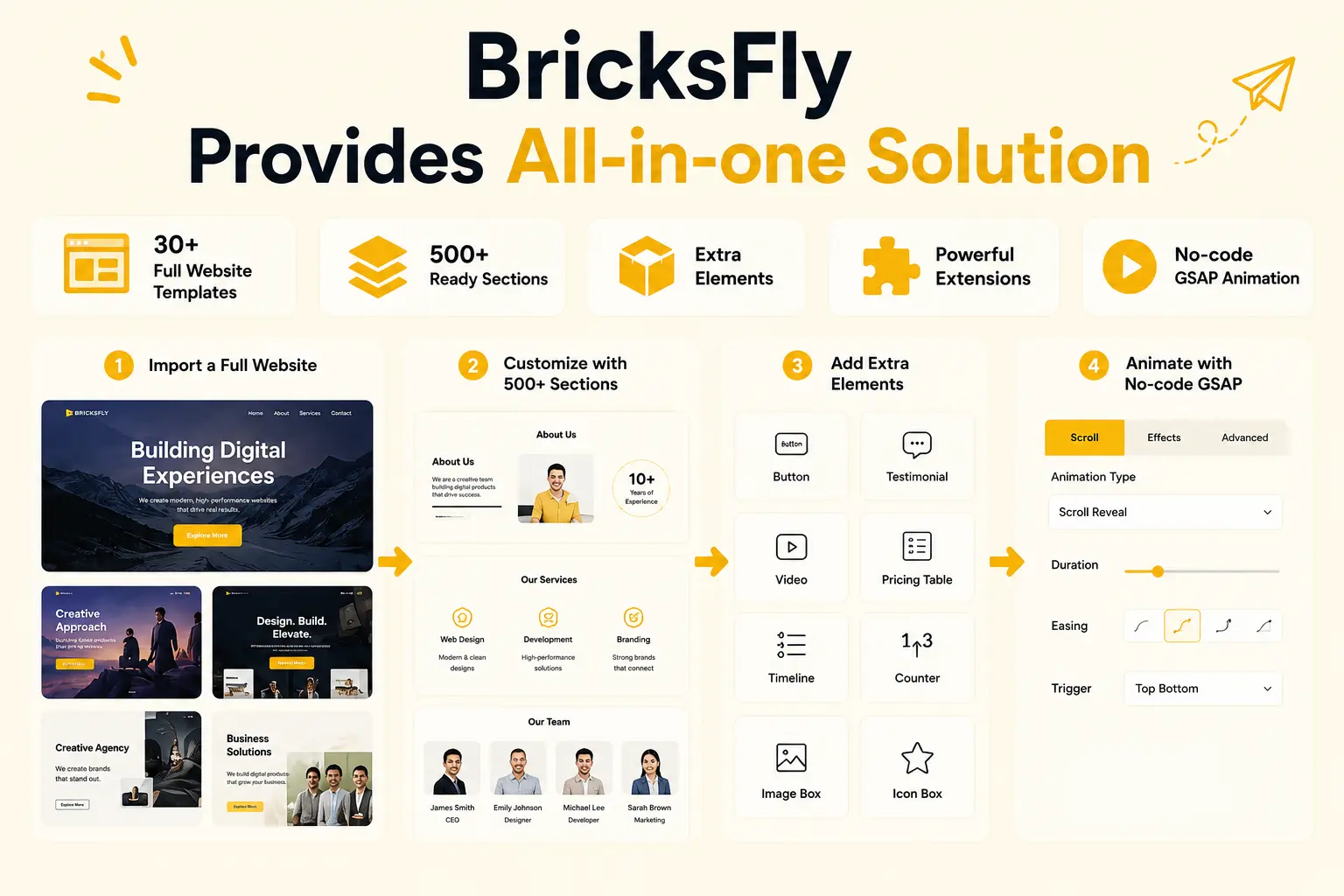
Its animation engine matches what you’d expect from a dedicated tool, no-code scroll reveals, split text, horizontal scroll, sticky/pin sections, parallax, and more, all through visual controls. But because that engine is integrated with the templates and sections you build with, the workflow is seamless: import a full website, customize pages from the section library, add extra Elements, and animate, all in one place, with no separate plugins to coordinate. That integration is a genuine practical advantage over stitching an animation-only tool into a stack of other addons.
The result is more value from one purchase, fewer plugins to manage, and a faster path from nothing to a finished animated site. Bricksmotion is a capable animation tool for everyone, and for the narrow case of adding motion to an already-complete setup, it can serve. But for the common goal, building complete, modern, animated Bricks websites efficiently, BricksFly’s all-in-one toolkit is the stronger, more practical choice for most designers, freelancers, and agencies.
Common Mistakes to Avoid
When comparing these tools, avoid these decision-making errors.
Comparing animation alone: Both offer no-code GSAP animation, so animation isn’t the deciding factor. The real difference is scope, whether the tool covers the whole build or just the motion.
Underestimating what a full build needs: Animation is only one part of a website. Choosing an animation-only tool can leave you sourcing templates, sections, and Elements separately, more plugins and more cost.
Ignoring total stack cost: An animation-only tool plus a template library plus a section library can cost more than one all-in-one toolkit. Compare the whole stack, not a single tool.
Overlooking integration: Separate plugins can conflict and add workflow friction. An integrated toolkit avoids that, animation, templates, and sections working as one system.
Not matching the tool to your real workflow: Buy for how you actually build. If you build complete sites, a complete toolkit fits; only if you’ve solved everything else does an animation-only tool make sense.
Skipping your own verification: Feature sets change. Confirm current capabilities and, ideally, trial the tools before committing.
Conclusion
The BricksFly vs Bricksmotion decision comes down to scope. Bricksmotion is a capable, focused animation tool, a good fit if your only gap is adding motion to an already-complete setup. BricksFly is a complete Bricks Builder toolkit that combines full website templates, 500+ sections, extra Elements, and no-code GSAP animation, covering the entire website-building workflow, not just the animation.
For most people, designers, freelancers, and agencies building actual websites, that completeness makes BricksFly the stronger choice. You get animation that matches a dedicated tool, plus everything else a build requires, in one integrated product: fewer plugins, more value, and a faster path from nothing to a finished animated site. The animation-only route only makes sense in the narrower case where everything else is already solved.
FAQs
What’s the difference between BricksFly and Bricksmotion?
Bricksmotion is a focused animation tool for adding GSAP effects to Bricks Builder. BricksFly is a complete toolkit that combines 30+ full website templates, 500+ sections, extra Elements, and no-code GSAP animation. Both offer no-code animation, but BricksFly covers the entire website-building workflow, while Bricksmotion focuses specifically on animation.
Is BricksFly or Bricksmotion better for GSAP animation?
Both provide no-code GSAP animation, so on animation alone they’re both capable. BricksFly is the better overall choice for most users because its animation is integrated with templates and sections in one toolkit, making the whole build faster and simpler. Bricksmotion suits users who only need animation added to an existing setup.
Is BricksFly a good Bricksmotion alternative?
Yes, and for most users it’s a stronger option. Beyond matching Bricksmotion’s no-code GSAP animation, BricksFly adds 30+ full website templates, 500+ sections, and extra Elements, covering the whole website build rather than just the motion. If you want more than animation, or fewer plugins overall, BricksFly is a compelling alternative.
Why choose an all-in-one toolkit over an animation-only tool?
Because building a website needs structure, pages, design, and motion, not just animation. An all-in-one toolkit like BricksFly covers all of these in one product, meaning fewer plugins to manage, lower total cost, no conflicts between separate tools, and a faster workflow. An animation-only tool covers just one step, leaving the rest to other plugins.
When would Bricksmotion be the right choice?
Bricksmotion could suit you if your only gap is animation, your templates, sections, and site structure are already handled by tools you’re committed to, and you simply want to add motion on top. It’s also a fit if you prefer assembling a stack of single-purpose tools. For most users building complete sites, though, a toolkit is more practical.
Does BricksFly’s animation match a dedicated animation tool?
Yes. BricksFly’s no-code GSAP engine covers the full range of premium effects, scroll reveals, split text, horizontal scroll, sticky/pin sections, parallax, image and text animation, and more, comparable to what a dedicated animation tool offers. The added benefit is that this animation is integrated with BricksFly’s templates and sections, making it more convenient to apply.