

Both BricksFly and MotionKit add no-code GSAP animation to Bricks Builder, and both come from the same team at Wealcoder. So which one should a Bricks user pick?
The short version: they solve different problems. BricksFly is a complete Bricks Builder toolkit that works inside the Bricks editor, with templates, sections, extra Elements, Extensions and no-code GSAP animation. MotionKit is a visual GSAP animation platform that works on the page Bricks renders, with a timeline, presets and support for every major WordPress builder.
This BricksFly vs MotionKit comparison covers workflow, features, pricing, license terms and performance, then gives a clear recommendation for each type of Bricks user.
Choose BricksFly if you build complete websites in Bricks Builder and want templates, sections, extra Elements and GSAP animation inside the Bricks editor.
Choose MotionKit if you need multi-element timelines, 110+ presets and one animation tool across several page builders.
If you want both, the Agency Bundle includes BricksFly and MotionKit on unlimited sites for $449 once.
Key Takeaways
- BricksFly is a Bricks toolkit; MotionKit is an animation platform. BricksFly helps you build and animate the whole site. MotionKit focuses on animation only.
- Where you work differs: BricksFly runs inside the Bricks editor. MotionKit uses its own visual editor on your rendered page, connected through a free WordPress plugin.
- BricksFly costs less for Bricks-only work: The 500-site lifetime plan is $399 regular ($199.50 in the sale), compared with MotionKit Agency at $439 ($219.50 in the sale), and BricksFly adds templates, sections and Elements.
- MotionKit wins on sequencing and reuse: A visual timeline, 110+ presets, per-breakpoint values and a reusable animation library.
- License expiry differs: When a BricksFly yearly license ends, GSAP features stop until renewal. When a MotionKit yearly plan ends, published animations keep running but the editor is locked.
- You can use both: One animation system per element. The Agency Bundle includes both on unlimited sites.
BricksFly vs MotionKit at a Glance
| BricksFly | MotionKit | |
| What it is | Complete Bricks Builder toolkit | Visual GSAP animation platform for WordPress |
| Builders | Bricks Builder | Bricks, Elementor, Divi, Gutenberg, Breakdance, Oxygen, Beaver Builder, WPBakery, SeedProd and custom themes |
| Where you work | Inside the Bricks editor | MotionKit visual editor on the rendered page |
| Templates and sections | Yes, on All Access plans | No |
| Extra Elements | 30+ Bricks Elements | No (animates existing elements) |
| Animation | 20+ Extensions with no-code GSAP | Visual timeline, 110+ presets, ScrollTrigger controls |
| Free option | Free plugin with 22 Elements and Starter Animation | Free plan: 1 site, 1 page, 10 animations |
| Lifetime from (regular) | $79 for 1 site | $89 for 1 site |
| Best for | Building complete animated Bricks sites | Advanced timelines and multi-builder agencies |
What Is BricksFly?
BricksFly is a complete Bricks Builder toolkit that helps users build modern animated websites faster with full website templates, sections, extra Elements, Extensions, and no-code GSAP animations. Everything happens inside Bricks: you select an Element, open its settings, and turn on an Extension such as Text Animation, Sticky/Pin Element or Horizontal Scroll.
According to the BricksFly pricing page, every license includes:
- 30+ Bricks Elements and 20+ BricksFly Extensions
- A no-code GSAP engine: ScrollTrigger effects, smooth scrolling, split text, image animation, image reveal on hover
- Advanced motion: horizontal scroll, sticky and pin elements, parallax, cursor hover effect, advanced tooltip, SVG and Lottie animation
- Workflow tools: CPT Builder and Preloader
The All Access plans add full website templates and a section library with 1-click demo import and live copy-paste (the pricing page lists 70+ templates and 1000+ sections). The Builder Toolkit plan includes Elements, Extensions and animation, but no templates or sections.
Explore the GSAP animation engine, Bricks Builder Extensions and Bricks Builder Elements.
What Is MotionKit?
MotionKit is a visual GSAP animation platform for WordPress. You install the free MotionKit connector plugin, open a page in the MotionKit editor, click an element and animate it with presets or a custom timeline, then publish back to WordPress.
For Bricks, MotionKit animates the CSS classes Bricks already gives your elements, so it works with Bricks templates, global classes and query loops. Its Bricks page highlights:
- 110+ ready-made presets and a visual timeline for sequencing headings, cards, buttons and images
- A ScrollTrigger controller with start, end, scrub, pin, pin spacing, markers and toggle actions
- Separate animation values per breakpoint: desktop, laptop, tablet landscape, tablet and mobile
- A reusable animation library to apply saved animations across client sites (Professional and Agency plans)
Learn more on MotionKit for Bricks.
Workflow: Inside Bricks vs on the Rendered Page
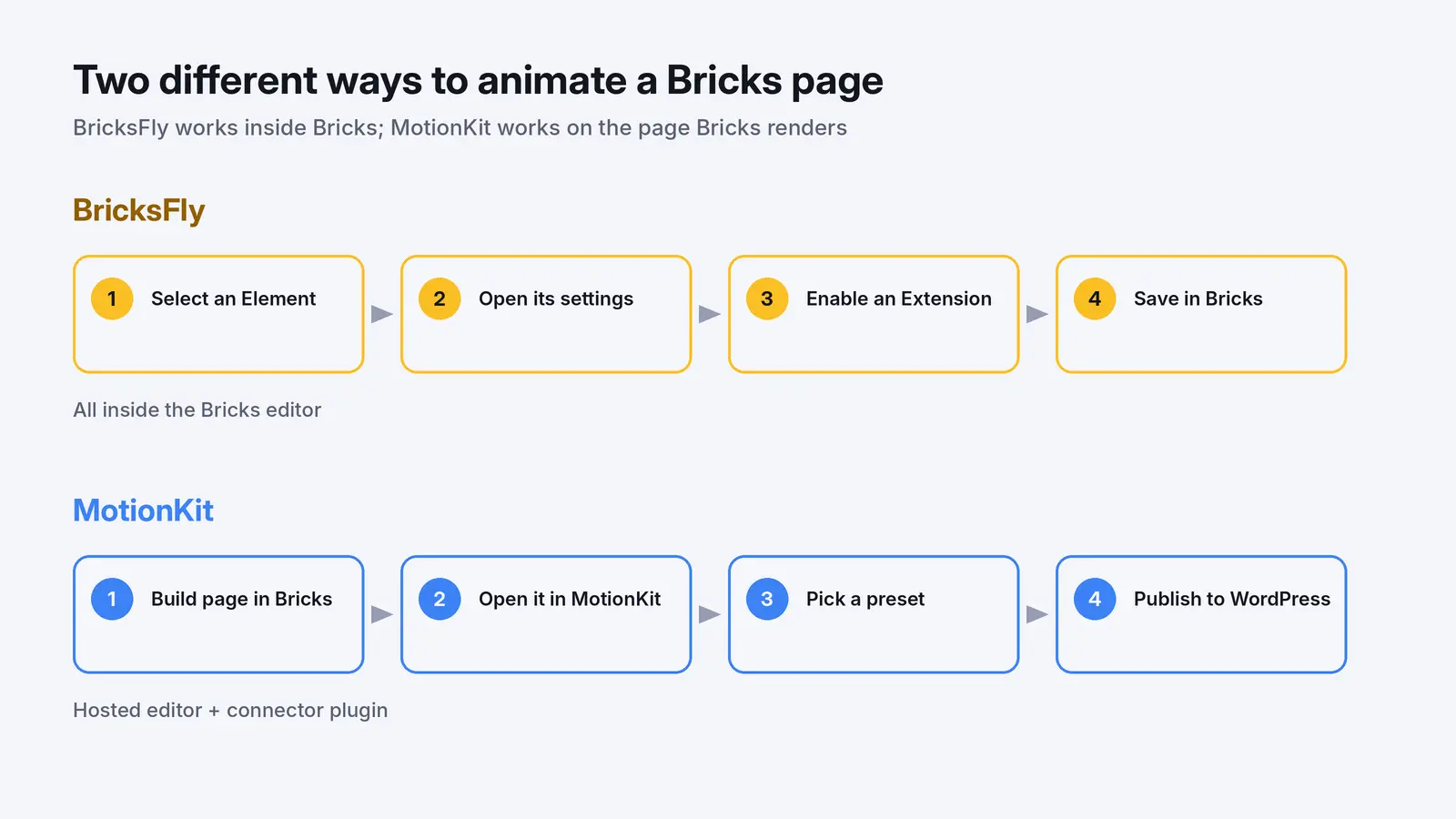
| Step | BricksFly | MotionKit |
| Setup | Install the free plugin and BricksFly Pro, then enable Extensions in BricksFly > Extension | Install the free connector plugin and link the site to the MotionKit editor |
| Where you animate | The Element’s settings in the Bricks editor | The MotionKit editor, on the real rendered page |
| How you target | Select the Element in Bricks | Target a CSS class, such as a Bricks global class or a query loop item |
| Preview | Bricks editor and front end | Live preview on the real page in the MotionKit editor |
| Publish | Save the page in Bricks | Publish from MotionKit to WordPress |
What this means: BricksFly keeps everything in one place, which is faster when you design and animate at the same time. MotionKit separates layout from motion, which suits teams where one person designs in Bricks and another handles animation, or agencies that animate sites built on different builders.
Feature Comparison
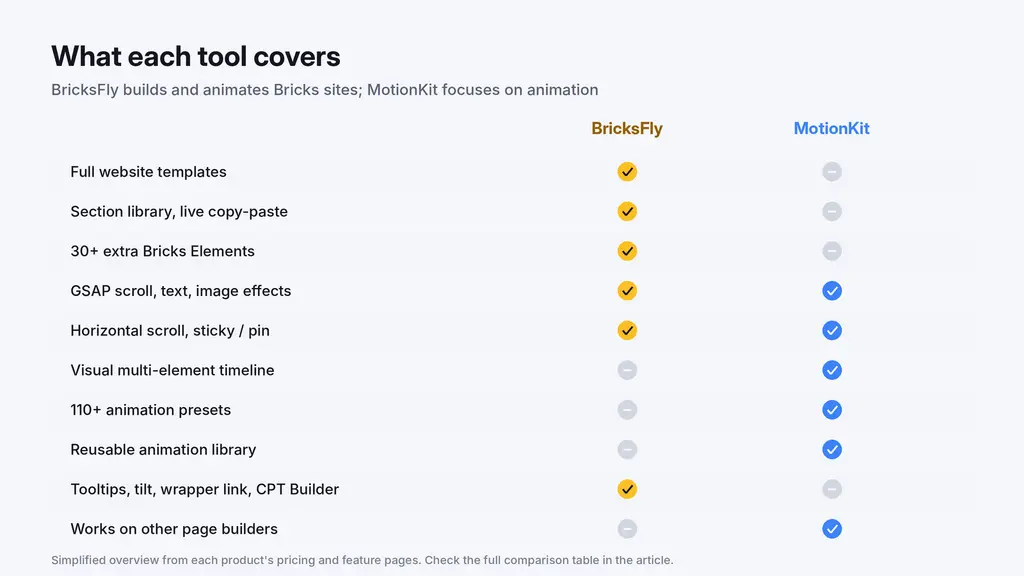
| Feature | BricksFly | MotionKit |
| Full website templates | Yes (All Access) | No |
| Section library with live copy-paste | Yes (All Access) | No |
| Extra Bricks Elements | 30+ | No |
| Scroll, text and image GSAP effects | Yes | Yes |
| Horizontal scroll and sticky / pin | Yes | Yes |
| Visual multi-element timeline | No | Yes |
| Animation presets | Starter Animation in the free plugin | 110+ presets |
| Per-breakpoint animation values | Bricks breakpoints where a setting supports them | Yes, 5 breakpoints |
| Reusable animation library | Reuse via templates and sections | Yes (Professional and Agency) |
| Advanced tooltip, tilt, wrapper link | Yes | No |
| Preloader and smooth scrolling | Yes | Yes |
| Page transitions | Not listed | Yes (paid plans) |
| Build animations from an AI chat (MCP) | Not listed | Yes (paid plans) |
| CPT Builder | Yes | No |
| Other page builders | No, Bricks only | Yes |
Animation Capabilities in Detail
BricksFly GSAP Extensions
BricksFly’s GSAP Extensions add animation panels to the Elements you already use: ScrollTrigger, Text Animation, Image Animation, Parallax Effect, Sticky/Pin Element, Horizontal, Stacking Cards, ScrollTo, Image Reveal on Hover, Cursor Hover and Cursor Move Effect, and Magnetic Effect, plus smooth scrolling. Each is configured with visual settings such as trigger, duration, ease, start and end points.
See tutorials for split text animation, horizontal scroll and sticky and pin elements.
MotionKit timeline and presets
MotionKit’s strength is orchestration. You place several elements on one timeline, adjust overlap and stagger, and scrub the whole sequence against scroll. Its Bricks page notes that one animation with a stagger can bring in every item a query loop renders, configured once rather than per item. It also splits text by line, word or character and handles SVG line drawing with DrawSVG.
Run one animation system per element. Two systems writing the same transform on one element fight each other. This also applies to Bricks Interactions.
Pricing Comparison
Yearly plans
| Sites | BricksFly yearly (regular / sale first year) | MotionKit yearly (regular / sale first year) |
| 1 site | $49 / $24.50 | Starter: $49 / $24.50 |
| 5 sites | $89 / $44.50 | Professional: $99 / $49.50 |
| 500 sites | $149 / $74.50 | Agency: $199 / $99.50 |
Lifetime plans
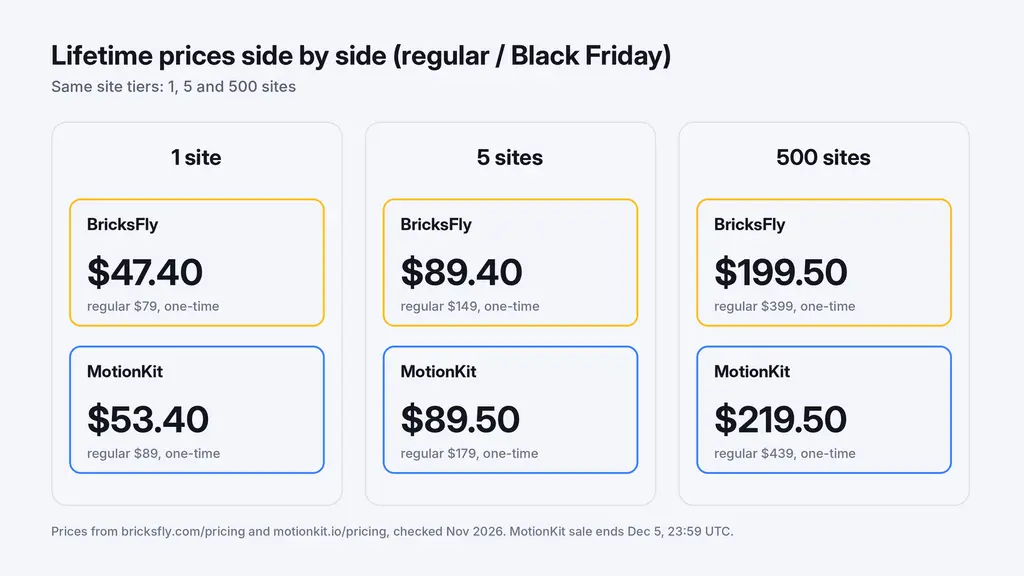
| Sites | BricksFly lifetime (regular / sale) | MotionKit lifetime (regular / sale) |
| 1 site | $79 / $47.40 | Starter: $89 / $53.40 |
| 5 sites | $149 / $89.40 | Professional: $179 / $89.50 |
| 500 sites | $399 / $199.50 | Agency: $439 / $219.50 |
Sale prices are the current Black Friday + Cyber Monday prices. MotionKit’s sale ends on December 5 at 23:59 UTC; yearly sale prices apply to the first year, then renew at the regular price.
MotionKit’s Starter plan is for your own website; client websites start on Professional. BricksFly’s multi-site plans cover 5 or 500 sites.
At every tier, BricksFly costs the same or less than MotionKit, and the All Access plans add templates, sections and 30+ Elements on top of animation.
Agency Bundle: both tools, unlimited sites
The Agency Bundle includes BricksFly, MotionKit, Animation Addons Pro and the Arolax and Axtra themes, each on unlimited sites. It costs $449 once instead of $1,499, 3 monthly payments of $159, or $199 a year instead of $399 (renewing at $199). Plan discount codes do not apply to it.
License Terms and Renewals
| BricksFly | MotionKit | |
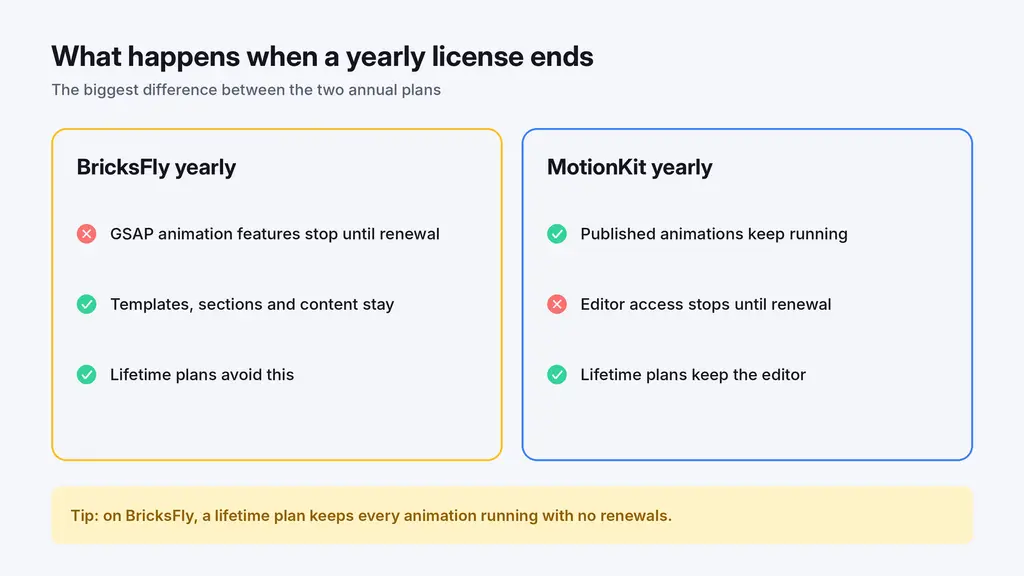
| When a yearly license ends | GSAP animation features stop until you renew; templates, sections and content stay | Published animations keep running; the editor is locked until you renew |
| Lifetime plans | One payment, lifetime updates, no renewal | One payment, lifetime updates and future presets, no renewal |
| Staging sites | Not stated on the pricing page | Staging copies of a connected site do not use a site slot |
| Refund | 15-day money-back guarantee | 15-day money-back guarantee |
For BricksFly, the practical takeaway is simple: a lifetime plan removes renewal risk from your animations. At $199.50 for 500 sites in the sale, it is the best long-term value for agencies building on Bricks.
Performance and Accessibility
| BricksFly | MotionKit | |
| Script loading | Extensions are off until enabled; loads only the scripts and styles a page uses | Runtime and GSAP load only on pages with an animation, with only the GSAP plugins needed |
| GSAP delivery | Bundled with the plugin | Bundled with the connector; no third-party CDN |
| Reduced motion | Animation controls can respect reduced-motion preferences | Respects the visitor’s reduced-motion setting |
| Extra | Selective Extensions keep unused features off | Compiled timelines are cached |
Which One Should You Choose?
| Your situation | Best choice | Why |
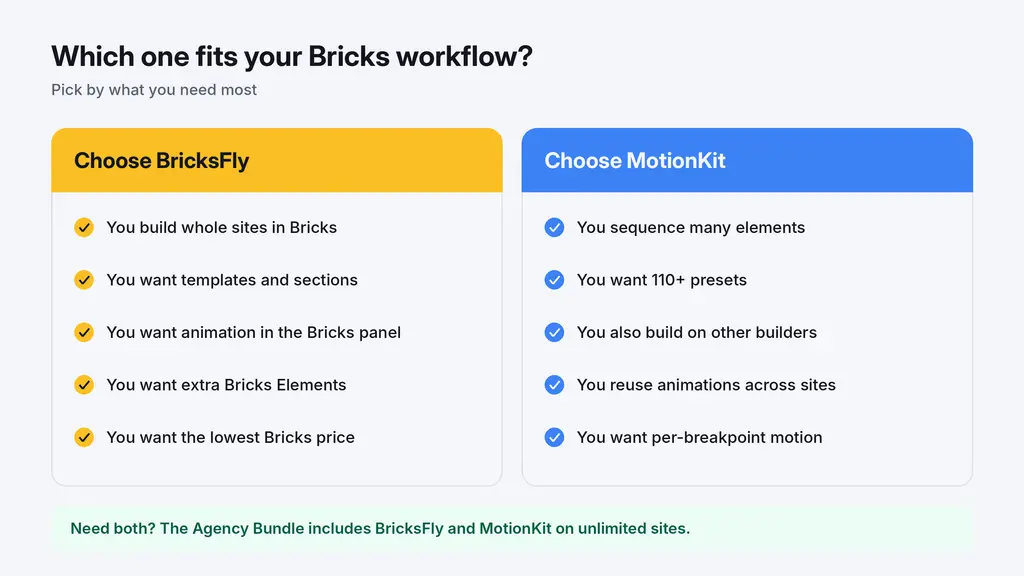
| You build complete client sites in Bricks | BricksFly | Templates, sections, Elements and animation in one Bricks toolkit |
| You want animation settings inside the Bricks panel | BricksFly | No second editor to learn |
| You want tooltips, tilt, wrapper links, CPT Builder | BricksFly | General Extensions and workflow tools included |
| You want the lowest Bricks-only lifetime price | BricksFly | From $79 regular, $47.40 in the sale |
| You sequence many elements on one timeline | MotionKit | Visual timeline with overlap and stagger |
| You also build on Elementor, Divi or Gutenberg | MotionKit | One tool across builders |
| You reuse the same animations on many client sites | MotionKit | Reusable library (Professional and Agency) |
| You want everything, on unlimited sites | Agency Bundle | BricksFly and MotionKit plus three more products, $449 once |
Verdict for most Bricks users: start with BricksFly. It covers what Bricks users need every day: ready layouts, extra Elements and the most common GSAP effects, all inside the editor you already use. Add MotionKit when your projects call for complex timelines or you work across builders.
Using BricksFly and MotionKit Together
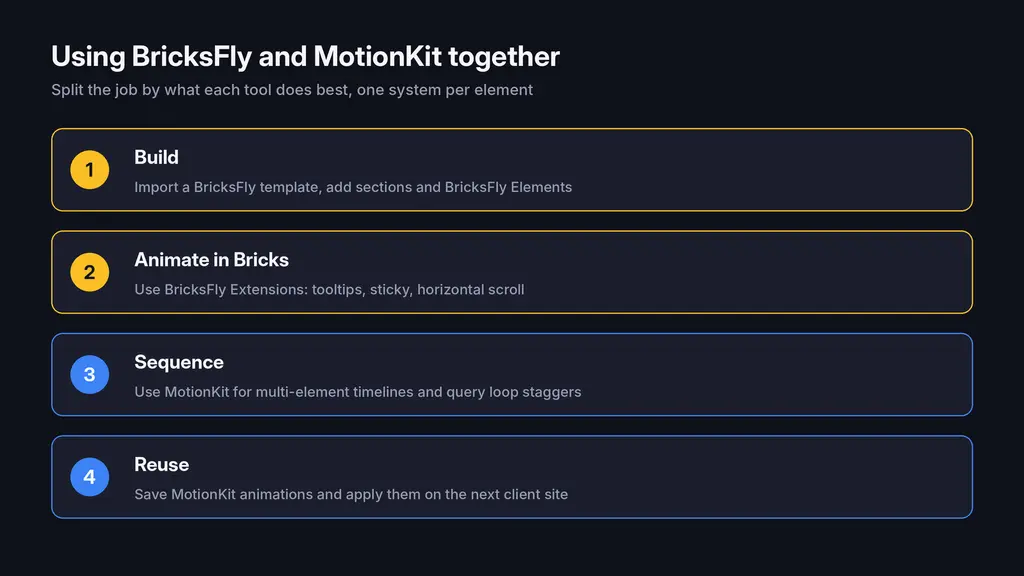
- Build the site from a BricksFly starter template and add sections from the section library.
- Animate in Bricks with BricksFly Extensions for tooltips, sticky elements, horizontal scroll and text effects.
- Sequence complex hero timelines and query loop staggers in MotionKit, on elements BricksFly does not animate.
- Reuse your MotionKit animations on the next client site.
Start Building Animated Bricks Sites Today
Get BricksFly at up to 50% OFF for Black Friday.
Lifetime from $47.40, or 500 sites for $199.50 once, with templates, sections, 30+ Elements, 20+ Extensions and the no-code GSAP engine. 15-day money-back guarantee.
Bottom Line
BricksFly vs MotionKit is not a contest between two versions of the same thing. BricksFly is the complete Bricks Builder toolkit: templates, sections, Elements, Extensions and no-code GSAP animation, all inside the Bricks editor, at a lower price for Bricks-only work. MotionKit is the animation specialist: a visual timeline, 110+ presets and reusable motion across every WordPress builder.
If you build in Bricks, start with BricksFly. If your projects need complex timelines or multiple builders, add MotionKit, or get both on unlimited sites with the Agency Bundle.
FAQs
Is BricksFly or MotionKit better for Bricks Builder?
For most Bricks users, BricksFly is the better starting point because it works inside the Bricks editor and adds templates, sections, 30+ Elements and GSAP Extensions. MotionKit is better if you need multi-element timelines, 110+ presets, or one animation tool across several page builders.
Can I use BricksFly and MotionKit on the same site?
Yes. They work in different ways, so you can use BricksFly for layouts, Elements and in-editor effects and MotionKit for complex timelines. Use one animation system per element, because two systems animating the same element conflict.
Does MotionKit work inside the Bricks editor?
No. MotionKit uses its own visual editor on the page Bricks renders, connected through a free WordPress connector plugin. You build the page in Bricks, then open it in MotionKit to animate elements by their CSS classes.
Which is cheaper, BricksFly or MotionKit?
BricksFly costs the same or less at every tier. Lifetime prices are $79, $149 and $399 for BricksFly (1, 5 and 500 sites) and $89, $179 and $439 for MotionKit. Both are on sale for Black Friday, and both have a 15-day money-back guarantee.
What happens to my animations if a yearly license expires?
With BricksFly, GSAP animation features stop until you renew, while templates, sections and content stay. With MotionKit, published animations keep running but you cannot edit or create animations until you renew. Lifetime plans on either product avoid renewals.
Do both tools have a free version?
Yes. The free BricksFly plugin on WordPress.org includes 22 Elements and Starter Animation. MotionKit has a permanent free plan with 1 site, 1 page and 10 active animations.
Do I need to know GSAP or JavaScript?
No. Both tools give you visual controls and generate the GSAP for you. BricksFly uses settings panels inside Bricks, and MotionKit uses presets, a timeline and property controls in its editor.
How do I get both BricksFly and MotionKit?
The Agency Bundle includes BricksFly, MotionKit, Animation Addons Pro and the Arolax and Axtra themes on unlimited sites for $449 once, 3 payments of $159, or $199 a year.


Leave a Reply
You must be logged in to post a comment.