
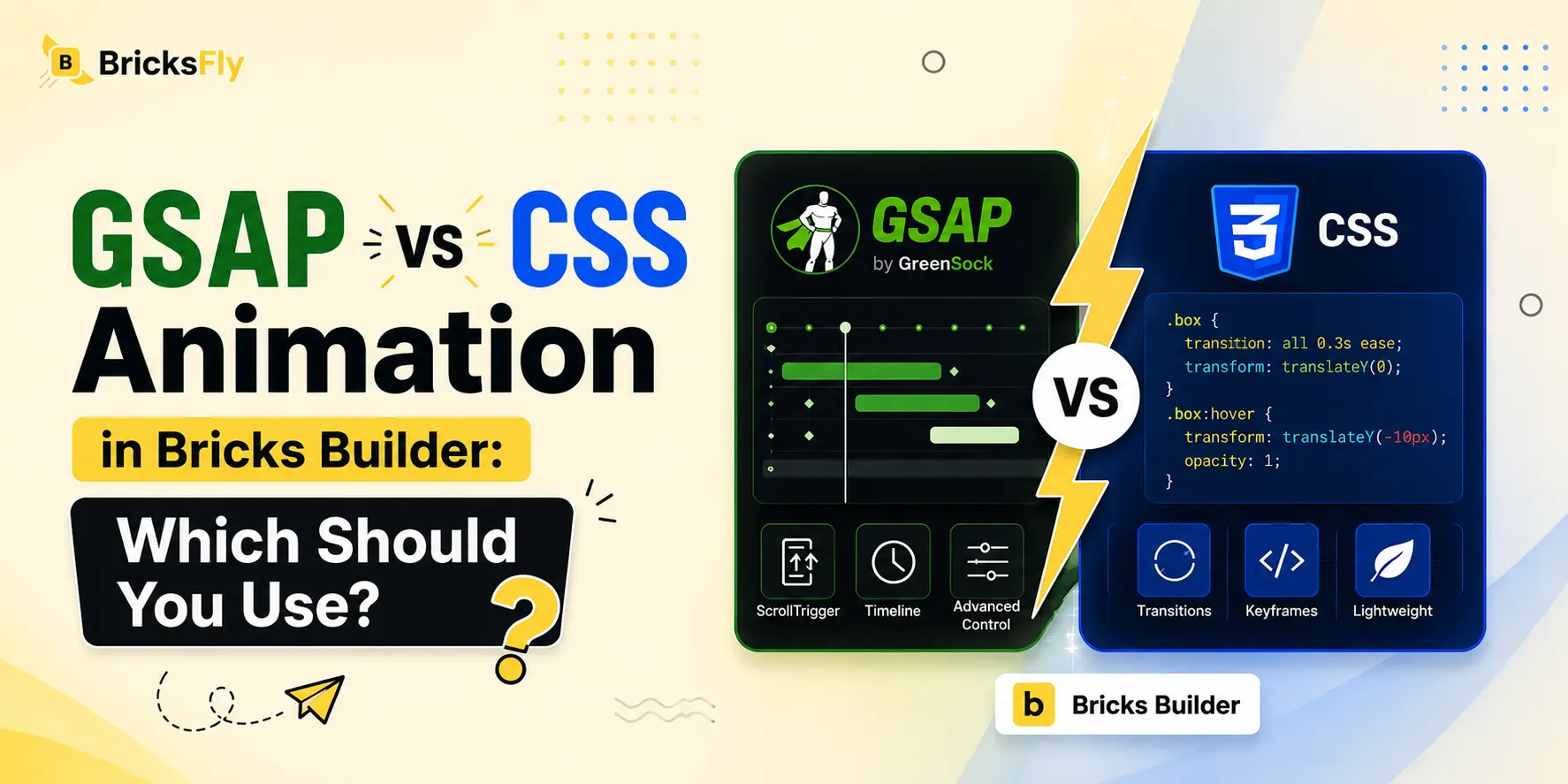
When you add animation to a Bricks Builder site, you’re really choosing between two technologies: GSAP vs CSS animation. Both create motion, both work in Bricks, but they’re suited to very different jobs. Reaching for the wrong one means either overcomplicating a simple hover effect or hitting a wall when you try to build a scroll-linked, pinned, or split-text animation that CSS can’t handle well. Knowing which to use is what keeps your animation both effective and maintainable.
The confusion is common, especially because “animation” gets treated as one thing. In practice, CSS animation and GSAP occupy different tiers. CSS is native, lightweight, and perfect for simple transitions and hover states. GSAP is a JavaScript library built for complex, sequenced, and scroll-based motion that CSS struggles with. The best builders don’t pick one and abandon the other, they use each where it fits.
This guide compares GSAP vs CSS animation in Bricks fairly and practically. You’ll learn what each does well, where CSS is genuinely enough, where GSAP becomes necessary, how they compare on performance, and how to decide per effect. We’ll keep it technical enough to be useful for designers, developers, and agencies, and show how no-code tools like BricksFly make GSAP accessible when you need it.
Quick Answer: Use CSS animation in Bricks for simple effects, hover states, basic transitions, and small fades, since it’s native, lightweight, and requires no library. Use GSAP for complex or scroll-based effects like ScrollTrigger reveals, pinned sections, timelines, and split text, which CSS can’t do well. Most sites use CSS for simple touches and GSAP for premium, scroll-driven motion.
What Is CSS Animation?
CSS animation is motion built directly into the browser’s styling language, no JavaScript required. It comes in two main forms: transitions (smoothly changing a property from one state to another, like a button color on hover) and keyframe animations (defining stages of an animation that play automatically or on a trigger).
CSS animation is native to every browser, which gives it real advantages. There’s no library to load, so it adds no extra weight. It’s efficient for simple effects, especially when animating cheap properties like transform and opacity, which the browser can often handle on the GPU. And for basic motion, it’s straightforward to implement.
In Bricks Builder, CSS-based effects cover a lot of everyday needs: hover states on buttons and cards, simple fade-ins, small transitions, and basic entrance effects. Bricks includes some interaction and transition options natively that rely on this kind of animation. For a large share of “make this feel a little more polished” tasks, CSS is not just adequate, it’s the right tool.
Where CSS runs into limits is complexity. It has no built-in concept of scroll position, no easy way to sequence multiple animations into a coordinated timeline, and no native ability to pin an element or split text into animated characters. These are exactly the jobs GSAP was built for.
What Is GSAP Animation?
GSAP (the GreenSock Animation Platform) is a JavaScript animation library designed for complex, high-performance web animation. Where CSS handles motion within the browser’s styling system, GSAP animation gives you programmatic control over animation, precise timing, sequencing, and triggers that CSS can’t match.
GSAP’s power comes from its features and plugins. Its core lets you build timelines, choreographing many animations in sequence with exact control over timing and easing. Its ScrollTrigger plugin ties animation to scroll position, enabling scroll reveals, scrubbed effects, and pinned sections. Its SplitText plugin breaks headings into characters or words for staggered text animation. Together, these cover the advanced effects that define premium modern sites.
GSAP is also known for performance and consistency. It’s highly optimized, runs smoothly across browsers, and handles complex sequences that would be fragile or impossible in CSS. This is why it’s the standard for professional web animation.
The trade-off is that GSAP is a JavaScript library, so traditionally it required code: loading the library, registering plugins, and writing each animation. That coding requirement is what historically kept GSAP out of reach for non-developers, though no-code tools now change that, letting you configure GSAP effects visually while the tool generates the code.
GSAP vs CSS Animation: Head-to-Head Comparison
Here’s how the two compare across the factors that matter for Bricks animation.
| Factor | CSS Animation | GSAP Animation |
| Library needed | No (native) | Yes (JavaScript) |
| Best for | Simple transitions, hover | Complex, scroll-based motion |
| Scroll-linked effects | Very limited | Excellent (ScrollTrigger) |
| Timelines / sequencing | Difficult | Built-in and precise |
| Pinning sections | Not native | Yes |
| Split text | Not native | Yes (SplitText) |
| Performance (simple effects) | Excellent | Excellent |
| Performance (complex effects) | Can struggle | Optimized for it |
| Ease without code | Native, simple | Needs code (or a no-code tool) |
| Browser consistency | Good | Very consistent |
The pattern is clear: CSS wins on simplicity and zero-weight for basic effects, while GSAP wins decisively for anything complex, scroll-based, or sequenced. They’re not really competitors, they’re tools for different tiers of animation.
When CSS Animation Is Enough
CSS is genuinely the right choice for a wide range of effects, and reaching for GSAP when CSS would do just adds unnecessary weight. Use CSS when:
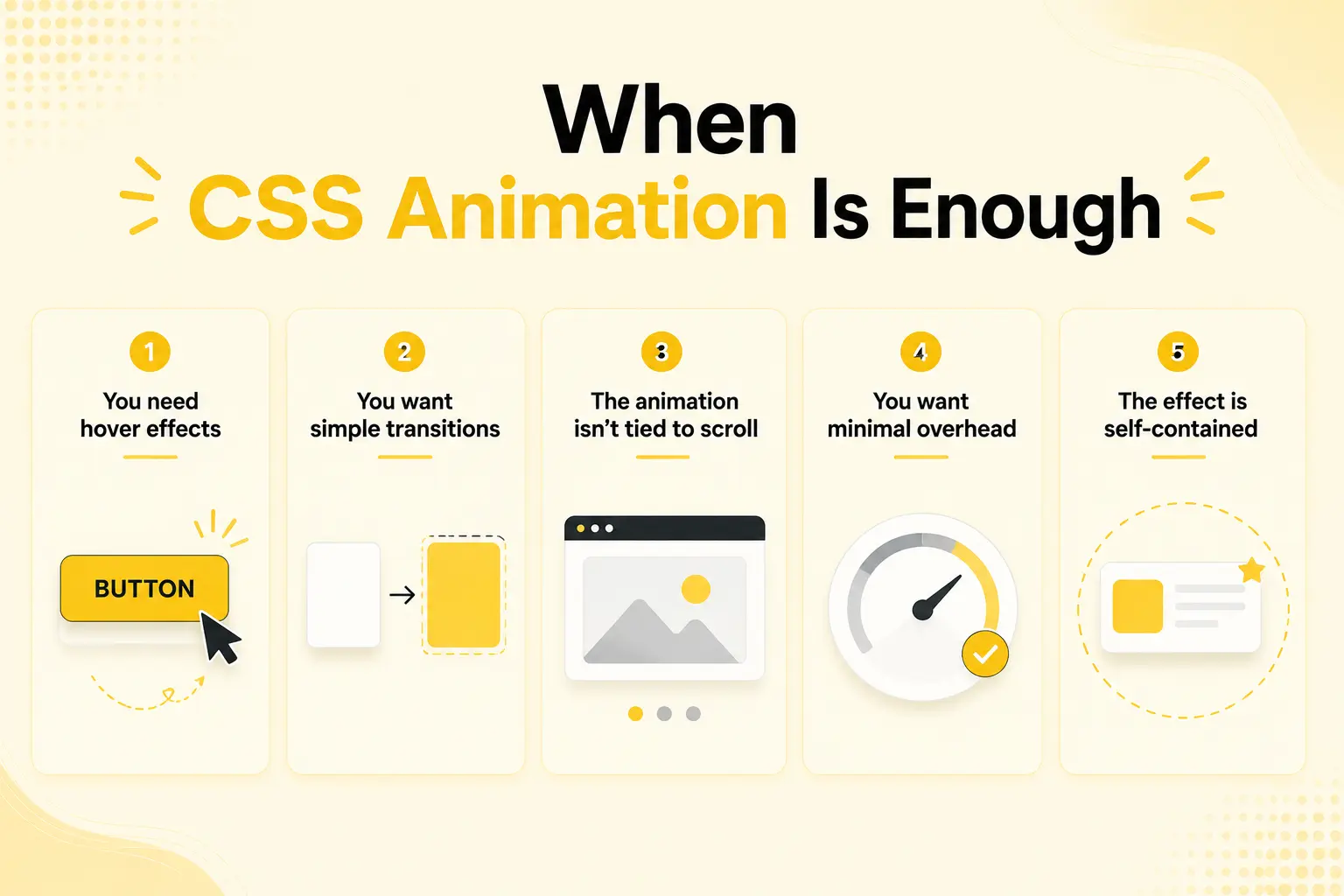
You need hover effects: Button and card hover states, color shifts, subtle scales, are perfect for CSS transitions. Fast, native, no library required.
You want simple transitions: Smoothly changing a property, an element fading in, a box shadow appearing, is exactly what CSS transitions are for.
The animation isn’t tied to scroll: If an effect plays on load, on hover, or on a simple state change (not linked to scroll position), CSS usually handles it cleanly.
You want minimal overhead: For a mostly static site that needs just a few small touches, CSS avoids loading an animation library entirely, keeping the page as light as possible.
The effect is self-contained: A single element animating on its own, without coordinating with others in a sequence, is well within CSS’s comfort zone.
For these cases, CSS is not a compromise, it’s the correct, efficient choice. A common mistake is loading a full animation library for effects the browser can already do natively.
When GSAP Is the Better Choice
GSAP becomes necessary, not just nicer, when your animation needs exceed what CSS can do well. Use GSAP when:
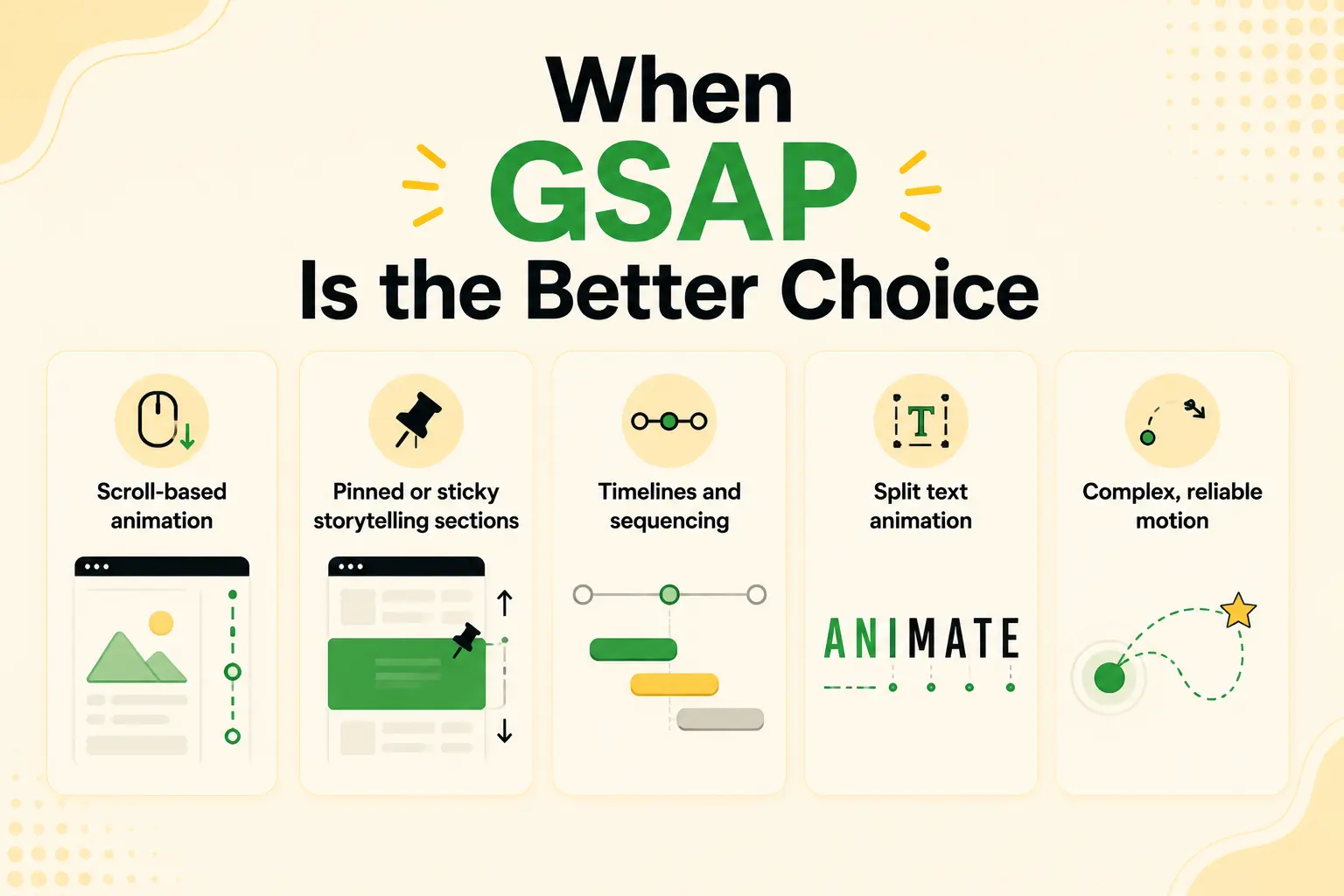
You need scroll-based animation: Anything tied to scroll position, reveals as elements enter view, scrubbed effects, parallax linked to scroll, is GSAP’s ScrollTrigger territory. CSS has no real equivalent.
You want pinned or sticky storytelling sections: Holding an element in place while content scrolls past requires GSAP; it’s not something CSS does natively.
You need timelines and sequencing: Choreographing multiple animations in a precise sequence, one after another with controlled timing, is what GSAP timelines are built for. Doing this in CSS quickly becomes fragile and unmanageable.
You want split text animation: Animating a heading character by character or word by word needs SplitText. CSS can’t split and stagger text natively.
You need complex, reliable motion: For intricate effects that must run smoothly and consistently across browsers, GSAP’s optimization and control outperform hand-rolled CSS.
In short, the moment your animation involves scroll, sequencing, pinning, or split text, GSAP is the practical answer. These are the effects that make a site feel premium, and they’re precisely where CSS reaches its limits.
Performance: GSAP vs CSS
Performance is often cited in the GSAP vs CSS debate, but the reality is more nuanced than “CSS is always faster.”
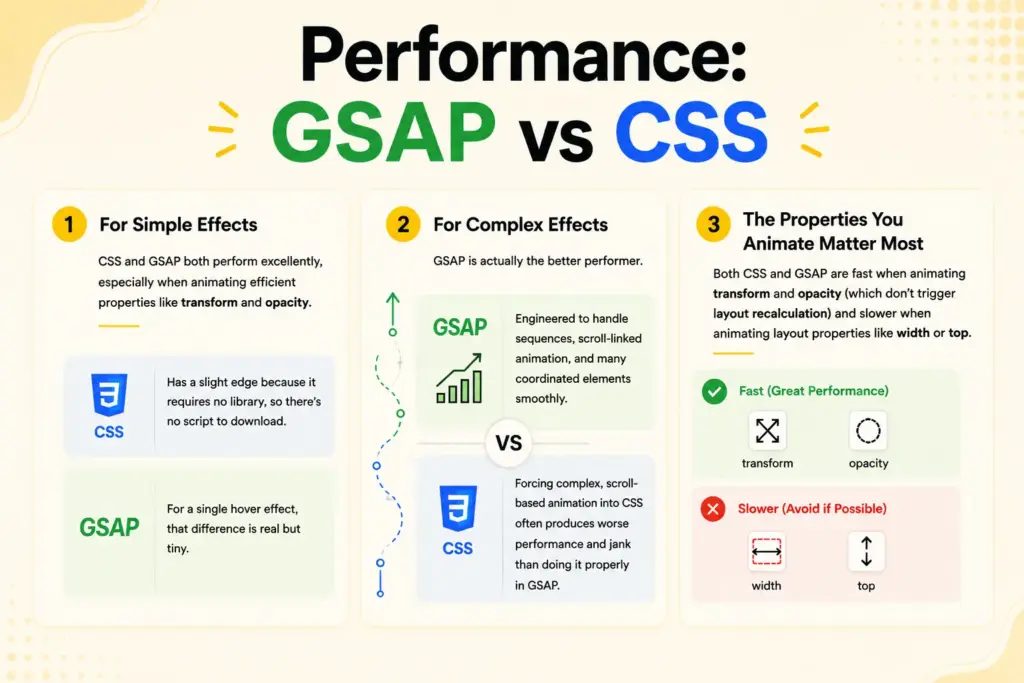
For simple effects, CSS and GSAP both perform excellently, especially when animating efficient properties like transform and opacity. CSS has a slight edge here only because it requires no library, so there’s no script to download. For a single hover effect, that difference is real but tiny.
For complex effects, GSAP is actually the better performer. It’s engineered to handle sequences, scroll-linked animation, and many coordinated elements smoothly, work that would be difficult to do performantly in CSS at all. Trying to force complex, scroll-based animation into CSS often produces worse performance and jank than doing it properly in GSAP.
The properties you animate matter more than the technology. Both CSS and GSAP are fast when animating transform and opacity (which don’t trigger layout recalculation) and slower when animating layout properties like width or top. Good practice, in either technology, is to stick to the efficient properties.
The honest takeaway: for a few simple effects, CSS is marginally lighter. For anything complex or scroll-based, GSAP performs better and is the only practical option. Neither is universally “faster”, it depends on the job, and using the right tool for each effect is what keeps a site fast.
How to Decide: A Practical Approach
Rather than choosing one technology for a whole site, decide per effect. Here’s a simple way to think about it.
Ask first: is this effect tied to scroll, sequenced, pinned, or split text? If yes, use GSAP, CSS can’t do these well. If no, continue.
Then ask: is it a simple hover, transition, or self-contained fade? If yes, CSS is the right, lightweight choice.
For most real sites, this means a mix: CSS handles the many small touches (hovers, simple transitions), and GSAP handles the handful of premium, scroll-driven effects (reveals, pinned sections, split-text heroes). This isn’t a compromise, it’s using each tool where it’s strongest, which gives you both efficiency and capability.
The one thing to avoid is defaulting to a single technology out of habit. Forcing everything into CSS means you can’t build premium scroll effects. Forcing everything into GSAP means loading a library for effects the browser could handle for free. Deciding per effect keeps your animation both capable and efficient.
Examples and Use Cases
Here’s how the decision plays out in practice.
Button and card hovers, CSS: A CTA that scales slightly on hover, a card that lifts, these are simple, self-contained, and not scroll-linked. CSS is perfect and adds no weight.
A hero heading that animates letter by letter, GSAP: Split text needs SplitText, so this is GSAP. CSS can’t split and stagger characters natively.
Sections revealing as you scroll, GSAP: Scroll-linked reveals require ScrollTrigger. This is core GSAP territory.
A pinned product-story section, GSAP: Holding an element while content scrolls past is a GSAP pin, not something CSS does.
A simple fade-in on page load, CSS: A basic entrance that isn’t tied to scroll or sequenced is well within CSS’s comfort zone.
A single professional site typically uses all of these, CSS for the simple touches, GSAP for the premium scroll and text effects, each doing what it does best.
Common Mistakes to Avoid
Watch for these when choosing between GSAP and CSS.
Loading a library for simple effects: Using GSAP for a basic hover wastes weight, CSS handles it natively. Match the tool to the effect.
Forcing scroll effects into CSS: Trying to fake scroll-linked or pinned animation in CSS leads to fragile, janky results. Use GSAP for scroll.
Animating layout properties: In either technology, animating width, height, or position triggers expensive recalculation. Prefer transform and opacity.
Over-animating: Regardless of technology, too much motion hurts both experience and performance. Use animation purposefully.
Ignoring reduced motion: Both CSS and GSAP effects should respect the reduced-motion setting for accessibility.
Picking one technology for everything: Defaulting to only CSS or only GSAP means either missing capabilities or adding needless weight. Decide per effect.
How BricksFly Helps
The main reason builders default to CSS even when GSAP is better is that GSAP traditionally required code. BricksFly removes that barrier. It’s a complete Bricks Builder toolkit whose no-code GSAP animation engine lets you build ScrollTrigger reveals, pinned sections, timelines, split text, and parallax through visual controls, no JavaScript needed.
That changes the GSAP vs CSS decision in practice. You can still use Bricks’ native CSS-based effects for simple hovers and transitions, and reach for BricksFly’s no-code GSAP whenever an effect needs scroll, sequencing, pinning, or split text, without writing code for either. You choose the right technology per effect based on what the effect needs, not based on whether you can code GSAP.
BricksFly’s animation controls also default to efficient, transform-and-opacity-based effects and support reduced motion, so best practices are built in. And because it’s a complete toolkit, the animation sits alongside 30+ templates and 500+ sections, so you can import a site, add CSS touches, and layer on GSAP effects, all in one workflow. For designers, developers, and agencies, that means GSAP’s power is available whenever CSS isn’t enough.
Final Thoughts
The GSAP vs CSS animation question in Bricks Builder isn’t really about picking a winner, it’s about matching the tool to the job. CSS is the right, lightweight choice for simple hovers, transitions, and self-contained fades. GSAP is necessary for the premium effects that define modern sites: scroll reveals, pinned sections, timelines, and split text. Using each where it’s strongest gives you both efficiency and capability.
The practical approach is to decide per effect: if it involves scroll, sequencing, pinning, or split text, use GSAP; otherwise, CSS is usually enough. Avoid defaulting to one technology out of habit, since that means either missing capabilities or adding needless weight. And in either case, animate efficient properties and respect reduced motion to keep things fast and accessible.
If the only thing holding you back from GSAP is the coding, the next step is to see how no-code GSAP works in Bricks, so you can reach for the right animation tool whenever an effect calls for it.
FAQs
What’s the difference between GSAP and CSS animation in Bricks?
CSS animation is native to the browser and best for simple effects like hover states and basic transitions, with no library needed. GSAP is a JavaScript library for complex, scroll-based, and sequenced motion, ScrollTrigger reveals, pinned sections, timelines, and split text, that CSS can’t do well. Most sites use CSS for simple touches and GSAP for premium effects.
Is GSAP better than CSS animation?
Neither is universally better, they suit different jobs. CSS is better for simple, self-contained effects because it’s lightweight and native. GSAP is better for complex, scroll-linked, or sequenced animation because it’s built for that and CSS can’t match it. The best approach is deciding per effect rather than choosing one for everything.
When should I use CSS instead of GSAP in Bricks?
Use CSS for hover effects, simple transitions, basic fades, and any self-contained animation not tied to scroll or sequencing. These are effects the browser handles natively, so CSS is efficient and requires no library. Reaching for GSAP on these just adds unnecessary weight.
When do I need GSAP instead of CSS?
You need GSAP when an effect is tied to scroll (reveals, scrubbed effects, parallax), requires pinning a section, involves a sequenced timeline, or animates split text character by character. CSS can’t do these well natively. Any premium, scroll-driven, or choreographed animation is GSAP territory.
Is GSAP or CSS better for performance?
For simple effects, both perform excellently, CSS is marginally lighter since it needs no library. For complex or scroll-based effects, GSAP performs better and is often the only practical option. In both, animating transform and opacity (rather than layout properties) is what keeps things fast. Using the right tool per effect optimizes performance.
Can I use GSAP in Bricks without coding?
Yes. No-code tools like BricksFly let you build GSAP effects, ScrollTrigger reveals, pinned sections, split text, parallax, through visual controls instead of JavaScript. This removes the main reason builders default to CSS, so you can choose GSAP whenever an effect genuinely needs it, without writing any code.