
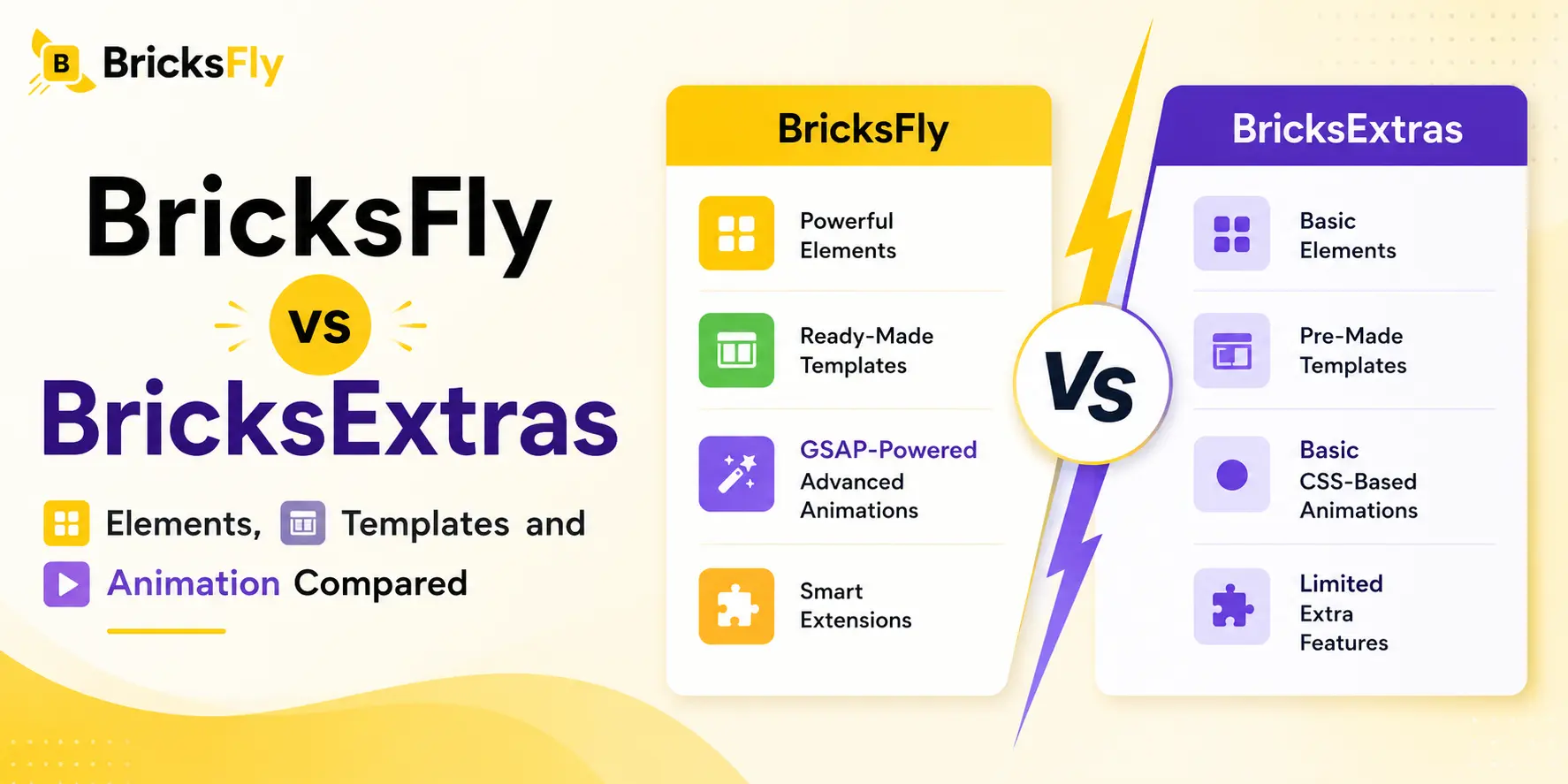
BricksFly and BricksExtras both extend Bricks Builder, but they are built around different needs.
BricksExtras mainly adds more Elements and functionality to an existing Bricks setup.
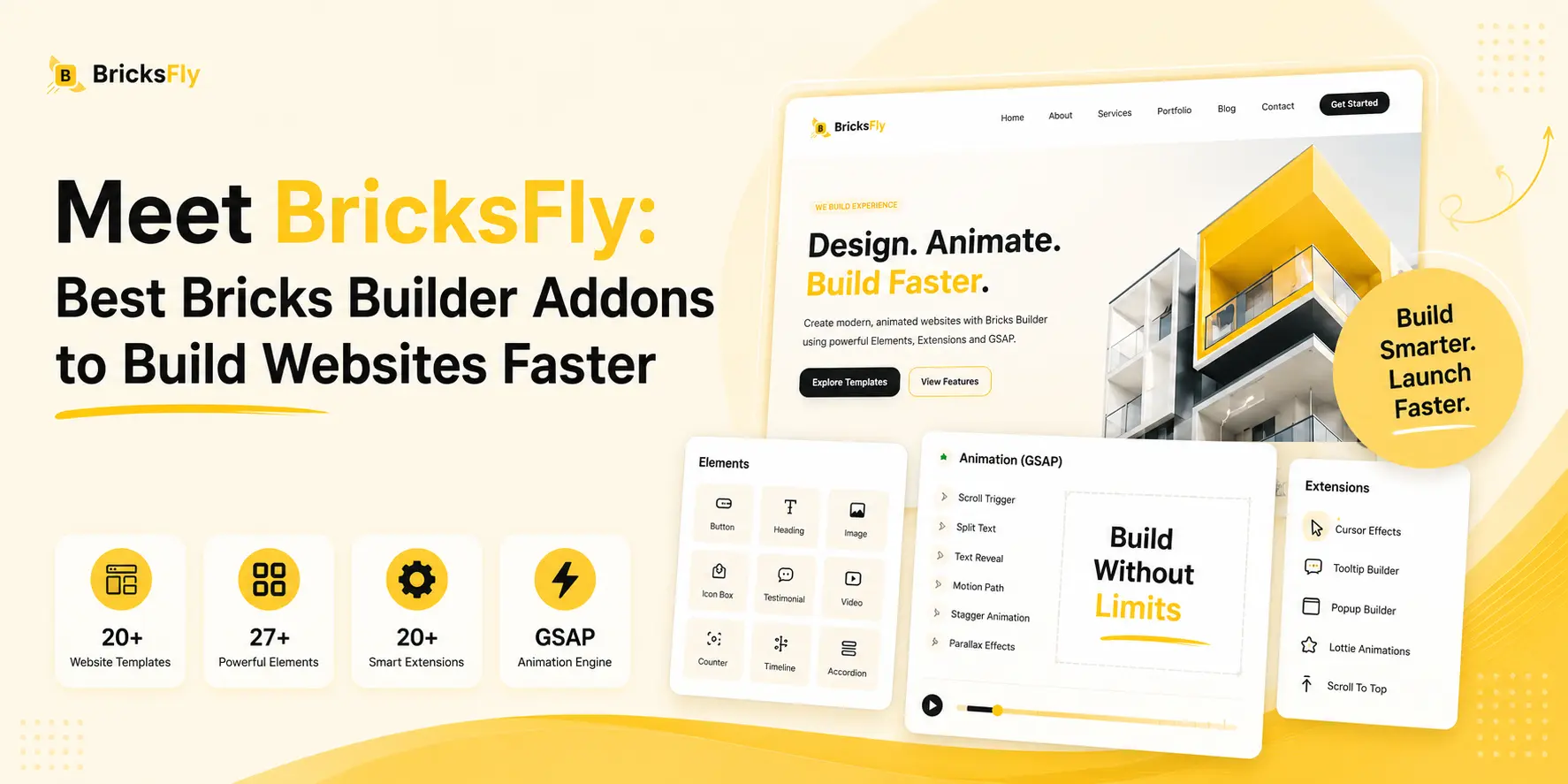
BricksFly covers a much broader part of the website-building process. It combines 30+ complete website templates, 500+ ready-made sections, 30+ Elements, 17+ Extensions, and visual GSAP animation tools in one toolkit.
That difference matters when you build websites regularly.
You may need more than another Element. A typical project also needs page structures, reusable sections, additional functionality, and often animation.
So instead of comparing these two products only by feature count, it makes more sense to look at how much of your actual Bricks workflow each one can handle.
Quick Answer
If you mainly need extra Bricks Elements, conditions, or query-loop features, BricksExtras may fit your workflow. If you want a broader toolkit for complete website building, BricksFly is the stronger choice with 30+ starter sites, 500+ sections, 30+ Elements, 17+ Extensions, and visual GSAP animation tools.
Key Takeaways
- BricksFly is built for a broader website-building workflow with templates, sections, Elements, Extensions, and visual GSAP animation.
- BricksExtras is better suited to users who mainly need additional Elements, conditions, query-loop features, or specific functionality.
- BricksFly includes 30+ starter websites, 500+ sections, 30+ Elements, and 17+ Extensions.
- BricksExtras currently offers more individual Elements, but Element count alone does not reflect the full website-building workflow.
- For agencies, freelancers, and designers building complete client websites regularly, BricksFly is the stronger overall fit.
BricksFly vs BricksExtras at a Glance
Here is the simplest way to see how the two compare.
| Feature | BricksFly | BricksExtras |
|---|---|---|
| Main focus | Complete Bricks website-building toolkit | Additional Elements and functionality |
| Elements | 30+ | 48 |
| Extensions | 17+ | Additional features |
| Full website templates | 30+ | Not a core focus |
| Ready-made sections | 500+ | Not a core focus |
| Visual GSAP animation | Yes | No dedicated visual GSAP system |
| Conditions | Not a primary focus | Yes |
| Query-loop features | Not a primary focus | Yes |
| Interactions | Yes | Yes |
| Best for | Complete website builds, agencies, freelancers, designers | Specific Elements and functional additions |
BricksExtras currently documents 48 Elements along with conditions, additional query-loop functionality, interactions, and other features.
BricksFly takes a broader approach.
Instead of focusing mainly on what happens after you start building a page, BricksFly can help earlier in the project with the website structure, sections, design Elements, Extensions, and animation.
That broader scope is the main difference between the two.
What Is BricksFly?

BricksFly is a toolkit built specifically for Bricks Builder.
Its current offering includes:
- 30+ full website templates
- 500+ reusable sections
- 30+ additional Bricks Elements
- 17+ Extensions
- Visual GSAP animation controls
The website templates and section library are a major part of the product.
Instead of opening Bricks and starting every page from an empty canvas, you can begin with an existing website structure or copy individual sections into your project.
You might start with a complete agency website, replace the hero, add a different pricing section, drop in a few extra Elements, and then add animation.
BricksFly’s GSAP tools include features such as ScrollTrigger, SplitText, parallax, sticky and pin effects, horizontal scrolling, image animation, cursor effects, and other motion controls.
That combination makes BricksFly particularly useful for people building:
- Agency websites
- SaaS websites
- Portfolios
- Service websites
- Landing pages
- Marketing websites
- Client projects
The main value is not one particular feature.
It is having several parts of the Bricks website-building workflow available together.
What Is BricksExtras?

BricksExtras is a Bricks addon focused more heavily on additional Elements and functionality.
It currently documents 48 Elements, including options such as:
- Dynamic Table
- Modal
- Pro Slider
- Pro Accordion
- Content Timeline
- Image Hotspots
- Interactive Cursor
- Media Player
- Lottie Animations
- Pro OffCanvas
- Table of Contents
- Favorites and Wishlist
- Calendar
- Panorama Viewer
BricksExtras also adds conditions, query-loop functionality, interactions, floating effects, parallax, tilt, and other features.
The product fits best when you already have a working Bricks setup and need additional functionality inside it.
For example, perhaps your page design is already complete, but you need a modal, dynamic table, specific query-loop behavior, or another Element Bricks does not provide.
That is a different use case from BricksFly, which reaches further into the website-building process itself.
The Biggest Difference Is the Workflow
Looking at feature lists alone, BricksFly and BricksExtras can seem quite similar. The difference becomes clearer once you look at how each one fits into an actual project.

Say you have just taken on a five-page service website.
With an Element-focused setup, you still need to plan the design, build the page structure, create the sections, and sort out animation separately. The addon becomes useful later, when you need a specific Element or extra functionality.
BricksFly can be useful much earlier in the process.
A project might start like this:
- Pick a complete website template.
- Adjust the pages to match the client’s brand.
- Replace any sections that do not fit the project.
- Bring in extra sections from the library where needed.
- Add additional Elements.
- Turn on the Extensions that make sense for the site.
- Add GSAP animation.
- Finish the responsive work and final content.
That does not mean every project has to follow the same process.
You might skip the full templates and build a custom page using individual sections. On another project, you may start from scratch and only use BricksFly for a few Elements and animation.
What matters is having those choices available when you need them.
For freelancers and agencies, that can be more valuable than comparing feature counts alone. When you build websites regularly, saving time across several parts of the project usually matters more than speeding up one small task.
How BricksFly and BricksExtras Compare on Elements
The difference between the two Element libraries becomes clearer when you look at what they are designed to help you build.

BricksExtras leans more toward functional components. Its library includes options such as Dynamic Table, Modal, Media Player, Pro Tabs, Table of Contents, Favorites, Calendar, and other Elements that can fill specific gaps inside a Bricks project.
BricksFly takes a more design and website-building focused approach.
Its Elements include Advanced Button, Counter, Timeline, Image Hotspot, Image Comparison, Lottie, progress-related Elements, and other components commonly used across landing pages, agency sites, portfolios, SaaS websites, and client projects.
There is overlap between the two, but the surrounding workflow is different.
With BricksExtras, you may reach for an Element because you need a particular function on a page.
With BricksFly, an Element is often part of a larger build.
For example, you might start with a ready-made hero, use an Advanced Button inside it, add a pricing or testimonial section, bring in another Element for interaction, and then animate the page with GSAP.
That makes BricksFly’s Element library feel less like a separate collection of widgets and more like one part of the overall website-building toolkit.
If your project depends on a very specific functional Element, it makes sense to check both libraries first.
But for freelancers and agencies building complete websites, BricksFly’s Elements fit naturally alongside the templates, sections, Extensions, and animation tools you are already using throughout the project.
Where BricksFly Pulls Ahead
The difference between BricksFly and BricksExtras becomes easier to see once you look beyond the Element library.
BricksFly covers more of the actual website-building process, especially when you need templates, sections, and animation alongside extra Elements.
30+ Complete Website Templates
Starting from a blank page gives you full control, but it also means building every part of the site yourself.
BricksFly includes 30+ complete website templates with inner pages, which can give you a useful head start when the structure already fits the kind of project you are working on.
From there, you can change the colors, fonts, images, copy, spacing, sections, animation, and branding until the site feels completely your own.
The idea is not to keep the demo design as it is. A good template simply gives you a solid base to work from.
For client projects, that can save a lot of setup time across multiple pages.
500+ Ready-Made Sections
A full website template is not always what you need.
Sometimes the page is already taking shape, but the hero needs work. Maybe you need a stronger pricing section, a testimonial layout, or a better CTA.
That is where the section library becomes useful.
BricksFly includes 500+ ready-made Bricks sections that you can copy and paste into your project. The collection covers common layouts such as heroes, services, features, pricing, testimonials, portfolios, CTAs, and footers.
This makes it easier to keep the overall design custom while avoiding the repetitive work of rebuilding familiar sections every time.
That is especially useful for agencies. Client websites may look completely different on the surface, but many of them still rely on similar page structures underneath.
You can reuse those structures without making every project feel like the same website.
Elements and Extensions in the Same Toolkit
BricksFly also comes with 30+ Elements and 17+ Extensions, so you have more options once the basic page structure is in place.
If you need an extra content block, layout feature, or visual effect, you may not have to reach for another tool right away.
The Elements cover additional building blocks for your pages, while the Extensions add features such as sticky effects, scrolling interactions, cursor effects, preloaders, text animation, and image animation.
The real benefit is how these parts work together.
Templates help you get the site started. Sections speed up page building. Elements cover missing pieces, while Extensions add extra functionality. Animation then brings movement into the final design.
Visual GSAP Animation
Animation is one of the strongest differences.
BricksFly includes a dedicated visual GSAP workflow with features such as:
- ScrollTrigger
- SplitText
- Parallax
- Sticky and Pin
- Horizontal Scroll
- Image Animation
- Image Reveal
- Cursor Effects
- Smooth Scroll
- Hover Effects
You can control these effects visually instead of writing the GSAP code for each animation yourself.
That changes what is possible during a normal Bricks build.
For example, you could create a landing page, animate the main heading with SplitText, reveal images as visitors scroll, pin a section, and add horizontal scrolling to a portfolio area.
The animation is not a separate afterthought.
It can become part of how you design the page.
For users who regularly build animated websites, this is one of the areas where BricksFly has the clearest advantage.
Where BricksExtras Fits
BricksExtras can still be a good fit if your workflow is already well established.
You may already have your own templates, section library, CSS system, animation setup, and a reliable way to start new projects. In that case, adding another large design library may not be necessary.
What you might need instead is one specific feature, such as an extra Element, advanced conditions, or more control over query loops.
BricksExtras includes 48 Elements, along with conditions, query-loop features, and interactions. That makes it useful when you know exactly what is missing from your current setup.
For example, a content-heavy site might need a Dynamic Table or a particular display condition. If BricksExtras provides that feature, it may solve the problem without changing the rest of your workflow.
BricksFly is a better fit when you want more of the build process covered in one place, including templates, sections, additional Elements, Extensions, and animation tools.
Why BricksFly Works Better for Client Projects
Client projects change from one brief to another, but a lot of the work stays familiar.
The branding, content, and visual direction may be different, yet you still end up building many of the same things:
- Hero sections
- Feature layouts
- Service sections
- Pricing blocks
- Testimonials
- Portfolios
- CTAs
- Footers
- Interactions
- Animations
Rebuilding all of that from scratch on every project can take more time than it needs to.
BricksFly gives you a few ways to speed things up. You might begin one site with a complete website template, reuse a handful of sections on another, or only use the Elements and GSAP controls for a landing page.
That kind of flexibility works well for client projects because every job has different requirements.
Say your team is building five websites in a month. One is for an agency, another is a SaaS landing page, and another is a portfolio. The finished sites may look completely different, but many of the layouts and interactions will still feel familiar.
With 500+ sections available, you can reuse an existing structure when it fits instead of starting from a blank canvas. Full website templates can also help when a project needs to move quickly.
The built-in GSAP controls are useful for the same reason. Animation can be handled during the build rather than becoming a separate development task at the end.
BricksFly will not replace every tool in your WordPress stack. You may still need separate plugins for forms, SEO, caching, eCommerce, or advanced dynamic features.
For the visual side of building with Bricks, however, it brings many of the everyday tasks into one place. That makes it a practical option for agencies, freelancers, and designers working on multiple client projects.
Which One Fits Your Workflow?
There is no need to make this decision more complicated than it is.
Look at the type of projects you build and what you already have in your stack.
Choose BricksFly If You
BricksFly is the stronger fit if you:
- Build complete websites for clients
- Build several Bricks websites each month
- Want full website templates
- Need reusable page sections
- Want additional Elements and Extensions
- Create animated websites
- Want visual GSAP controls
- Build landing pages regularly
- Work on agency, SaaS, portfolio, or service websites
- Want to reduce repetitive layout work
It becomes especially useful when several of those needs apply at the same time.
You are not buying a tool just for one missing Element.
You are adding a larger set of resources to your Bricks workflow.
Choose BricksExtras If You
BricksExtras may fit better if you:
- Already have templates covered
- Already have a section library
- Already have an animation workflow
- Mainly need a particular Element
- Need additional conditions
- Need query-loop functionality
- Want to fill a specific gap in an existing setup
In other words, BricksExtras makes more sense when your requirements are narrower.
BricksFly makes more sense when you want help across more of the build.
Final Verdict
BricksFly and BricksExtras overlap in some areas, but they suit different workflows.
BricksExtras works well if you mainly need extra Elements or specific functionality inside an existing Bricks setup.
BricksFly is the better fit for users who build complete websites and want more of the process handled within one toolkit.
For freelancers, agencies, and designers working on client projects, that broader workflow can reduce repetitive work and make the overall build more efficient.
FAQs
For complete website building, BricksFly is the broader option.
It includes full website templates, 500+ sections, Elements, Extensions, and visual GSAP animation. BricksExtras is more focused on additional Elements and functionality.
If your work involves building full client websites rather than filling one specific functionality gap, BricksFly has more to offer across the project.
Yes. Both products extend Bricks Builder, but BricksFly goes beyond additional Elements by adding complete website templates, reusable sections, Extensions, and dedicated GSAP animation tools.
That makes it particularly useful if you are looking for a BricksExtras alternative that covers more of your website-building workflow.
BricksExtras currently documents 48 Elements.
BricksFly includes 30+ Elements plus 17+ Extensions.
If you need one particular Element, compare the individual libraries.
If your needs go beyond Elements, BricksFly’s templates, sections, Extensions, and animation tools become more relevant than the raw Element count.
Yes.
BricksFly currently includes more than 30 complete website templates with inner pages.
They are designed to give you a starting structure that can then be customized inside Bricks for the project.
BricksFly currently offers more than 500 ready-made sections that can be copied and customized inside Bricks Builder.
The library covers common page needs such as heroes, services, pricing, testimonials, portfolios, CTAs, and other website sections.
Yes. BricksFly includes visual GSAP tools for effects such as ScrollTrigger, SplitText, parallax, sticky and pin effects, horizontal scrolling, image animation, cursor effects, and smooth scrolling.
The controls are designed to let Bricks users create these animations visually rather than writing the animations from scratch in JavaScript.
For agencies and freelancers building complete websites, BricksFly is the stronger overall fit.
The combination of complete website templates, 500+ reusable sections, Elements, Extensions, and visual GSAP animation can reduce repetitive work across different stages of client projects.
BricksExtras may make more sense when the rest of your workflow is already established and you only need specific additional functionality.