

Choosing the right Bricks Builder plan isn’t just about the price. It’s about finding a license that fits your projects, whether you’re building a single WordPress website, working with multiple clients, or running a web design agency.
With annual and lifetime options available, the real question is which plan offers the best value for your needs. A cheaper license might work perfectly today, but could it cost you more as your projects grow?
In this guide, we’ll compare Bricks Builder pricing plans for 2026, explore what’s included, and break down the long-term costs to help you make the right decision.
Quick Answer
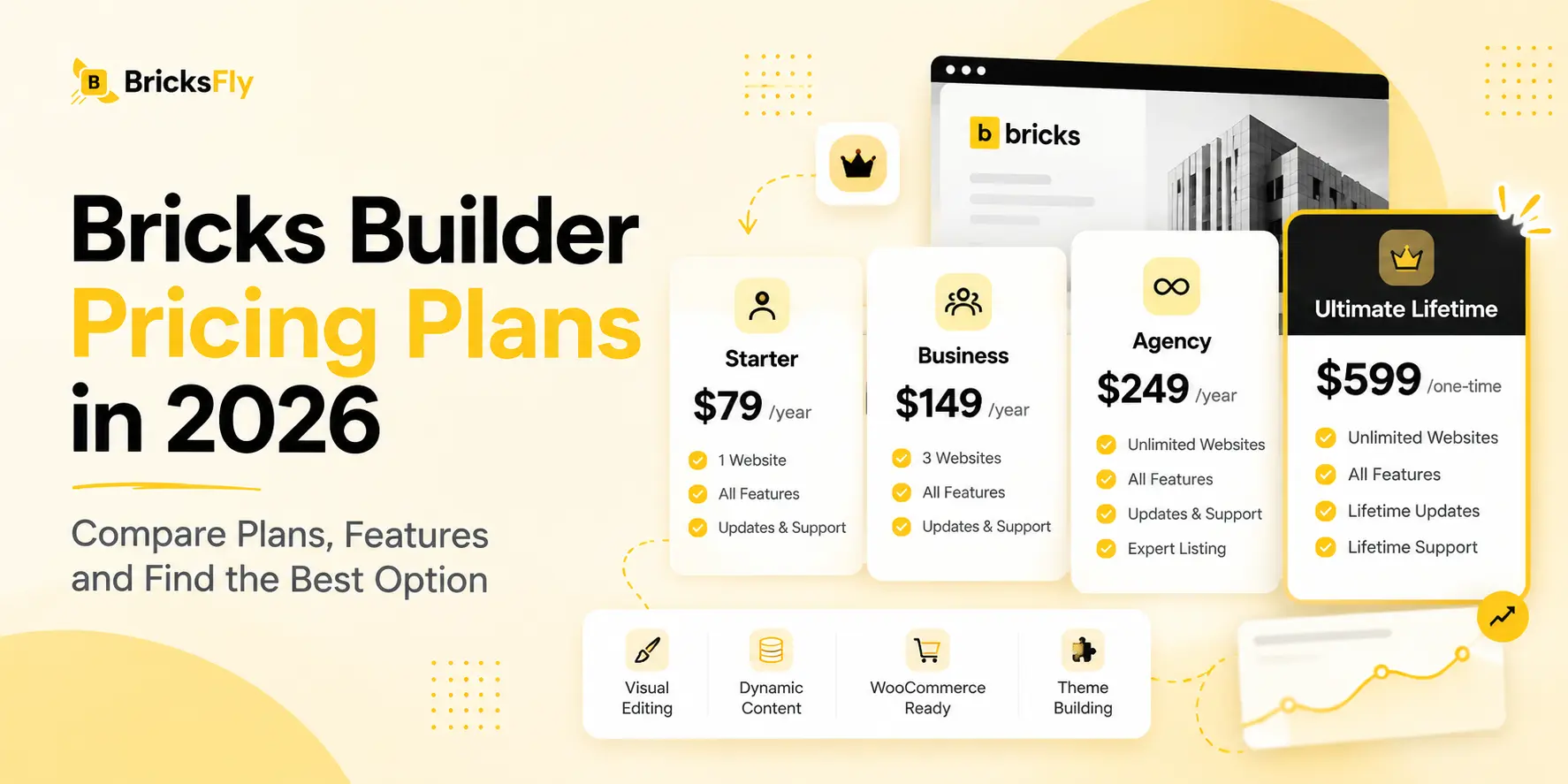
Bricks Builder starts at $79/year for one website. It offers four pricing plans: Starter ($79/year), Business ($149/year), Agency ($249/year), and Ultimate Lifetime ($599 one-time).
All plans include the same core features. Starter suits single websites, Agency supports unlimited projects, and Ultimate offers the best long-term value for unlimited sites.
Bricks Builder Pricing Plans in 2026
Bricks Builder offers four pricing plans: Starter, Business, Agency, and Ultimate Lifetime. The first three are annual subscriptions, while the Ultimate plan requires a one-time payment.
Here’s a quick comparison of the current Bricks Builder pricing plans.
| Plan | Price | Website Licenses | Billing |
|---|---|---|---|
| Starter | $79 | 1 website | Yearly |
| Business | $149 | 3 websites | Yearly |
| Agency | $249 | Unlimited | Yearly |
| Ultimate Lifetime | $599 | Unlimited | One-time |
All four plans include the complete Bricks Builder feature set, updates, technical support, and access to community templates. Annual licenses provide updates and support while your subscription remains active, while Ultimate includes lifetime access.
Bricks also offers a 60-day money-back guarantee. Local and staging websites don’t count toward your activation limit, and applicable taxes are added at checkout.
1. Bricks Starter Plan
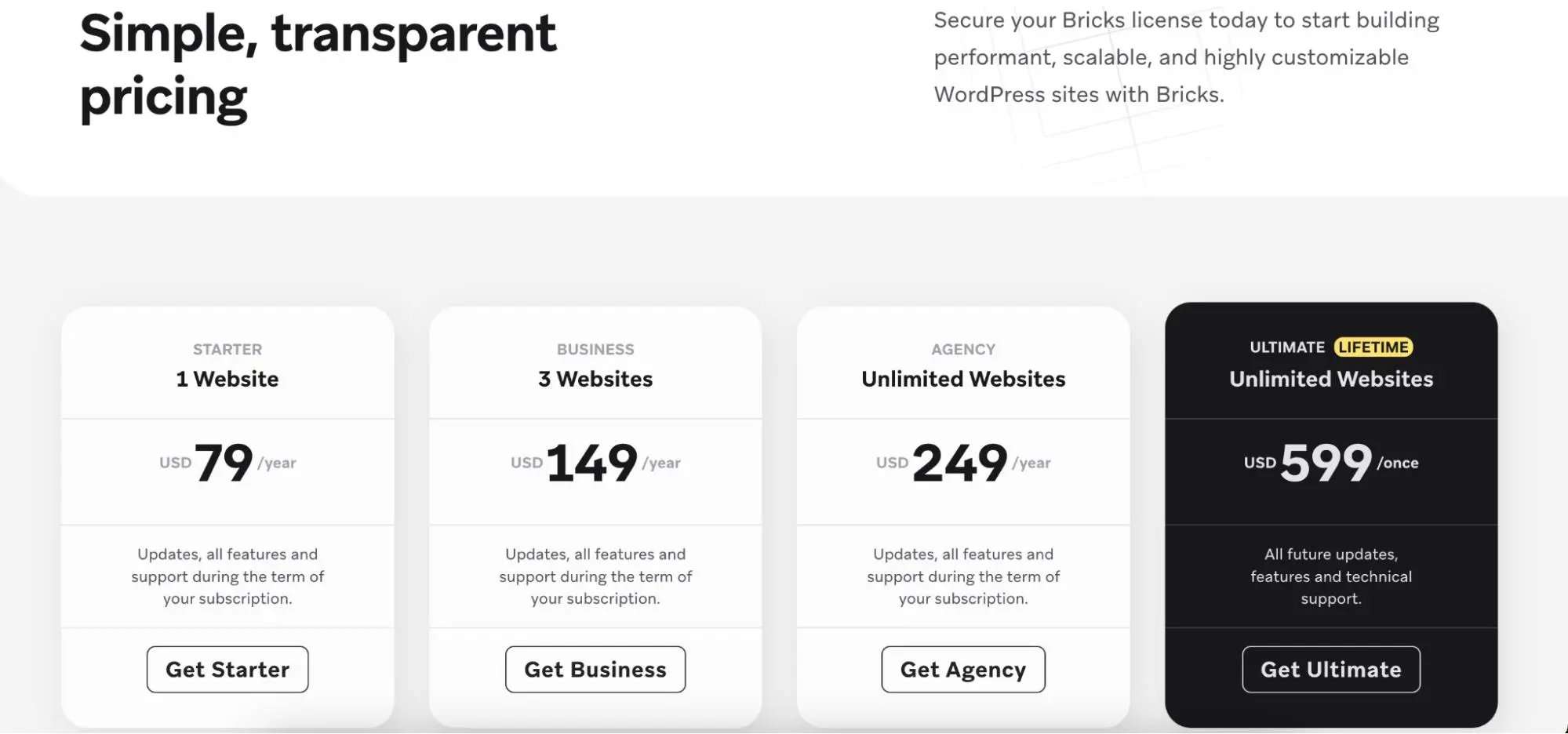
The Starter plan is the most affordable Bricks Builder license, costing $79 per year for one website.
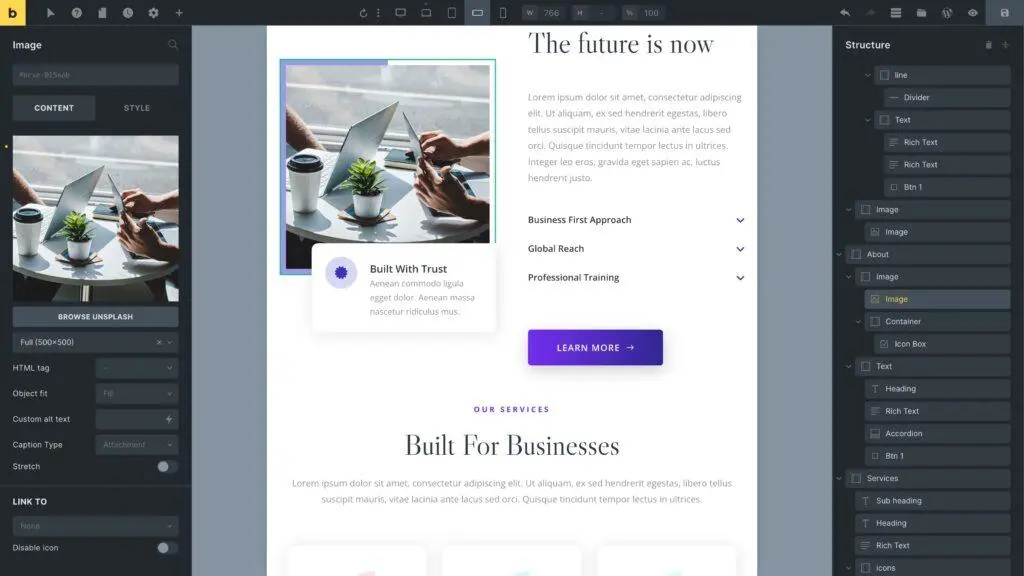
It gives you access to the complete website builder, including visual editing, theme-building tools, dynamic content, WooCommerce functionality, and other built-in features.
With the Starter plan, you get:
- One live website activation.
- Access to all Bricks Builder features.
- Regular updates and technical support during your subscription.
- Community templates.
- Free local and staging activations.
Best for: Bloggers, small business owners, and individuals building a single WordPress website.
If you’re working on one website and don’t expect to manage additional projects soon, Starter is a practical choice. You get the same core features as higher-priced plans without paying for extra activations.
2. Annual vs Lifetime pricing comparison
The Business plan costs $149 per year and supports up to three websites.
It includes everything available in Starter, but with two additional live website activations.
If you use all three licenses, the effective annual cost comes to approximately $49.67 per website. That’s lower than purchasing three separate Starter licenses.
Best for: Freelancers, website designers, and small businesses managing two or three WordPress websites.
For example, if you’re maintaining your business website and two client projects, Business gives you enough activations without requiring an unlimited license.
It’s a good middle option for people who need more flexibility but aren’t managing a large number of websites.
3. Bricks Agency Plan
The Agency plan costs $249 annually and allows unlimited website activations.
Unlike Starter and Business, there is no fixed limit on how many live WordPress websites you can build with your license.
It includes all core Bricks features and also makes you eligible to apply for a Bricks Expert listing.
For example, if you use the Agency license across 10 client websites, the effective annual license cost is $24.90 per website.
Best for: WordPress agencies, professional developers, and freelancers who regularly build websites for clients.
If you’re handling several projects throughout the year, Agency removes the need to purchase extra licenses each time you launch a website.
4. Bricks Ultimate Lifetime Plan
The Ultimate Lifetime plan costs $599 as a one-time payment and includes unlimited website activations.
Unlike the annual plans, you don’t need to renew your license every year. It also includes future Bricks updates, new features, and technical support for life.
The Ultimate plan provides:
- Unlimited website activations.
- Lifetime updates and new features.
- Lifetime technical support.
- All core Bricks Builder functionality.
- Eligibility to apply for a Bricks Expert listing.
Best for: Agencies, freelancers, and developers planning to use Bricks Builder over several years.
Although the initial cost is higher, Ultimate can be more economical than an annual Agency license if you continue using Bricks for the long term.
Bricks Builder Annual vs Lifetime Pricing: Which Offers Better Value?
One of the biggest decisions when purchasing Bricks Builder is whether to choose an annual subscription or the lifetime license.
Annual plans have a lower upfront cost, which makes them suitable for new users or smaller projects. The Ultimate Lifetime license costs more initially but removes recurring renewal fees.
To understand the difference, let’s compare the Agency and Ultimate plans. Both support unlimited websites.
Agency vs Ultimate: Cost Comparison Over Five Years
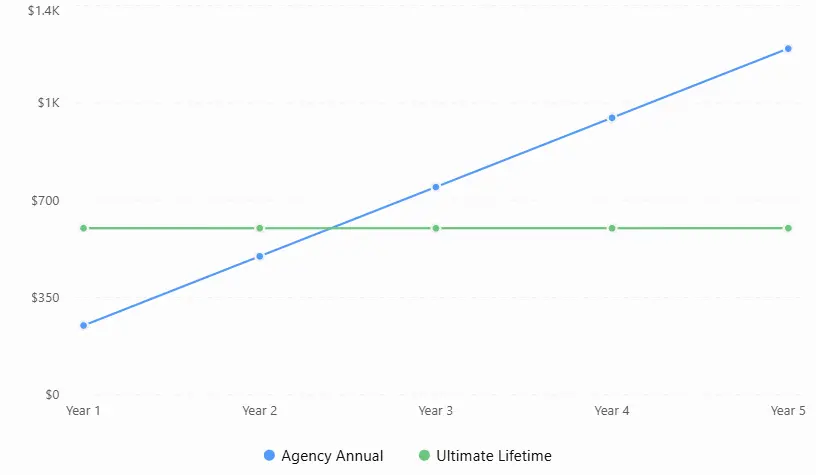
This chart compares the total cost of the Bricks Builder Agency Annual and Ultimate Lifetime plans over five years.
Assumes annual prices remain unchanged. Excludes taxes.
| Duration | Agency Annual | Ultimate Lifetime |
|---|---|---|
| 1 year | $249 | $599 |
| 2 years | $498 | $599 |
| 3 years | $747 | $599 |
| 4 years | $996 | $599 |
| 5 years | $1,245 | $599 |
Based on current pricing, the Ultimate plan becomes cheaper than renewing the Agency license for three years.
Over five years, the Agency license would cost $1,245, while Ultimate would remain at $599. That’s a potential saving of $646, assuming annual pricing doesn’t change.
However, a lifetime license isn’t necessarily the best choice for everyone.
If you’re managing only one website, Starter costs $395 over five years at today’s pricing, which is still lower than Ultimate.
The better choice depends on how many websites you build and how long you expect to use Bricks.
Our recommendation: Choose Starter or Business for smaller projects. Consider Agency if you build multiple client websites, and Ultimate if you need unlimited activations and expect to continue using Bricks for at least three years.
What’s Included in Bricks Builder Pricing?
One advantage of Bricks Builder is that you don’t need to purchase a higher-priced plan to unlock additional core features.
Every license includes the same builder functionality. According to its official pricing page, Bricks includes:
- 149 built-in elements: Create layouts, content sections, and interactive website components.
- Visual Website and Theme Builder: Design pages, headers, footers, and other parts of your WordPress website.
- WooCommerce Builder: Customize product pages and online store layouts.
- Query Loop Builder: Display posts, products, and other dynamic content.
- Menu and Popup Builders: Create navigation menus and popups.
- Dynamic Content: Connect website layouts with WordPress data.
- Conditions and Interactions: Control content visibility and user interactions.
- Community Templates: Access additional design resources.
All plans also include regular updates and technical support according to their license terms.
This means someone using Starter can access the same WooCommerce, dynamic content, and theme-building capabilities as someone using Ultimate.
The main licensing differences are the number of allowed website activations, billing duration, and Bricks Expert listing eligibility.
Bricks Builder Additional Costs: Do You Need Premium Addons?
Purchasing a Bricks Builder license is one part of the cost of creating a WordPress website.
You’ll also need hosting and a domain name. Depending on your project, you may want additional plugins, premium templates, or specialized design tools.
These purchases aren’t mandatory. Bricks already includes enough functionality to build many professional websites without extra design addons.
However, if you regularly build client websites, additional tools can help you work faster and avoid rebuilding similar layouts for every project.
Hosting and Domain Costs
Bricks Builder runs on self-hosted WordPress websites, so you’ll need web hosting and a domain name.
Hosting costs depend on your provider, website traffic, and server requirements. A simple business website may work well on an entry-level hosting plan, while a larger WooCommerce store may need more resources.
Domain registration is another ongoing cost unless you already own a domain.
These expenses are separate from your Bricks Builder license.
Optional Premium Addons
Bricks includes built-in design and development features, but some websites may need additional functionality.
For example, you might want:
- Ready-made website templates and sections.
- Additional design elements or extensions.
- Advanced scroll animations and interactions.
- Specialized WooCommerce functionality.
- SEO, security, or performance tools.
Before purchasing extra plugins, check whether Bricks already supports the feature you need. This can help you avoid unnecessary costs.
Extend Bricks Builder with BricksFly
If you’re building websites with Bricks regularly, having reusable templates and additional design tools can save time.
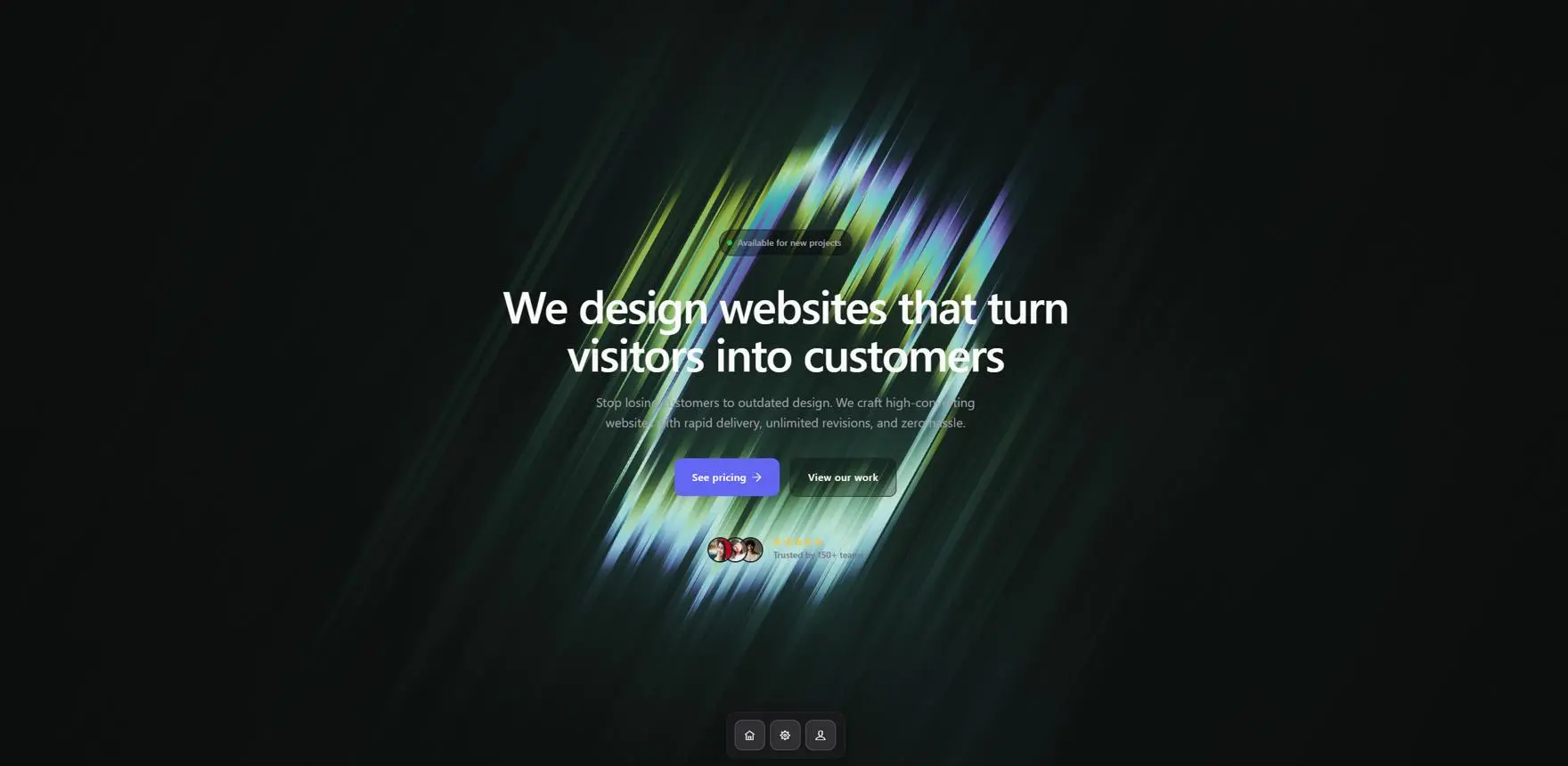
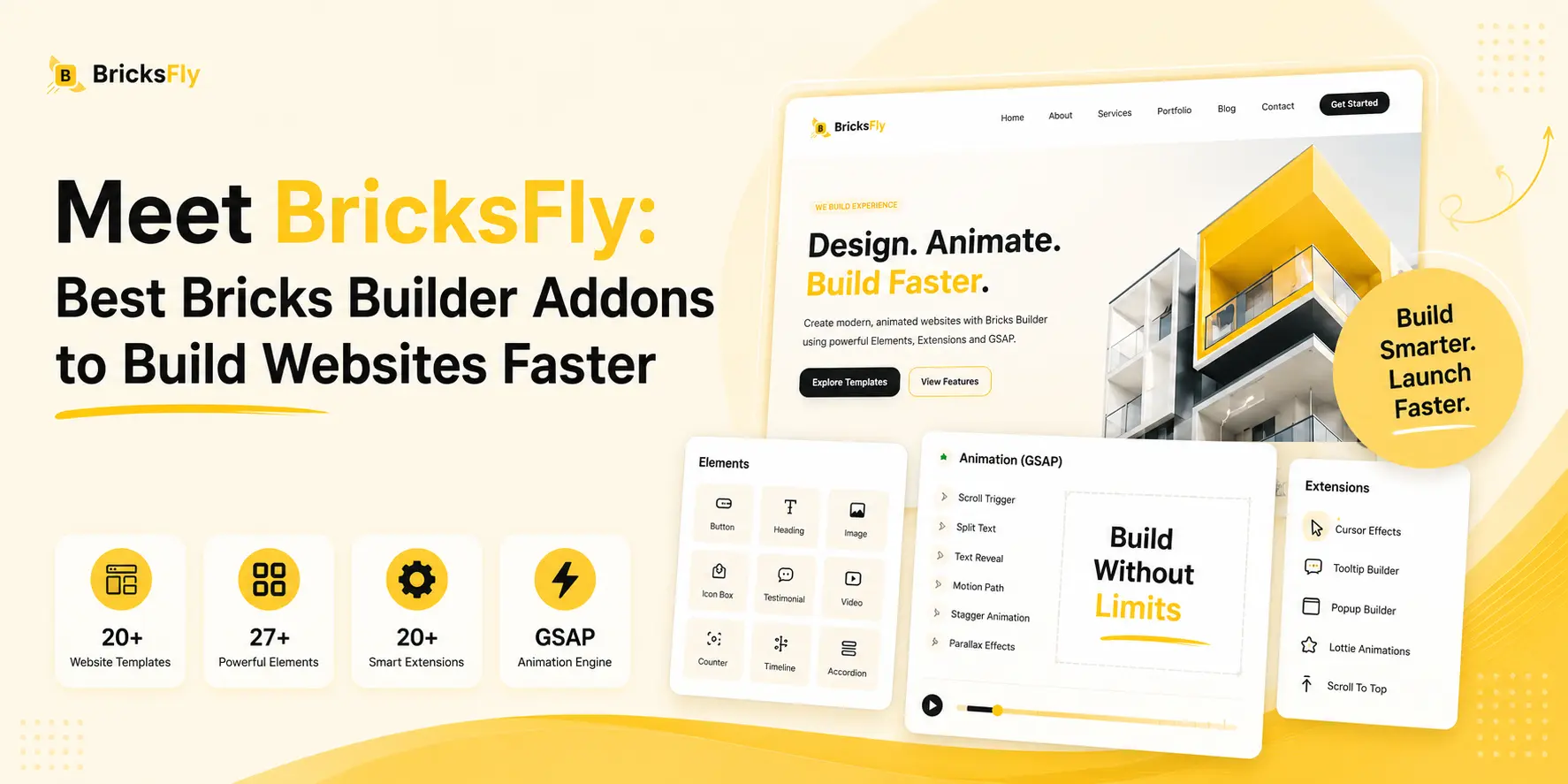
BricksFly is a toolkit made specifically for Bricks Builder. It adds website templates, ready-made sections, extra elements, extensions, and visual GSAP animations directly inside the Bricks workflow.
Instead of designing every page from scratch, you can start with existing layouts and customize them to match your project.
What does BricksFly include?
- 30+ full website templates: Build websites using ready-made designs with inner pages.
- 500+ pre-designed sections: Add hero sections, pricing tables, testimonials, portfolios, and other layouts.
- 45+ elements and extensions: Expand your design options inside Bricks.
- Visual GSAP animations: Create effects such as SplitText, parallax, horizontal scrolling, and sticky or pin animations without writing custom JavaScript.
- Reusable design resources: Use templates and sections across multiple client projects.
For example, an agency using the Bricks Agency license can combine it with BricksFly to build client websites faster using reusable sections and premade layouts.
BricksFly is an optional, separately purchased addon and requires Bricks Builder to work.
Want to speed up your Bricks workflow? Explore BricksFly templates, elements, and GSAP animation tools to see how it can extend your existing Bricks Builder setup.
Conclusion
Bricks Builder offers flexible pricing for individual website owners, freelancers, and agencies. With plans starting at $79 per year and a $599 lifetime option, you can choose a license based on your projects and long-term budget.
Starter works well for a single website, Business covers a few projects, and Agency supports unlimited client websites. Ultimate becomes an attractive choice if you plan to use Bricks for several years.
Whichever license you choose, all plans include the same core builder features.
You can also extend Bricks with optional tools such as BricksFly if you need more ready-made templates, reusable sections, and advanced animations.
The best starting point is to consider how many websites you’ll build, how long you’ll use Bricks, and which additional tools your projects actually need.
Frequently Asked Questions
No. Bricks Builder is a premium WordPress theme and website builder, with paid licenses starting at $79 per year. However, you can try it for free through the official Bricks online playground before purchasing a license.
Yes. The Ultimate Lifetime plan costs $599 as a one-time payment. It includes unlimited website activations, lifetime updates, and technical support.
Yes. Both the Agency plan at $249 per year and the Ultimate Lifetime plan at $599 once include unlimited website activations.
Your existing Bricks websites will continue working, and you can still edit them.
However, once your annual license expires, you lose access to updates, technical support, and community templates. Using an outdated version may introduce security or compatibility risks.
Yes. You can upgrade or downgrade between annual plans through your Bricks account. Subscription changes are prorated.
If you want to move to Ultimate Lifetime, you’ll need to purchase the lifetime license and switch your website activations to the new license. You can then cancel your annual subscription.
No. Local development and eligible staging installations don’t count toward your website activation limit.
For example, you can use the Starter license on one live website and also work on its staging environment without purchasing another license.
Bricks can be a good choice for beginners who want to learn professional WordPress website design.
However, advanced features such as CSS classes, dynamic content, and custom styling may take time to understand.
If you only need a very basic website, a free WordPress theme and the native block editor may be sufficient.


Leave a Reply
You must be logged in to post a comment.