

Lottie and SVG animations are the lightest way to add motion to a Bricks site. An animated checklist, a looping loader, a logo that draws itself: all of it stays sharp at any size and usually weighs far less than a GIF or a video.
The catch is that Lottie animation in Bricks Builder needs a plugin or custom code. This guide compares seven tools that add Lottie or SVG animation to Bricks, with the features, triggers and prices taken from each product’s own documentation and listing.
The best Lottie and SVG animation plugin for most Bricks Builder users is BricksFly Pro, which adds a Lottie element with six triggers (none, scroll, hover, cursor move, click, viewport) plus GSAP animation for any element, from $79 lifetime.
For a free option, Bricksable and Max Addons include free Lottie elements, and Max Addons adds a free SVG Animation element. BricksExtras offers the most Lottie interaction options.
Key Takeaways
- Bricks has no native Lottie element. According to BricksFly, Lottie support is listed as in progress on the Bricks roadmap at the time of writing.
- Best overall: BricksFly Pro. Lottie element with 6 triggers, JSON URL or pasted JSON, SVG or Canvas renderer, plus the Motion Builder for animating SVG icons and any element.
- Best free Lottie: Bricksable. Free Lottie element with scroll, hover and click control.
- Free Lottie and SVG: Max Addons. Its free version includes both a Lottie element and an SVG Animation element.
- Most Lottie interactions: BricksExtras. Scroll relative to any container, cursor position, click on another element, and lazy loading.
- For SVG line drawing across builders: MotionKit. It animates SVG line art with GSAP DrawSVG on paid plans.
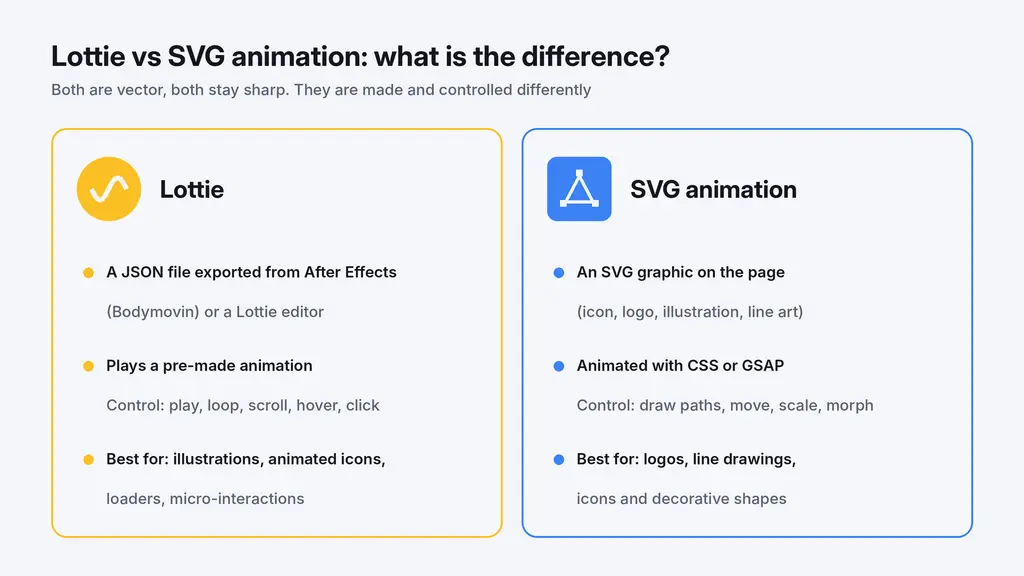
Lottie vs SVG Animation: What Is the Difference?
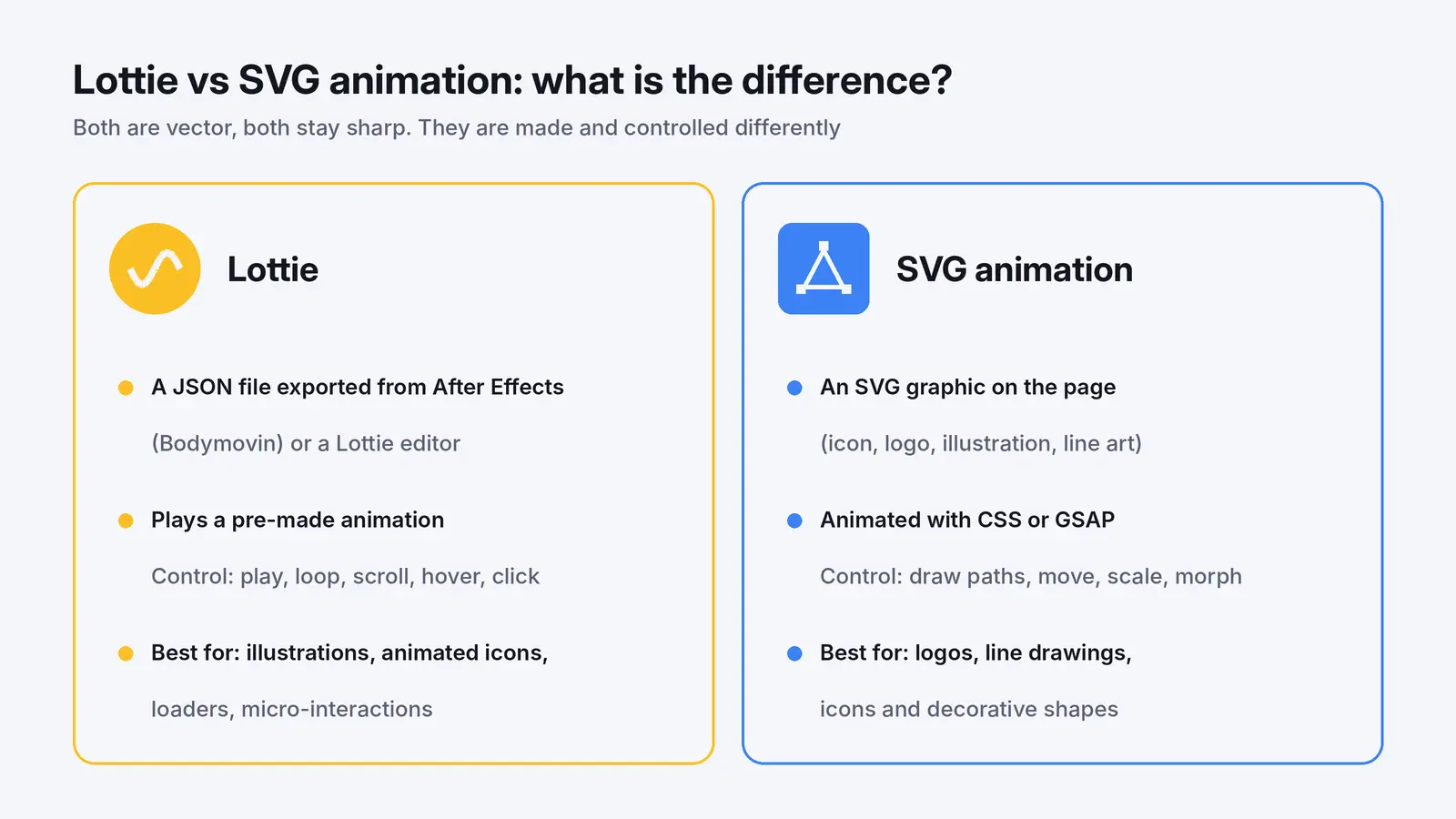
| Lottie | SVG animation | |
| What it is | A JSON animation file, usually exported from After Effects with Bodymovin or made in a Lottie editor | An SVG graphic on the page (icon, logo, illustration, line art) |
| How it moves | Plays a pre-made animation with a Lottie player | Animated with CSS or a library such as GSAP |
| What you control | Play, pause, loop, speed, frames, triggers (scroll, hover, click) | Path drawing, position, scale, rotation, color |
| Best for | Illustrations, animated icons, loaders, micro-interactions | Logos, line drawings, icons, decorative shapes |
| File types | Lottie JSON; dotLottie (.lottie) in some players | .svg or inline SVG markup |
Quick Comparison Table
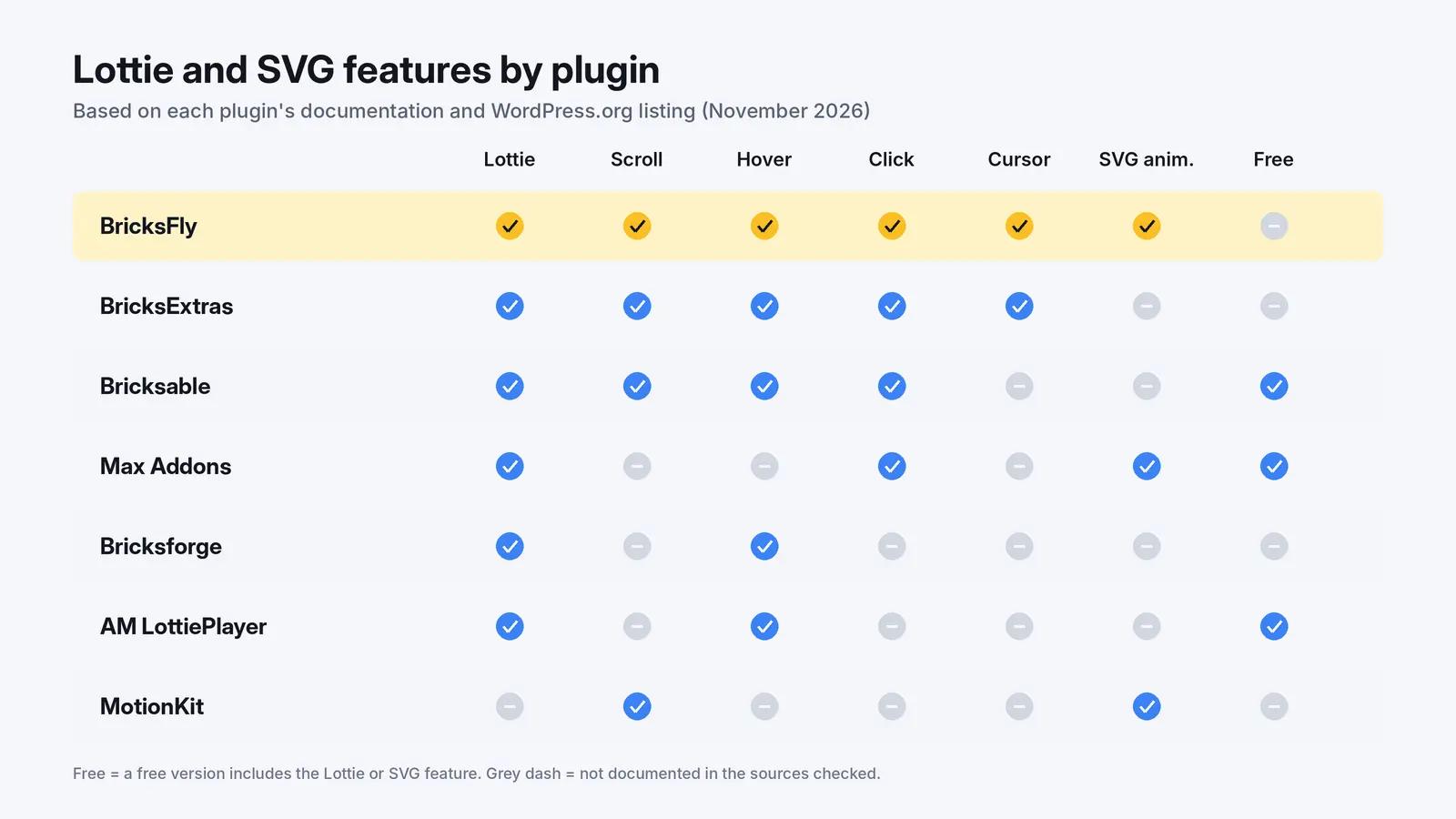
| Plugin | Lottie | SVG animation | Free option | Paid from | Best for |
| BricksFly | Yes (Pro element) | Yes, via GSAP Motion Builder on any element | Free plugin, Lottie is Pro | $79 lifetime, 1 site | Best overall, full toolkit |
| BricksExtras | Yes | Not documented | No | $79/year or $229 lifetime, unlimited sites | Most Lottie interactions |
| Bricksable | Yes | Not documented | Yes, Lottie is free | Free | Best free Lottie |
| Max Addons | Yes | Yes, SVG Animation element | Yes, both free | Pro version is paid | Free Lottie and SVG |
| Bricksforge | Yes | Not documented | No | Paid plans | Lottie with player controls |
| AM LottiePlayer | Yes | No | Yes | Free | dotLottie files, multi-builder |
| MotionKit | No | Yes, GSAP DrawSVG (paid plans) | Free plan | $49/year or $89 lifetime, 1 site | SVG line drawing, timelines |
Prices are regular list prices as of November 22, 2026; Black Friday prices are noted in each section.
BricksFly: Best Overall Lottie and SVG Plugin for Bricks
BricksFly is a complete Bricks Builder toolkit that helps users build modern animated websites faster with full website templates, sections, extra Elements, Extensions, and no-code GSAP animations. Its Lottie element is part of BricksFly Pro.
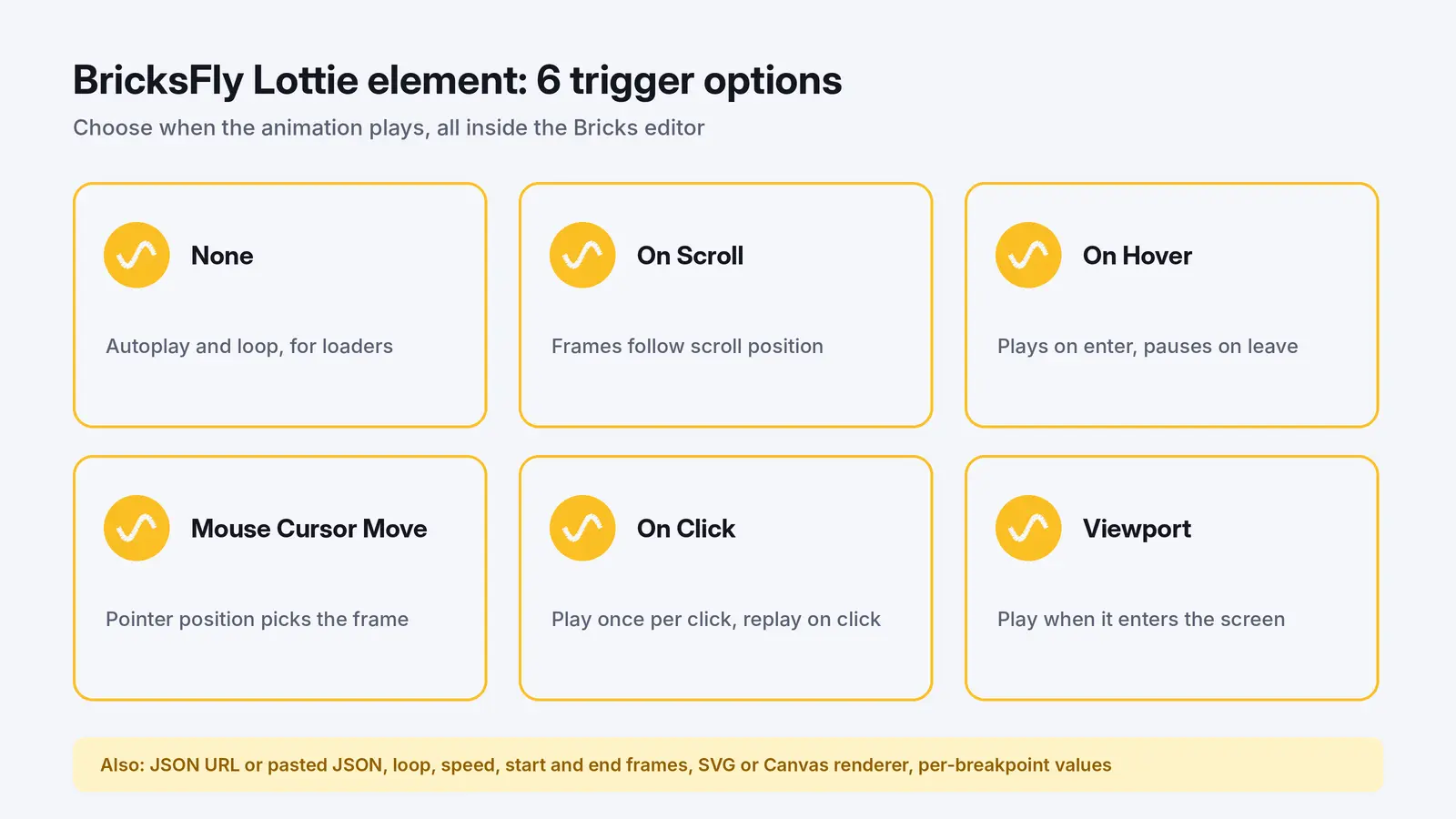
| Setting | Options |
| Source | JSON URL or Paste JSON |
| Trigger | None, On Scroll, On Hover, Mouse Cursor Move, On Click or Viewport, with start and end trigger selectors |
| Playback | Autoplay, loop, times, speed, duration, start point and end point (frames) |
| Pause and replay | Pause on mouseleave or click; replay on hover, click or viewport |
| Renderer | SVG or Canvas |
| Responsive | Values can be set per breakpoint |
The Paste JSON option is useful because you can add an animation without uploading a JSON file to the Media Library. The element’s CSS and JavaScript load only on pages that use it, and you can switch it off in BricksFly > Elements.
SVG animation
For SVG icons, logos and illustrations placed with Bricks Elements, BricksFly’s Motion Builder lets you stack multiple GSAP animations on a single Bricks element, each with its own trigger, timing, easing and From/To properties. It works on any Bricks element, including images, icons and containers, with presets (fade, zoom, flip) and custom properties such as opacity, X, Y, scale, rotate, color and filter.
Pricing
| Plan | Yearly (regular / first-year sale) | Lifetime (regular / sale) |
| 1 site | $49 / $24.50 | $79 / $47.40 |
| 5 sites | $89 / $44.50 | $149 / $89.40 |
| 500 sites | $149 / $74.50 | $399 / $199.50 |
- Pros: six Lottie triggers including cursor move and viewport, pasted JSON, SVG or Canvas renderer, per-breakpoint values, plus 30 Elements, 22 Extensions, templates and sections in the same license.
- Limits: the Lottie element requires BricksFly Pro; the free plugin does not include it.
- Best for: Bricks users who want Lottie, SVG and GSAP animation in one toolkit.
See the BricksFly Lottie element, the Motion Builder documentation and BricksFly pricing.
Add Lottie to Bricks Without Code
BricksFly Pro includes the Lottie element, Motion Builder, 30 Elements, 22 Extensions and the GSAP animation engine, with a 15-day money-back guarantee.
Get BricksFly Pro →MotionKit: Best for SVG Line Drawing on Any Builder
MotionKit is a visual GSAP animation platform from Wealcoder, the team behind BricksFly. It does not play Lottie files, but it animates SVG line art with GSAP DrawSVG, along with images, buttons, icons and background layers. It works on the page Bricks renders, using the CSS classes Bricks gives your elements, and also supports Elementor, Divi, Gutenberg and other builders.
- Pricing: free plan (1 site, 1 page, 10 animations); Starter $49 a year or $89 lifetime for 1 site. Every GSAP plugin, including DrawSVG, is part of the paid plans. Black Friday prices run until December 5, 2026, 23:59 UTC.
- Best for: SVG line drawing, multi-element timelines and agencies working across builders.
Details: MotionKit for Bricks. Compare it with BricksFly in BricksFly vs MotionKit.
BricksExtras: Most Lottie Interaction Options
BricksExtras is a paid Bricks add-on with a Lottie element that controls the animation by hovering, scroll position relative to any chosen container, cursor position relative to the animation, clicking, or autoplay and loop. It also offers a click on another element trigger, adds triggers to Bricks Interactions, and exposes play, stop and reverse actions.
- Settings: start frame, end frame and speed.
- Performance: Lottie SVGs lazy load by default, added when the visitor scrolls within 100px of the animation.
- Files: add JSON files to the Media Library and enter the URL in the element settings.
- Pricing: Agency plan $79 a year or Lifetime $229, both for unlimited sites, as listed in November 2026. No free version.
- Best for: builders who need fine control over how Lottie reacts to scroll and interactions.
Docs: BricksExtras Lottie.
Bricksable: Best Free Lottie Element
Bricksable is a free Bricks add-on with 20+ elements, including a Lottie element that adds interactive vector animations. Its changelog shows a JSON file upload option, relative element scroll, dynamic data for the Lottie URL, and click and hover triggers. Bricksable loads only the scripts required by your design, and each element can be switched on or off.
- Pricing: free on WordPress.org.
- Best for: adding Lottie to Bricks at no cost.
Listing: Bricksable on WordPress.org.
Max Addons: Free Lottie and SVG Animation Elements
Max Addons for Bricks Builder includes a free Lottie element and a free SVG Animation element, which adds animations to SVG files without coding. Its changelog lists a JSON upload option for the Media Library, an action on animation completion, a click mode and a loop count option for Lottie.
- Pricing: the free version includes Lottie and SVG Animation; Max Addons Pro adds more elements and is paid.
- Best for: free Lottie plus simple SVG animation in one plugin.
Listing: Max Addons on WordPress.org.
Bricksforge: Lottie With Player Controls
Bricksforge includes a Lottie element with these documented settings: source (upload a JSON file or paste a URL), width, height, autoplay, loop, speed, mode (Normal or Bounce), direction (Normal or Reverse), play on hover, show controls and background.
- Pricing: Bricksforge is a paid plugin with yearly and lifetime plans; check bricksforge.io for current prices.
- Best for: Bricksforge users who want Lottie alongside its other tools, or who need visible player controls.
Docs: Bricksforge Lottie.
No-Plugin Options: Code Element and CSS
Lottie with the LottieFiles web player
Members of the Bricks community forum describe copying the web player code from LottieFiles and pasting it into a Bricks Code element, optionally self-hosting the JSON file. This works, but you manage the player script, triggers and updates yourself.
Simple SVG line drawing with CSS
Bricks includes an SVG element for inline SVG. For a basic line-drawing effect, add pathLength=”1″ to the paths in your SVG markup, give the SVG the class draw, and add this CSS:
.draw path {
  stroke-dasharray: 1;
  stroke-dashoffset: 1;
  animation: draw 2s ease forwards;
}

@keyframes draw {
  to { stroke-dashoffset: 0; }
}

@media (prefers-reduced-motion: reduce) {
  .draw path { animation: none; stroke-dashoffset: 0; }
}
This plays once on page load. For scroll-linked drawing or sequences, a GSAP-based tool is easier to manage.
Pricing Compared
| Plugin | Free | Lowest paid option (regular) | What else you get |
| BricksFly | Free plugin (Lottie is Pro) | $79 lifetime, 1 site | 30 Elements, 22 Extensions, GSAP engine, templates, sections |
| BricksExtras | No | $79/year or $229 lifetime, unlimited sites | Large set of interactive Elements |
| Bricksable | Yes | Free | 20+ free Elements |
| Max Addons | Yes | Pro is paid | Free form stylers and creative Elements |
| Bricksforge | No | Paid plans | Forms, interactions and backend tools |
| AM LottiePlayer | Yes | Free | Multi-builder Lottie player |
| MotionKit | Free plan | $49/year or $89 lifetime, 1 site | Visual GSAP timeline, 110+ presets |
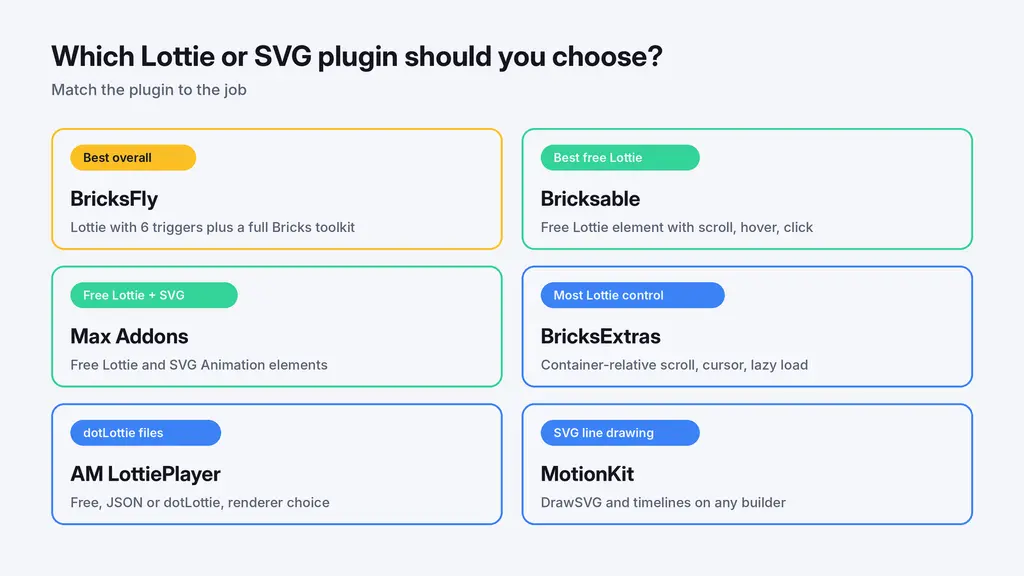
How to Choose the Right Plugin
| If you need… | Choose | Why |
| Lottie, SVG and full GSAP animation in one toolkit | BricksFly | Lottie with 6 triggers, Motion Builder, templates and Elements |
| Free Lottie only | Bricksable | Free Lottie with scroll, hover and click |
| Free Lottie and SVG | Max Addons | Both elements in the free version |
| Advanced scroll and interaction control for Lottie | BricksExtras | Container-relative scroll, cursor, click on another element |
| dotLottie files or several builders | AM LottiePlayer | Free, JSON or dotLottie |
| SVG line drawing and timelines | MotionKit | DrawSVG on paid plans, any builder |
Performance and Accessibility Tips
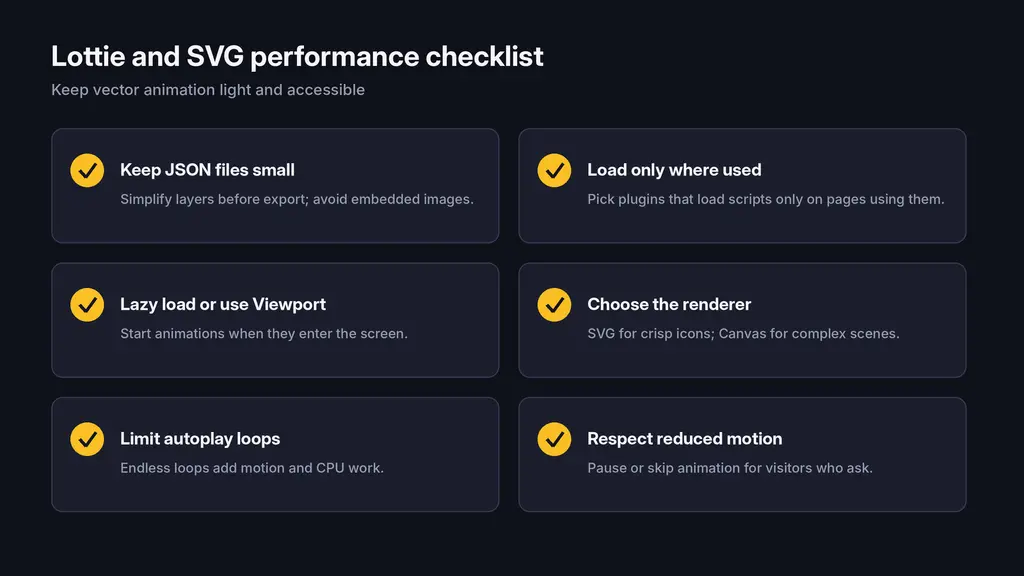
- Keep JSON files small. Simplify layers before export and avoid embedded raster images.
- Load scripts only where used. BricksFly, Bricksable and Max Addons load their assets only on pages that use them.
- Start animations when visible. Use lazy loading (BricksExtras) or a Viewport trigger (BricksFly).
- Choose the renderer. SVG keeps icons crisp; Canvas can handle complex scenes with many layers.
- Limit endless loops. A few looping animations are fine; many add motion and CPU work.
- Respect reduced motion. Pause or skip non-essential animation for visitors who request less motion.
WordPress does not accept .json files in the Media Library by default. Some plugins add an upload option (Max Addons, Bricksable, AM LottiePlayer), and BricksFly also lets you paste the JSON directly.
Get BricksFly Pro, Up to 50% Off for Black Friday
Lottie element, Motion Builder, 30 Elements, 22 Extensions and the no-code GSAP engine, from $47.40 lifetime in the sale (regular $79). 15-day money-back guarantee.
Final Thoughts
Bricks does not play Lottie natively yet, so the right plugin decides how much control you get. Bricksable and Max Addons are solid free starting points, BricksExtras gives the deepest Lottie interactions, and MotionKit is the choice for SVG line drawing across builders.
For most Bricks users, BricksFly Pro is the best fit: a Lottie element with six triggers, pasted JSON, SVG or Canvas rendering and per-breakpoint values, plus the Motion Builder for SVG and any element, and a full toolkit of templates, sections, Elements and Extensions in one license.
FAQs
Does Bricks Builder support Lottie animations natively?
Not at the time of writing. According to BricksFly, Lottie support is listed as in progress on the Bricks roadmap. To use Lottie in Bricks today, add a plugin element such as BricksFly, BricksExtras, Bricksable, Max Addons, Bricksforge or AM LottiePlayer, or paste a web player snippet into a Code element.
What is the best free Lottie plugin for Bricks?
Bricksable and Max Addons both include a free Lottie element. Bricksable adds scroll, hover and click control, while Max Addons also includes a free SVG Animation element. AM LottiePlayer is another free option, with dotLottie support and renderer choice.
Which Lottie plugin has the most triggers?
BricksFly’s Lottie element offers six triggers: none, on scroll, on hover, mouse cursor move, on click and viewport. BricksExtras also offers hover, container-relative scroll, cursor position, click and click on another element, plus actions for Bricks Interactions.
How do I animate an SVG in Bricks Builder?
Place the SVG with the Bricks SVG or Image element, then animate it with a GSAP tool such as the BricksFly Motion Builder, the Max Addons SVG Animation element, or MotionKit for line drawing with DrawSVG. For a simple draw-on-load effect, CSS stroke-dashoffset also works.
Are Lottie animations bad for page speed?
Usually not. Lottie files are vector JSON and are often smaller than a GIF or video of the same animation. Keep files simple, load scripts only on pages that use them, and start animations when they enter the screen.
Can I use dotLottie files in Bricks?
AM LottiePlayer supports uploading Lottie JSON or dotLottie files. The other plugins in this list document JSON files; check each plugin’s documentation before using dotLottie.
Is the BricksFly Lottie element free?
No. Lottie is a BricksFly Pro element. BricksFly Pro starts at $79 lifetime for one site (regular price) and also includes 30 Elements, 22 Extensions, the GSAP engine, templates and sections.
Can I play a Lottie animation on scroll in Bricks?
Yes. BricksFly (On Scroll trigger), BricksExtras (scroll position relative to any container) and Bricksable (relative element scroll) can tie Lottie playback to scrolling, so the animation moves forward and back with the page.


Leave a Reply
You must be logged in to post a comment.