

Bricks Builder has become a popular choice among WordPress developers who want more control over website design, performance, and customization.
Unlike traditional page builder plugins, Bricks is a WordPress theme with a built-in visual editor. It lets you design complete websites, manage dynamic content, and create responsive layouts without relying heavily on additional plugins.
But is Bricks Builder actually worth using in 2026? How does it compare to Elementor, and is it suitable for beginners?
In this WordPress Bricks Builder review, we’ll look at its core features, ease of use, performance, pricing, pros and cons, and whether it’s the right choice for your next website.
Quick Answer
Yes, Bricks Builder is worth it in 2026, especially for developers, freelancers, and agencies. It offers visual editing, dynamic content, reusable styling, WooCommerce support, and strong performance capabilities.
Bricks Builder is ideal for users who value flexibility and design control, while beginners looking for a simpler editing experience may find Elementor easier to use.
What Is Bricks Builder?
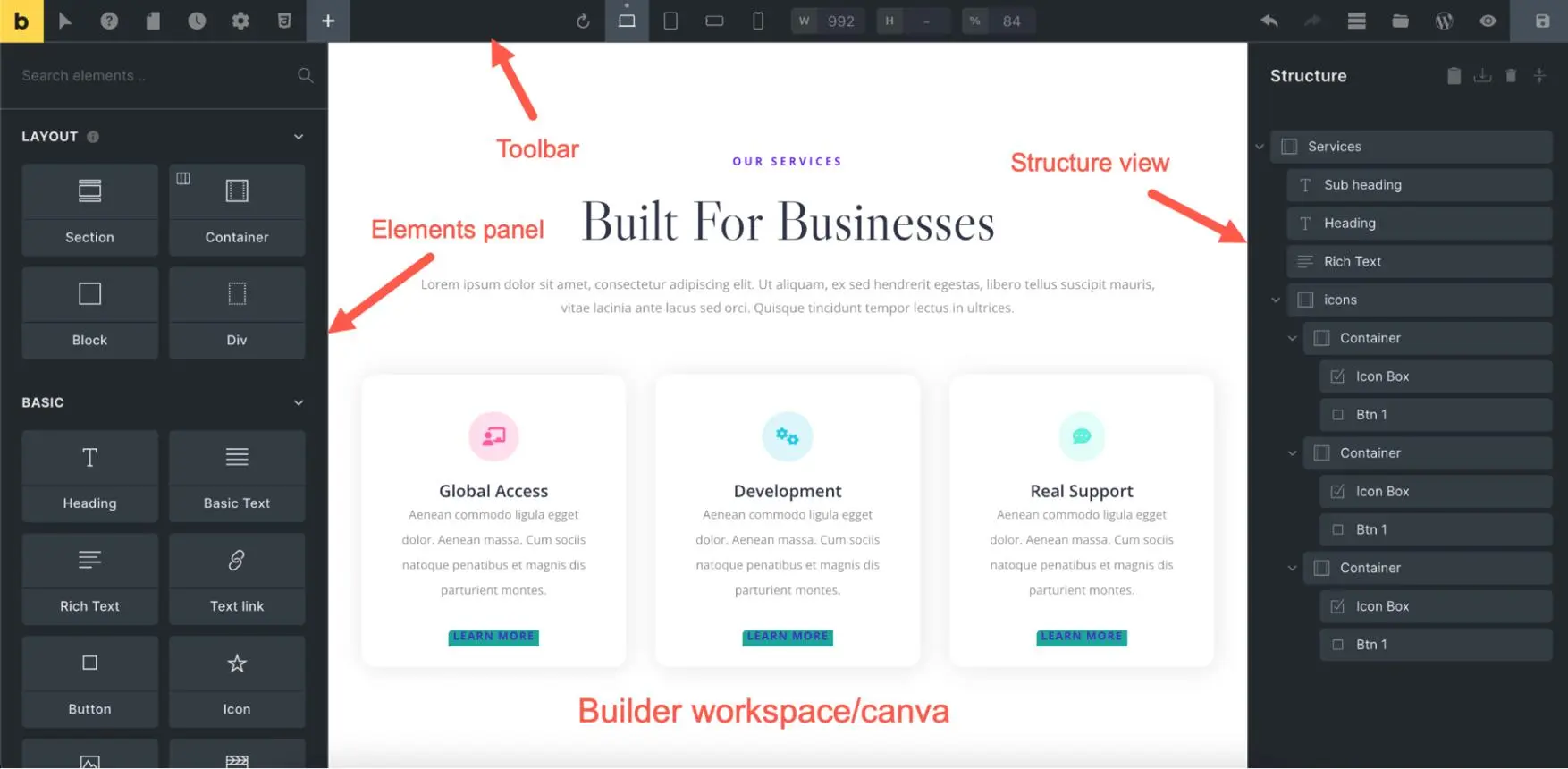
Bricks Builder is a premium WordPress theme that includes a visual drag-and-drop website builder.
It allows you to design and customize an entire WordPress website, including headers, footers, landing pages, blog templates, archives, and WooCommerce pages.
Instead of installing a separate page builder plugin on top of a WordPress theme, Bricks combines both into one solution.
Bricks is designed for users who want detailed control over website structure, CSS styling, dynamic content, and responsive behavior.
Key Features of Bricks Builder
Bricks Builder includes the tools needed to create both simple websites and complex, content-driven WordPress projects.
Here are the features that matter most when evaluating the builder.
1. Visual Drag-and-Drop Editor
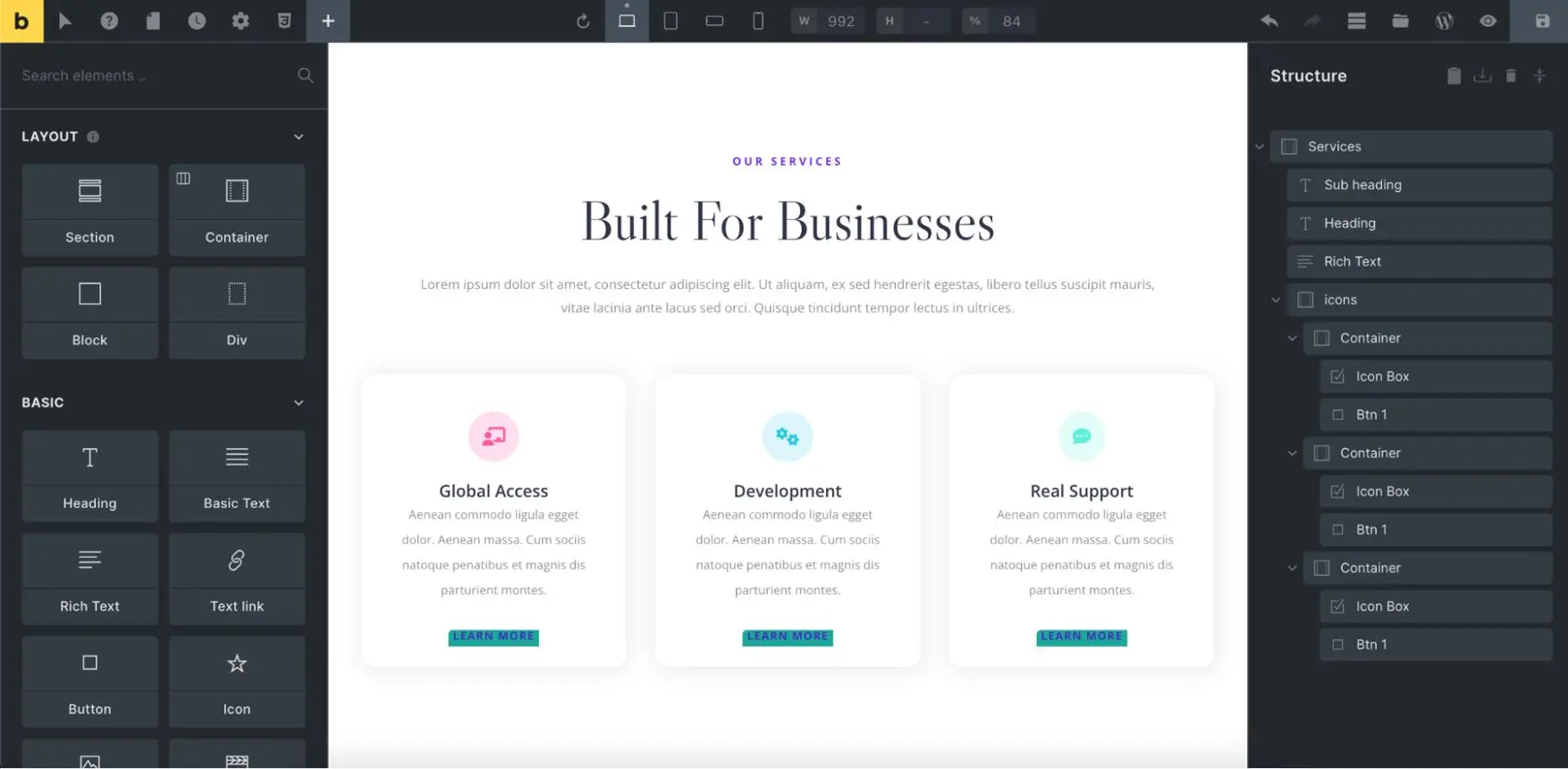
Bricks provides a visual editor where you can build pages, arrange elements, and adjust styling while previewing your changes.
The interface includes a structure panel for managing the hierarchy of elements, an editing canvas, and controls for adjusting content and design settings.
You can work with containers, blocks, headings, images, buttons, and other elements to build custom page layouts.
Some of its useful editing capabilities include:
- Drag-and-drop page editing
- Live design previews
- Element-level styling controls
- Reusable CSS classes
- Custom CSS support
- Responsive design adjustments
The structure panel is particularly helpful for managing complex page layouts because it makes the relationships between elements easier to understand.
Bricks offers excellent control over page layouts, but beginners may need time to learn its interface.
2. Theme Builder and Full Site Editing
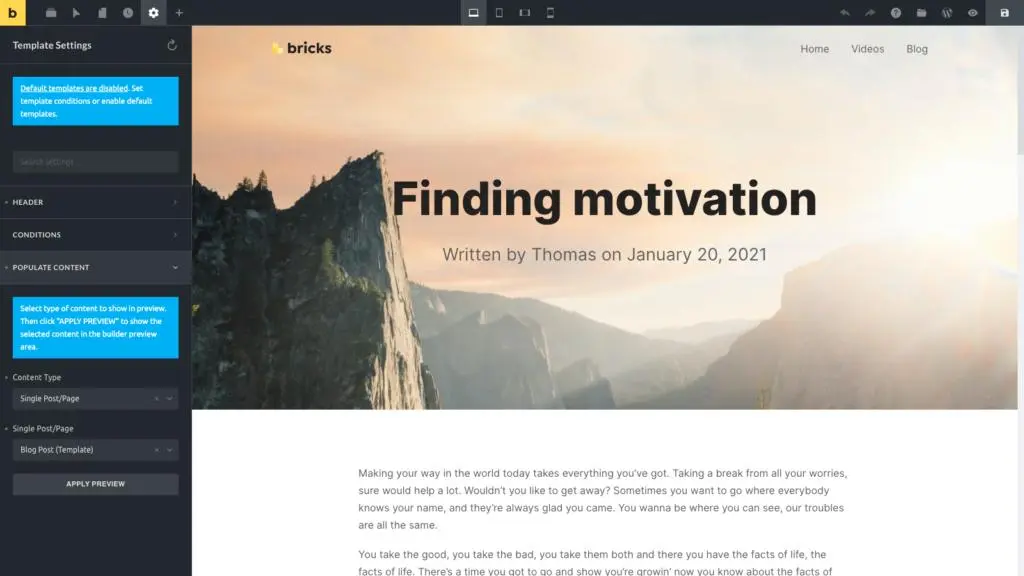
Bricks goes beyond designing individual pages.
Its built-in theme builder lets you create templates for different areas of your website, including headers, footers, single posts, archives, and custom content types.
For example, you can design a custom blog post template and apply it automatically to all articles that meet specific conditions.
You can also create different headers for landing pages and standard website pages.
This makes Bricks useful for agencies and developers who need consistent layouts across multiple pages.
Rather than designing every page individually, you can manage shared website structures through reusable templates.
3. Dynamic Content and Query Loop Builder
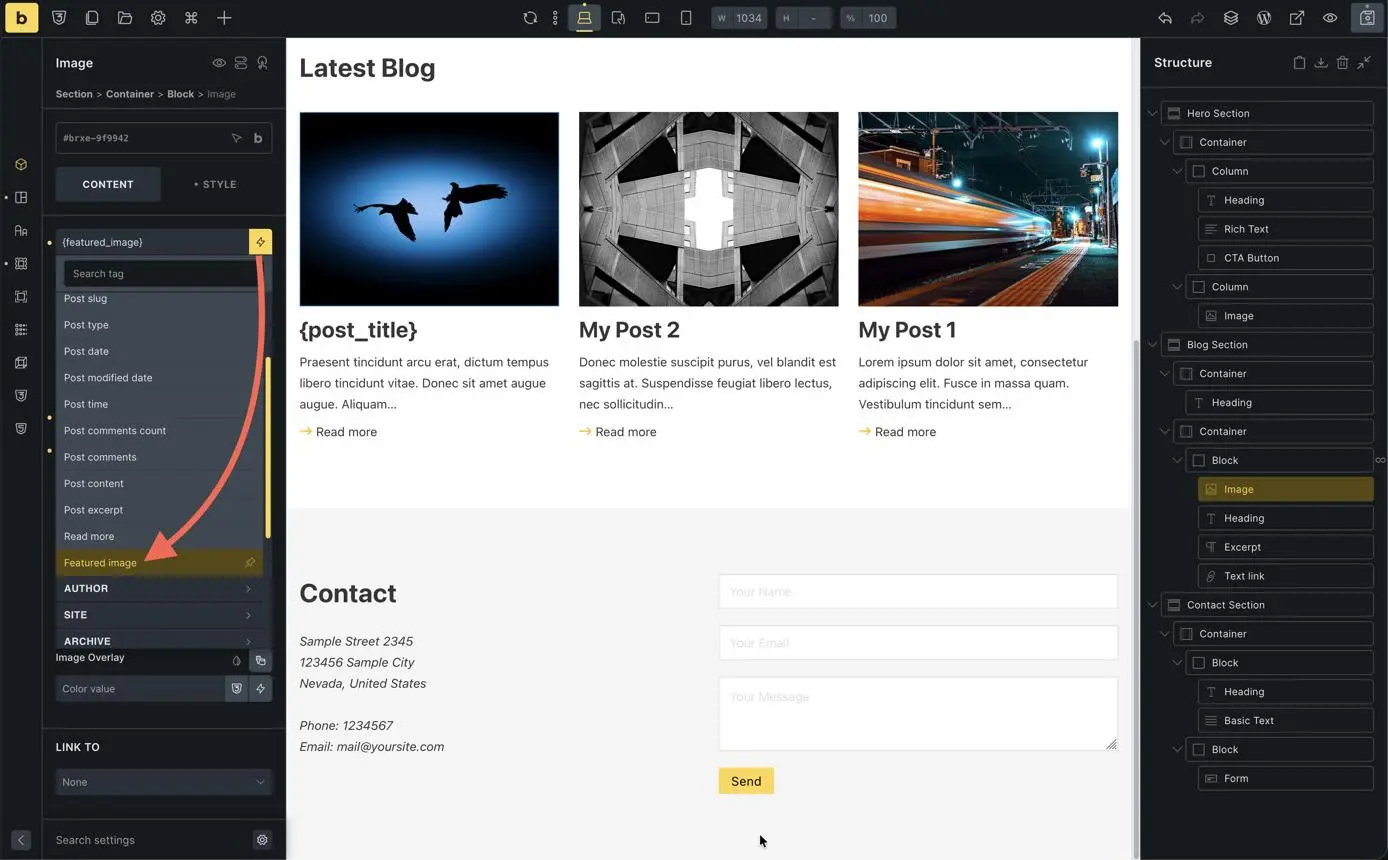
Dynamic content is one of the strongest reasons to consider Bricks Builder.
It allows you to display content from WordPress posts, custom post types, taxonomies, and custom fields without manually updating every page.
Bricks supports popular custom field tools such as Advanced Custom Fields (ACF), Meta Box, JetEngine, and Pods.
Its Query Loop Builder allows you to create dynamic layouts that display content based on selected conditions.
For example, you can build a real estate listing website where each property automatically appears in a custom grid with its price, location, image, and other details.
Other practical applications include portfolio grids, team directories, blog listings, and product catalogs.
4. Responsive Design and Global Styling
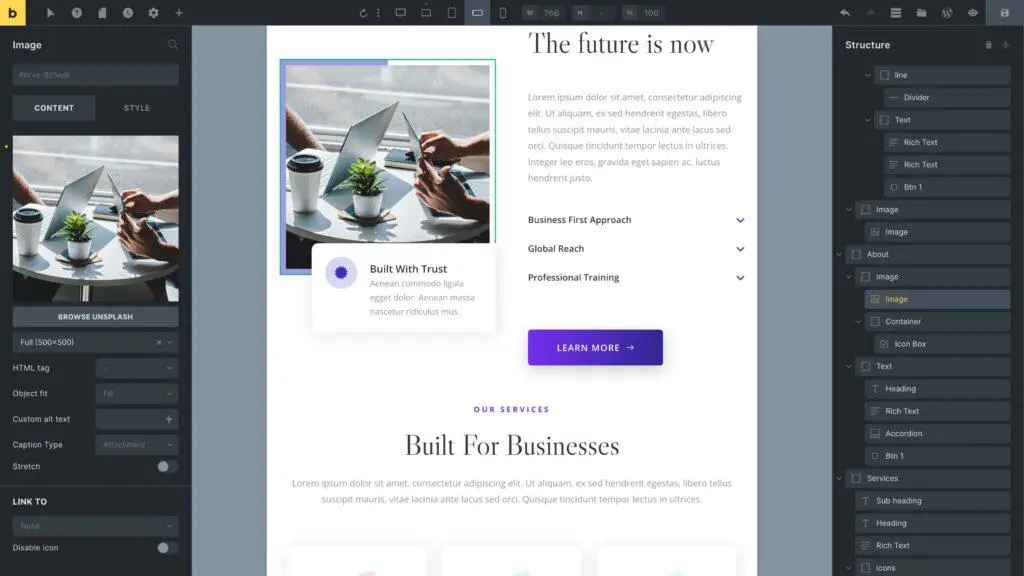
Bricks Builder provides detailed control over how websites look across different screen sizes. You can adjust typography, spacing, layouts, element visibility, and other styling properties for desktop, tablet, and mobile devices.
Bricks also supports global CSS classes, variables, and reusable components.
For example, you can create a global button class with a specific background color, font size, border radius, and hover effect.
When you update that class, the changes can be applied to every element using it.
This is useful for maintaining consistent designs across large websites.
For agencies working on multiple client projects, global styling can also make websites easier to maintain.
5. WooCommerce Builder
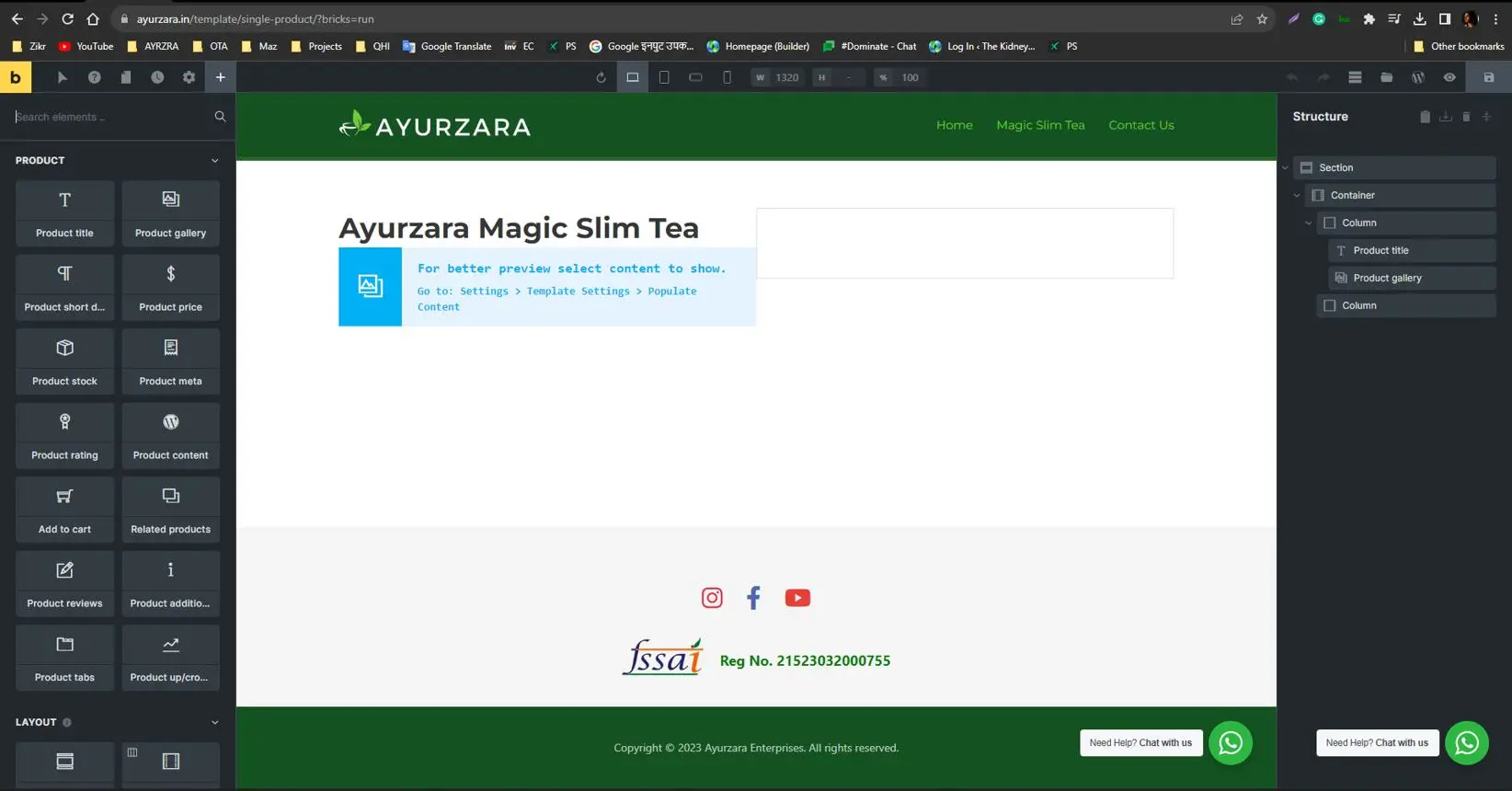
Bricks includes WooCommerce-specific elements and template-building capabilities.
You can customize product pages, shop archives, cart layouts, checkout pages, and other important parts of an online store.
Instead of relying entirely on default WooCommerce templates, you can create custom layouts that match your store’s branding.
For example, you can design a product page with a custom image gallery, product information, pricing, add-to-cart buttons, and related products.
This makes Bricks useful for developers who want more control over WooCommerce storefront design.
However, specialized eCommerce functionality such as subscriptions, advanced filtering, and booking systems may still require additional plugins.
6. Built-In Animations and Interactions
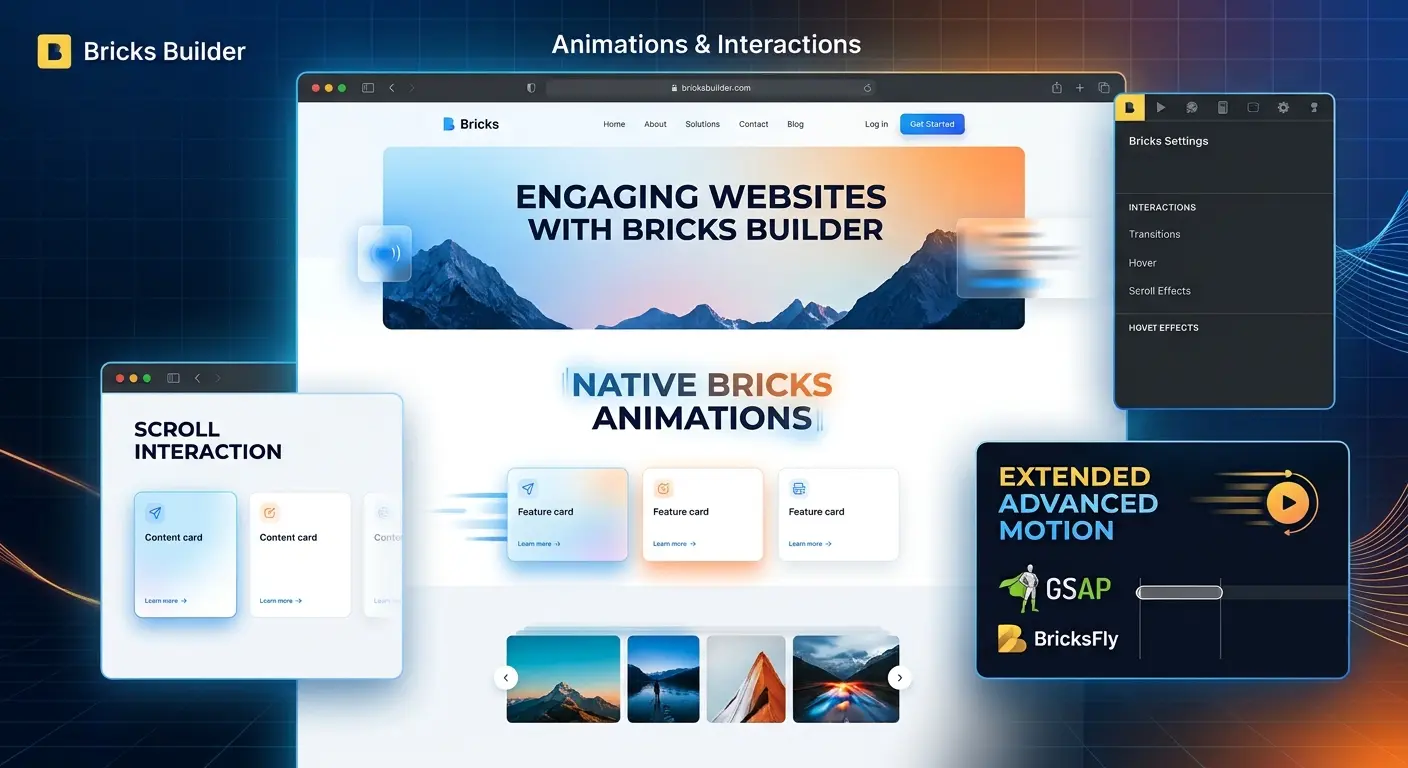
Bricks Builder includes animation and interaction capabilities for creating more engaging websites. You can apply transitions, hover effects, scroll-based interactions, and other visual effects to elements.
These features are useful for adding subtle motion without relying on a separate animation tool for every effect.
For more complex projects, such as advanced text reveals, horizontal scrolling, pinned sections, and custom GSAP timelines, third-party addons can provide additional flexibility.
For example, BricksFly extends Bricks Builder with additional elements, templates, and GSAP-powered animation features.
Our assessment: Bricks covers many common animation requirements natively, while compatible addons can help with more advanced motion design.
Bricks Builder Performance: Is It Fast?
Performance is one of the main reasons WordPress developers choose Bricks Builder. Its performance-focused architecture produces efficient frontend output while giving developers greater control over website structure and styling.
Bricks also includes essential website-building features within its core product, helping reduce the need for additional plugins.
However, website speed depends on several factors, including hosting, image optimization, caching, fonts, third-party scripts, and page complexity.
To evaluate performance, Google uses three Core Web Vitals metrics:
| Core Web Vitals Metric | Good Performance |
|---|---|
| Largest Contentful Paint (LCP) | ≤ 2.5 seconds |
| Interaction to Next Paint (INP) | ≤ 200 ms |
| Cumulative Layout Shift (CLS) | ≤ 0.1 |
Note: These are Google’s recommended performance thresholds, not actual Bricks Builder test results.
You can measure your website’s performance using Google PageSpeed Insights to identify areas that need improvement.
Performance Verdict: Bricks Builder provides a strong foundation for fast-loading WordPress websites, but proper optimization is still essential for achieving good Core Web Vitals scores.
How Easy Is Bricks Builder to Use?
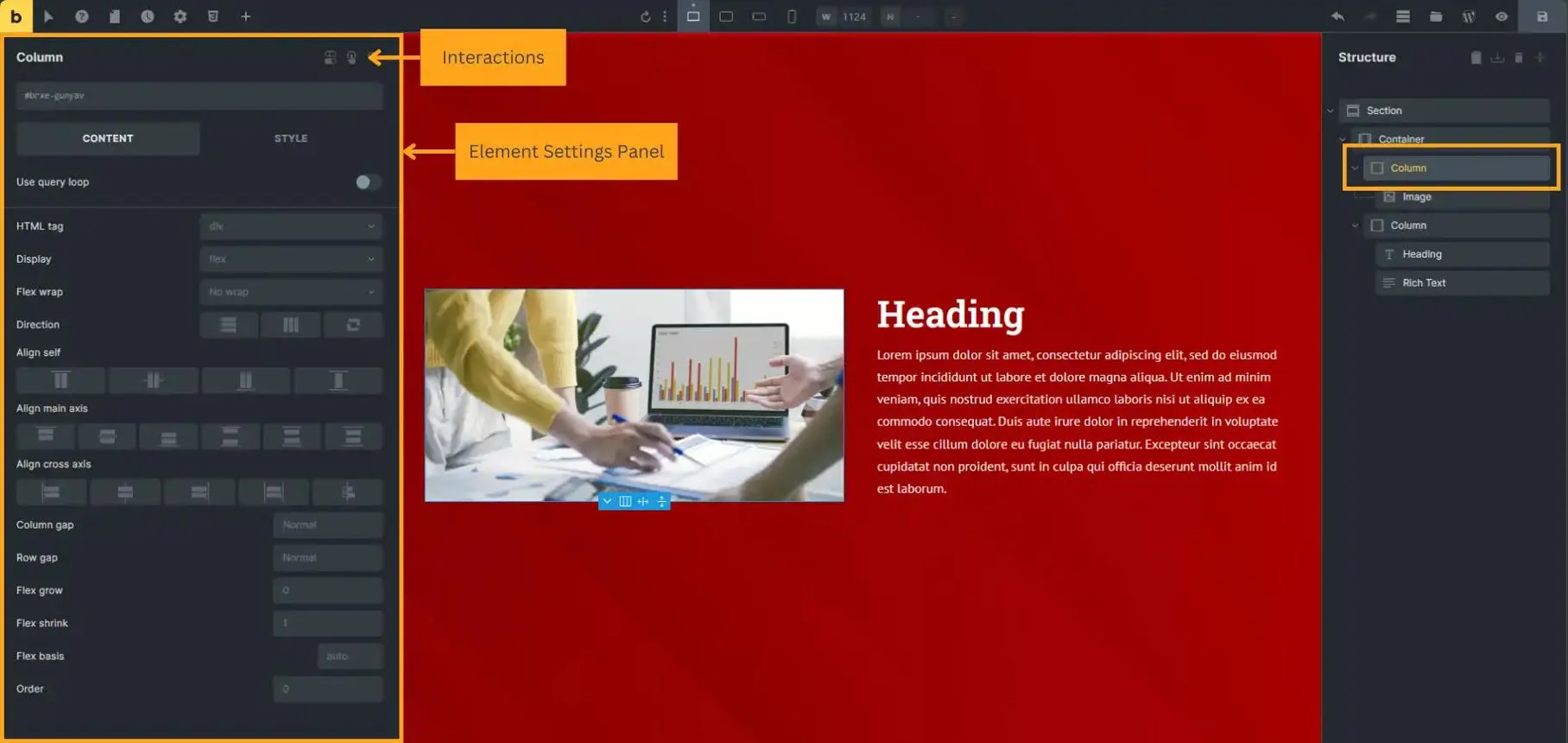
Bricks Builder offers a visual editing experience, but its structured workflow comes with a learning curve, especially for beginners.
The interface uses containers, nested elements, CSS classes, and responsive styling controls. If you’re familiar with HTML and CSS, these concepts may feel natural. However, beginners may need some practice to understand how everything works.
For example, creating a landing page involves adding sections, containers, headings, and buttons, then adjusting their layout and styling. While basic designs are relatively straightforward, complex responsive layouts and reusable design systems require more experience.
Bricks Builder is beginner-friendly for users willing to learn basic web design principles. However, those looking for a simpler drag-and-drop experience may find Elementor easier to use initially.
Overall, Bricks Builder takes some time to learn, but its structured editing approach offers greater control as your WordPress development skills improve.
Bricks Builder Pricing in 2026
Bricks Builder offers four premium pricing plans. The main differences are website activation limits and billing terms.
| Plan | Price | Websites | Billing |
|---|---|---|---|
| Starter | $79 | 1 website | Yearly |
| Business | $149 | 3 websites | Yearly |
| Agency | $249 | Unlimited | Yearly |
|
Ultimate Lifetime
One-time payment
|
$599 | Unlimited | Lifetime |
Note: All plans include core Bricks Builder features. Annual plans provide updates and support during the subscription term, while the lifetime plan includes future updates and technical support under its license terms. Prices checked against the official Bricks Builder pricing page in October 2026.
Bricks Builder Pros and Cons
Every WordPress builder has advantages and limitations. Here’s how Bricks compares based on its features, workflow, and licensing.
Pros
- ✓Performance-focused architecture
- ✓Full visual site editing
- ✓Powerful dynamic content and query loops
- ✓Global CSS classes and reusable components
- ✓Built-in WooCommerce builder
- ✓Developer-friendly customization
- ✓Lifetime license available
Cons
- ✕Learning curve for beginners
- ✕No downloadable free version
- ✕Requires the Bricks theme
- ✕CSS knowledge is helpful
- ✕Smaller addon ecosystem than Elementor
- ✕Existing websites may require rebuilding
Bricks Builder vs Elementor: Which Is Better?
Bricks Builder and Elementor both offer visual editing, responsive design, dynamic content, and WooCommerce customization. However, they differ in ease of use, flexibility, and development workflow.
| Feature | Bricks Builder | Elementor |
|---|---|---|
| Product Type | WordPress theme | WordPress plugin |
| Ease of Use | Moderate learning curve | Beginner-friendly |
| Visual Editing | Yes | Yes |
| Full Site Editing | Built-in | Available with Pro |
| Dynamic Content | Advanced built-in tools | Available with Pro |
| Global Styling | CSS classes and variables | Global styles and class tools |
| Free Version | No | Yes |
| Addon Ecosystem | Smaller | Larger |
| Best For | Developers and agencies | Beginners and professionals |
Choose Bricks Builder if you prioritize advanced styling, dynamic content, and greater control over website structure.
Choose Elementor if you prefer an easier learning experience, ready-made templates, and a larger addon ecosystem.
Both builders can create professional WordPress websites. The right choice depends on your experience, workflow, and project requirements.
Final Verdict
Bricks Builder is a capable WordPress website builder for users who want more control over website design, content structure, and performance.
Its visual editor, dynamic content support, Query Loop Builder, global styling, and WooCommerce features make it particularly useful for developers, freelancers, and agencies.
It also offers flexible licensing, including a lifetime option that may appeal to professionals managing multiple WordPress projects.
However, Bricks is not the perfect solution for everyone.
Beginners may find its structured workflow challenging at first, and existing websites using other builders may require substantial work to migrate.
Our verdict: Bricks Builder is worth buying in 2026 if you value flexibility, maintainability, and developer-friendly tools. For users who prioritize simplicity and a larger add-on ecosystem, Elementor remains a strong alternative.
Before purchasing, try the Bricks Builder playground to see whether its editing experience suits your workflow.
Frequently Asked Questions
Bricks offers advanced design controls, reusable CSS classes, and strong dynamic content features. Elementor generally provides an easier starting point for beginners and a larger third-party ecosystem. The better choice depends on your experience and project requirements.
No. Bricks Builder is a premium WordPress theme. However, you can try its editor through the official online playground before purchasing a license.
No. You can build complete websites visually without writing code. However, understanding HTML, CSS, and WordPress concepts can help you use its advanced features more effectively.
Yes. Bricks includes dedicated WooCommerce elements and templates for designing product pages, shop archives, carts, checkout pages, and customer account layouts.
No. Bricks Builder is itself a WordPress theme with an integrated visual builder. You cannot use it as a standalone page builder plugin on top of another active theme.



Leave a Reply
You must be logged in to post a comment.